
 WhatsApp: +86 16626708626
 Email:
  Phone: +86 16626708626
Description
Key Technical Specifications
| Parameter | Specification Value |
| Catalog Number | 1747-L532 |
| Processor Type | SLC 5/03 Controller |
| User Memory Capacity | 16K Words (Data and Program) |
| Communication Ports | Channel 0: RS-232 (DF1, DH-485, ASCII, Modbus RTU Master)
Channel 1: DH-485 (RJ45) |
| Backplane Current (5V DC) | 500 mA |
| Backplane Current (24V DC) | 175 mA |
| Max Local I/O Capacity | 4,096 Inputs / 4,096 Outputs (max 3 chassis / 30 slots) |
| Program Execution Time | 1 ms per 1K instructions (typical) |
| Memory Retention | Lithium Battery (1747-BA) + Optional Flash Memory (1747-M11/M12) |
| Keyswitch Positions | RUN, REM (Remote), PROG (Program) |
| Status Indicators | RUN, FORCE, FLT, DH485, RS232, BATT LEDs |
Product Introduction & Supply Chain Strategy
This product is a Brand New Surplus unit. It is not used, not pulled from a decommissioned plant, and not refurbished. All modules undergo rigorous quality verification to ensure OEM-level reliability. The Allen-Bradley 1747-L532 is an advanced SLC 5/03 processor card built for mid-sized industrial automation networks. Occupying Slot 0 of a 1746 chassis, it combines a fast 1 ms/K program execution cycle with dual communication ports (RS-232 and DH-485) to orchestrate complex motion sequences, batch processing, and SCADA telemetry.
With Rockwell Automation having designated the entire SLC 500 portfolio as active-discontinued, securing the 1747-L532 as New Surplus is a vital supply chain defense to lower your Total Cost of Ownership (TCO). Refurbished CPU cards often suffer from aged electrolytic capacitors, fractured trace pads, and fatigued memory retention circuits that cause sudden program wipes and unrecoverable hardware faults. Stocking factory-fresh surplus inventory guarantees a 10-15 year operating life, safeguards your facility against EOL stock-outs, and buys critical time while planning future control system migrations.
Installation & Configuration Guide
1.Stage 1: Pre-Installation (Prep & Safety):Perform electrical isolation, static grounding, and project backup.
- Execute strict Lock-Out/Tag-Out (LOTO) procedures on the SLC chassis power supply.
- Wear a grounded Electrostatic Discharge (ESD) wrist strap attached to unpainted enclosure frame steel.
- Save a complete backup of the current processor logic file (
.RSS) using RSLogix 500 on your maintenance terminal.
2.Stage 2: Removal:Safely disengage the CPU card without damaging backplane pins.
- Turn the front panel key switch to PROG mode.
- Disconnect the RS-232 serial cable (DF1) and DH-485 network cables from the front faceplate connectors.
- Squeeze the top and bottom extraction latches and pull the 1747-L532 module straight out of Slot 0 horizontally.
3.Stage 3: Installation (Clone & Seat):Set hardware options, transfer battery, and seat the module.
- Connect a fresh 1747-BA lithium memory battery to the battery connector on the processor board side.
- If using optional Flash memory (1747-M11 or 1747-M12), insert the memory module into the board socket securely.
- Align the 1747-L532 with the guide rails in Slot 0 (far-left position next to the power supply).
- Slide the card firmly inward until the retention latches click into place.
- Re-attach the RS-232 and DH-485 serial communication cables.
4.Stage 4: Power-On & Testing:Verify power rails, establish communication, and load program file.
- Restore power to the chassis power supply.
- Verify that the BATT LED is OFF. If the BATT LED is red, replace the lithium battery immediately.
- Connect your laptop to Channel 0 (RS-232) using a 1747-CP3 or null-modem serial cable (or USB-to-serial adapter).
- Download the target
.RSSproject file via RSLogix 500, clear any active major hardware faults, and turn the key switch to RUN mode.
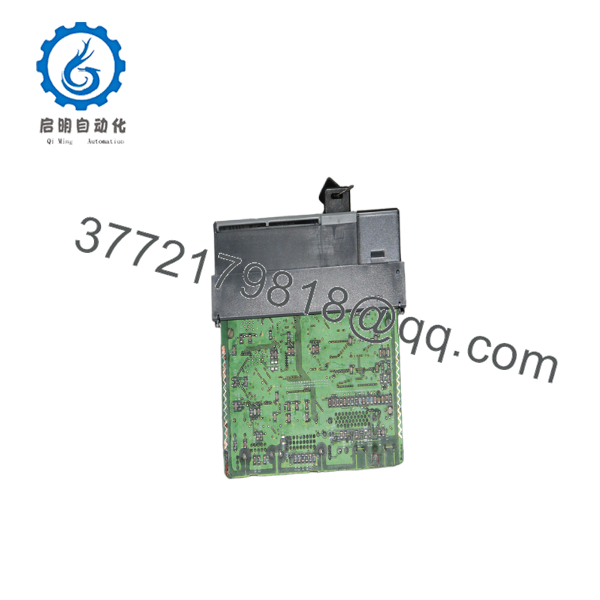
1747-L532
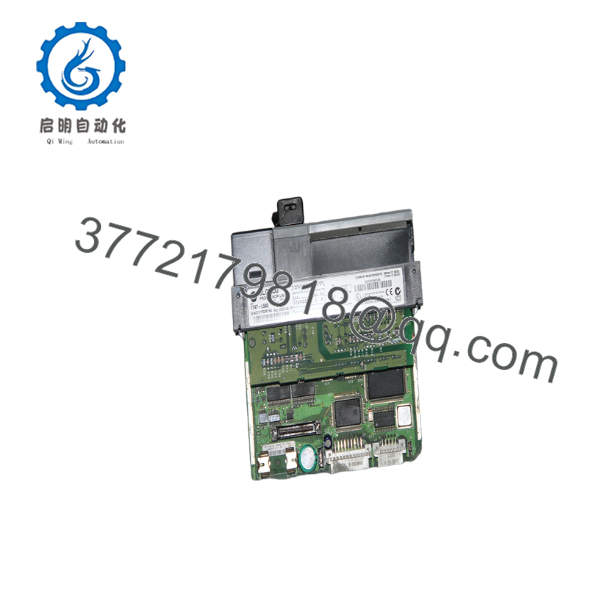
1747-L532
Firmware/Software Versions & Upgrade Notes
- Software Compatibility: Fully supported by RSLogix 500 (Version 2.50 or higher recommended). Always ensure that the catalog number, OS series (Series A, B, or C), and OS revision number in your RSLogix I/O Configuration tree match the physical label on the side of the 1747-L532 module.
- Channel Configuration Sensitivity: Channel 0 on the 1747- can be reconfigured from standard DF1 Full-Duplex to ASCII, DH-485, or Modbus RTU Master via software. Swapping hardware without downloading the correct software project will leave Channel 0 in its default DF1 state, causing communication link drops with HMIs or field devices.
- Firmware Upgrade Risks: Operating system updates on the SLC 5/03 are performed via flash memory transfers or chip replacement depending on hardware series. Attempting a flash update over a noisy RS-232 connection can corrupt the bootloader and brick the CPU. Always maintain an exact hardware replacement on standby.
Frequently Asked Questions (FAQ)
Why is this New Surplus CPU priced higher than refurbished modules but lower than OEM list?
Our pricing reflects the market cost of securing original, un-used OEM inventory from global warehouse reserves. Refurbished CPUs are cheap because they rely on harvested parts with thermal fatigue, degraded capacitors, and re-soldered components. New Surplus provides 100% factory lifespan and total operational reliability without the excessive markups of legacy OEM list prices.
Are these 1747- modules genuinely new?
Yes. Every 1747- unit is original Allen-Bradley stock, completely unused, with zero backplane contact wear, pristine circuit board traces, and clean housing. Packaging is opened only inside static-controlled ESD cleanrooms for physical inspection and automated bench test validation.
What is the difference between the 1747-L531, 1747-, and 1747-L533 processors?
The primary difference is user memory capacity. The 1747-L531 provides 8K words of memory, the 1747- provides 16K words of memory, and the 1747-L533 provides 32K words of memory. All three belong to the SLC 5/03 family and share identical hardware architecture and dual communication ports.
What happens if the red “FLT” LED flashes on the CPU faceplate?
A flashing red FLT LED indicates a recoverable major software or hardware fault, such as an invalid memory structure, an I/O module mismatch, or an unhandled math overflow error. Connecting via RSLogix 500 allows you to inspect the Processor Status file (S:6) to identify the specific error code, clear the fault, and re-download logic.
What warranty coverage comes with this New Surplus controller?
We supply a comprehensive 1-Year warranty (depending on your service agreement tier) covering complete hardware replacement. In the event of any processor defect under normal operating conditions, we immediately dispatch a replacement unit from our dedicated strategic buffer stock.



