
 WhatsApp: +86 16626708626
 Email:
  Phone: +86 16626708626
Description
3. Key Technical Specifications
| Parameter | Value |
|---|---|
| Compatible Processors | SLC 5/02, 5/03, 5/04, 5/05 |
| Max DeviceNet Nodes | 63 slave devices |
| Baud Rates | 125 kbps, 250 kbps, 500 kbps (default 125 kbps) |
| Default Node Address | 63 |
| Backplane Current @ 5 V DC | 500 mA |
| DeviceNet Current | 90 mA @ 24 V DC (Class 2) |
| Isolation | 30 V continuous, Basic Insulation (500 V AC test for 60 s) |
| Connector | 10-pin linear plug (1787-PLUG10R) |
| Operating Temperature | 0 °C to +60 °C |
| Storage Temperature | –40 °C to +85 °C |
| Relative Humidity | 5–95 % non-condensing |
| Module Width | Single slot |
4. Product Introduction
The Allen-Bradley 1747-SDN is a single-slot DeviceNet scanner module for the SLC 500 platform. It installs in any slot of an SLC 5/02 or later chassis and acts as the master on a DeviceNet network, supporting up to 63 slave devices.
It exchanges I/O and status data with the processor via the I/O image or M0/M1 files and supports strobe, poll, change-of-state, and cyclic messaging. Baud rates of 125, 250, or 500 kbps are selectable. The module can also operate in slave mode and supports pass-through configuration when used with an SLC 5/03 or higher processor.
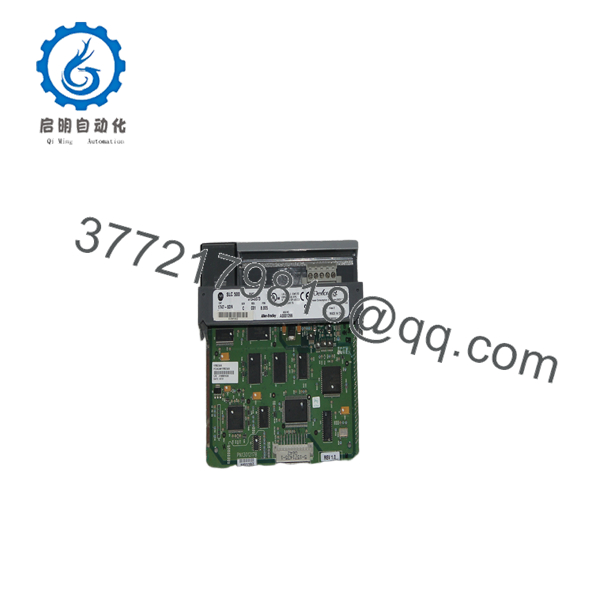
1747-SDN
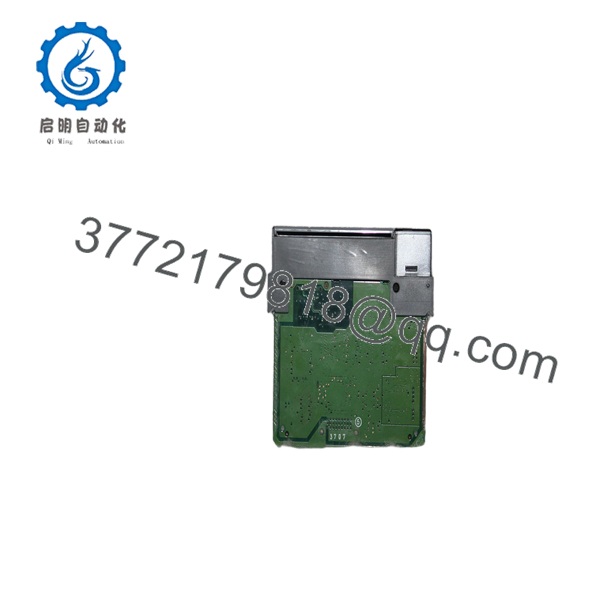
1747-SDN
5. Troubleshooting Quick Reference
| Symptom | Possible Cause | Relevance to this Part | Quick Check Method | Recommendation |
|---|---|---|---|---|
| MODULE LED red / NET LED red | Node address conflict or baud rate mismatch | ✅ High | Verify node address (default 63) and baud rate match network | Change address/baud via RSNetWorx; cycle power |
| No communication with slaves | Incorrect scan list or missing terminators | ✅ High | Upload scan list in RSNetWorx; check end-of-line resistors | Download correct scan list; install 121 Ω terminators |
| MODULE LED flashing red | Configuration error or firmware issue | ✅ High | Check numeric display codes; verify M0/M1 file sizes | Clear and re-download configuration |
| DeviceNet power missing | No 24 V on network or blown fuse | ❌ Medium | Measure 24 V at DeviceNet connector | Restore isolated 24 V DeviceNet supply |
| Pass-through not working | Processor too old or M-file size too small | ✅ Medium | Confirm SLC 5/03 or later; set M0/M1 ≥ 361 words | Upgrade processor or increase M-file size |
| Module draws excessive current | Short on DeviceNet trunk or faulty slave | ❌ Low | Isolate network segments; measure current draw | Repair trunk or replace defective slave device |
If diagnostics remain unclear, capture the numeric display codes, LED status, and scan-list configuration before contacting support.
6. Frequently Asked Questions (FAQ)
Q: Is the 1747-SDN still available new from Rockwell? No. The SLC 500 platform is discontinued. Units available today are New Surplus or refurbished. Confirm current stock and condition before ordering.
Q: Which processors work with the 1747-SDN? SLC 5/02, 5/03, 5/04, and 5/05. Pass-through functionality requires SLC 5/03 or later.
Q: How many DeviceNet devices can one 1747-SDN control? Up to 63 slave nodes. Multiple 1747-SDN modules can be installed in the same chassis if additional networks or capacity are required.
Q: What are the supported baud rates? 125 kbps, 250 kbps, and 500 kbps. Default is 125 kbps. All devices on the trunk must operate at the same rate.
Q: Can the 1747-SDN operate as a slave? Yes. It supports Master, Slave, and Null modes. In slave mode it can exchange data with another DeviceNet master while still scanning its own slaves.
Q: What connector and cable are required? A 10-pin linear DeviceNet plug (catalog 1787-PLUG10R) is used. Follow DeviceNet media guidelines for trunk and drop cable lengths according to the selected baud rate.
Q: Why is New Surplus priced lower than original list? These are genuine Allen-Bradley modules from excess inventory or cancelled projects. They are unused and typically supplied with anti-static protection. They are not refurbished unless specifically stated.



