
 WhatsApp: +86 16626708626
 Email:
  Phone: +86 16626708626
Description
Key Technical Specifications
| Parameter | Value |
|---|---|
| Catalog number | 1756-DHRIO |
| Manufacturer | Allen-Bradley / Rockwell Automation |
| Product family | ControlLogix |
| Module function | Data Highway Plus messaging and Remote I/O scanning |
| Number of channels | 2 independently configurable channels |
| Network modes | DH+ or Remote I/O per channel |
| Communication rates | 57.6 Kbps, 115.2 Kbps, 230.4 Kbps |
| DH+ messaging | Supports DH+ messaging and CIP messaging |
| RIO capacity | 32 logical racks per RIO channel |
| RIO block transfers | 16 block-transfer connections per RIO channel |
| Logix connections | Up to 32 CIP connections per channel |
| Maximum backplane current | 850 mA at 5.1 V DC; 1.7 mA at 24 V DC |
| Maximum power dissipation | 4.5 W |
| Thermal dissipation | 15.4 BTU/hr |
| Slot width | 1 ControlLogix chassis slot |
| Isolation voltage | 30 V continuous, basic insulation |
| Recommended cable | Belden 9463 twinaxial cable |
| Operating temperature | 0 to 60 °C |
| Connector type | Removable 3-pin terminal connectors; Channel A also provides an 8-pin mini-DIN port |
Each channel must be configured for its intended network function. The module supports DH+ messaging, CIP messaging, and Remote I/O scanning, but the exact channel configuration, baud rate, switch settings, and network termination must match the installed system.
Product Introduction
The Allen-Bradley 1756-DHRIO is a two-channel ControlLogix communication module for Data Highway Plus (DH+) messaging and Remote I/O scanning. It connects legacy DH+ or RIO field networks to a 1756 ControlLogix chassis at 57.6, 115.2, or 230.4 Kbps.
Each channel can operate independently as DH+ or RIO, making the module useful when a ControlLogix controller must communicate with legacy PLC-5, SLC, or remote I/O equipment. Verify firmware, channel switches, node addresses, cable polarity, termination resistance, and chassis compatibility before installation.
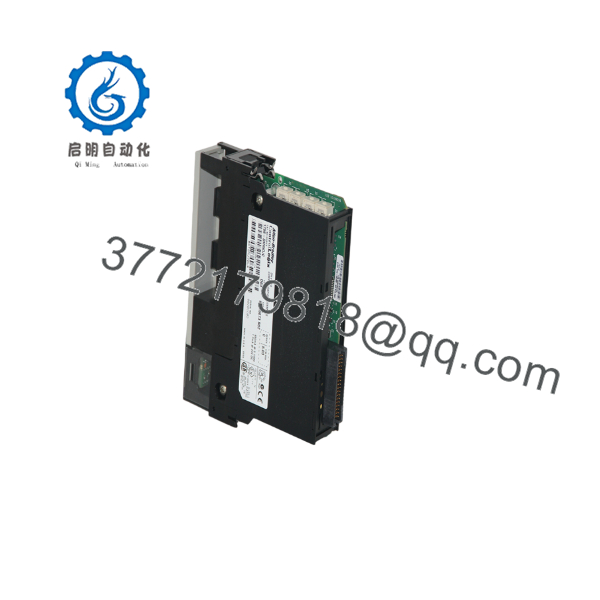
1756-DHRIO
Troubleshooting Quick Reference
| Symptom | Possible Cause | Relevance to This Part | Quick Check Method | Recommendation |
|---|---|---|---|---|
| No module status indication | Missing chassis power, poor seating, or failed module | ✅ High | Confirm ControlLogix chassis power and reseat the module with power removed according to site procedure | Check the chassis and power supply before replacing the 1756-DHRIO |
| Module shows a major fault | Firmware mismatch, hardware fault, or invalid configuration | ✅ High | Read the module status and fault data in Studio 5000 or RSLogix 5000 | Record the exact fault code before ordering a replacement |
| DH+ devices do not appear | Incorrect network mode, node address, baud rate, polarity, or termination | ✅ High | Verify channel switches, node settings, cable polarity, and end-of-line resistance against the network design | Correct configuration and wiring before condemning the module |
| RIO adapter data is missing | Incorrect scanner configuration, rack size, baud rate, or adapter address | ✅ High | Check the RIO scan list and compare each logical rack address with the field adapter | Verify scanner mapping and adapter settings first |
| Intermittent DH+ communication | Noise, shield problems, loose terminal, or incorrect termination | ✅ Medium | Inspect the twinax cable, measure shield continuity, and check termination at both physical ends | Replace damaged cable and correct termination before replacing the module |
| Communication works at 57.6 Kbps but fails at 230.4 Kbps | Cable length, noise, or termination unsuitable for higher speed | ✅ Medium | Confirm cable length and termination value; test at the intended baud rate | Reduce baud rate only as a diagnostic step, then correct the network installation |
| One channel works and the other fails | Channel-specific wiring, switch setting, connector, or hardware fault | ✅ High | Move the known-good cable only during a controlled test and compare channel status indications | Isolate the fault to the channel, wiring, or module electronics |
| RIO block transfers fail | Incorrect block-transfer configuration or unsupported data size | ❌ Low to ✅ Medium | Review block-transfer parameters and monitor the PLC message/status words | Correct the application configuration before replacing hardware |
| Scanner reports timeout | Missing adapter power, broken trunk cable, duplicate address, or network termination issue | ❌ Low | Check adapter voltage, network continuity, node address, and status indicators at the remote rack | Inspect the field network first; the scanner is often not the failed component |
| Module loses communication after replacement | New module firmware or configuration differs from the original | ✅ Medium | Compare firmware revision, channel mode, node address, baud rate, and saved project configuration | Match the replacement configuration before returning the system to service |
| Fault occurs after changing wiring | DH+ and RIO terminal assignments or cable polarity are incorrect | ✅ Medium | Compare each conductor with the Rockwell wiring diagram; do not wire from memory | Correct the terminal mapping and verify shield grounding |
| Excessive chassis loading | Backplane current budget exceeded | ❌ Low | Calculate total 5.1 V and 24 V chassis loading, including the 850 mA 5.1 V demand | Confirm the power supply and chassis capacity before adding another module |
For a 3:00 AM failure, start with the external network: chassis power, module seating, channel mode, node address, baud rate, cable continuity, shield termination, and end-of-line resistors. Contact technical support with photos of the module label and switches, the chassis layout, network wiring, controller project settings, module fault data, and communication logs.
Frequently Asked Questions (FAQ)
What does the Allen-Bradley 1756-DHRIO do?
It provides two configurable communication channels for a ControlLogix chassis. Each channel can be configured for DH+ messaging or Remote I/O scanning, allowing newer ControlLogix systems to communicate with legacy networks.
Can both channels use different protocols?
Yes. Channel A and Channel B can be configured independently for DH+ or RIO operation. Confirm the channel selector switches and software configuration before connecting the network. A mismatch between the physical switch setting and project configuration can prevent communication.
Is the 1756-DHRIO compatible with PLC-5 and SLC systems?
It can communicate with compatible legacy DH+ and Remote I/O devices, but compatibility depends on the selected network mode, addressing, baud rate, messaging method, and controller configuration. Verify the exact PLC or adapter protocol before purchase.
Is this module obsolete?
The 1756-DHRIO is a legacy ControlLogix communication product. Rockwell Automation still provides product information, but purchasing availability, firmware support, and repair options can vary by revision and market. Confirm the module series, firmware requirements, and replacement strategy with the OEM documentation before a shutdown.
Can I hot-swap the 1756-DHRIO?
ControlLogix modules may support electronic keying and replacement procedures defined by Rockwell Automation, but do not assume that a live removal is safe for every application. Network disruption, stored configuration, hazardous-area requirements, and site safety procedures still apply. Follow the applicable Rockwell installation manual and plant lockout/tagout rules.
Will the network configuration remain in the replacement module?
Do not count on it. Record the original module’s firmware revision, channel modes, node addresses, baud rates, RIO scan configuration, electronic keying settings, and controller project data. Photograph the selector switches before removing the old unit. This prevents the common “same catalog number, no communication” replacement problem.
Why is a surplus or refurbished unit cheaper than a factory replacement?
The lower price usually reflects discontinued production, excess inventory, used condition, or refurbishment rather than a current factory-new unit. Ask for the exact condition statement, serial-number photographs, functional test scope, firmware revision, warranty period, and return terms. A competent test should include power-up diagnostics and communication testing on a genuine ControlLogix rack.



