
 WhatsApp: +86 16626708626
 Email:
  Phone: +86 16626708626
Description
Key Technical Specifications
| Parameter | Specification Value |
|---|---|
| Catalog Number | 1756-IB16 |
| Number of Inputs | 16 discrete points (1 group of 16 points shared common) |
| Voltage Category | 12/24V DC Sink/Source |
| Operating Voltage Range | 10 to 31.2V DC |
| On-State Current | 2.0 mA min @ 10V DC; 5.5 mA nom @ 24V DC; 13 mA max @ 31.2V DC |
| Off-State Voltage / Current | 5.0V DC max / 1.5 mA max |
| Hardware Delay Time | Off to On: 1 ms max + filter time
On to Off: 1 ms max + filter time |
| Configurable Filter Times | 0 ms, 1 ms, 2 ms, 9 ms, or 18 ms (selectable per point or group) |
| Backplane Current (5.1V DC) | 100 mA |
| Backplane Current (24V DC) | 2 mA |
| Compatible Removable Terminal Block | 1756-TBNH (20-pin NEMA) or 1756-TBSH (20-pin Spring Clamp) |
Product Introduction & Supply Chain Strategy
This product is a Brand New Surplus unit. It is not used, not pulled from a decommissioned plant, and not refurbished. All modules undergo rigorous quality verification to ensure OEM-level reliability. The Allen-Bradley 1756-IB16 is the core workhorse digital input card for ControlLogix automation platforms. It monitors field signals from proximity switches, pushbuttons, photo-eyes, pressure switches, and auxiliary contacts operating at nominal 12V DC or 24V DC levels.
Sourcing the 1756-IB16 as New Surplus delivers immediate availability while maintaining long-term hardware performance. Refurbished I/O cards frequently carry invisible wear from electrical overstress, degraded optical isolators, and mechanical fatigue on terminal block connector pins—leading to false input states, intermittent signal drops, and unexpected machine stops. Installing a factory-fresh surplus module guarantees 100% optocoupler isolation integrity and long-term operational stability.
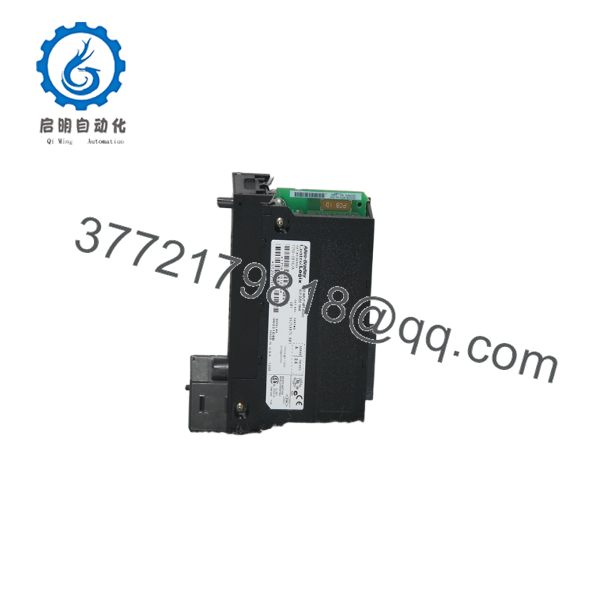
1756-IB16
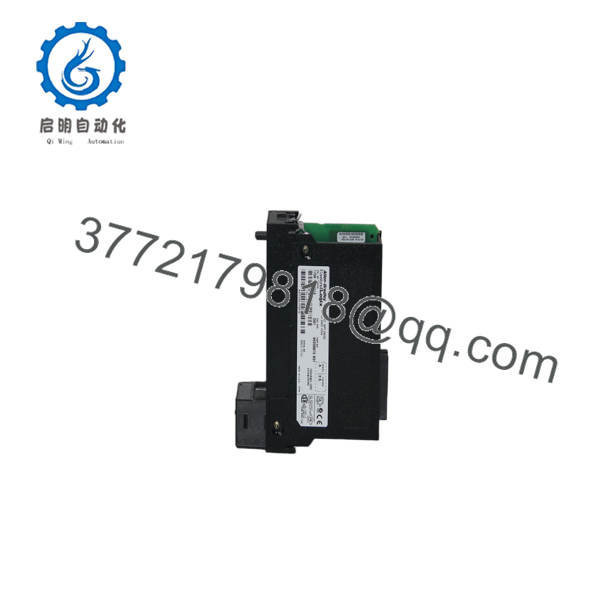
1756-IB16
Installation & Configuration Guide
1
Stage 1: Pre-Installation (Prep & Safety)
Apply LOTO protocols, wear static grounding, and verify terminal block wiring
1.Stage 1: Pre-Installation (Prep & Safety):Apply LOTO protocols, wear static grounding, and verify terminal block wiring.
- Execute strict Lock-Out/Tag-Out (LOTO) procedures on the cabinet power supply feeding field I/O devices.
- Put on a grounded Electrostatic Discharge (ESD) wrist strap attached to an unpainted metal surface on the enclosure.
- Verify that the wiring on the 20-pin Removable Terminal Block (1756-TBNH or 1756-TBSH) matches the designated pinout for 12/24V DC sourcing or sinking field sensors.
2
Stage 2: Removal
Disconnect Removable Terminal Block (RTB) and extract existing card
2.Stage 2: Removal:Disconnect Removable Terminal Block (RTB) and extract existing card.
- Unlatch and pull the Removable Terminal Block (RTB) forward to disconnect field wiring without disturbing individual wires.
- Simultaneously depress the top and bottom module retention latches on the 1756-IB16 housing.
- Slide the module horizontally straight out of the ControlLogix chassis slot.
3
Stage 3: Installation (Clone & Seat)
Align guide rails, seat module into chassis slot, and re-attach RTB
3.Stage 3: Installation (Clone & Seat):Align guide rails, seat module into chassis slot, and re-attach RTB.
- Align the top and bottom circuit board edges of the replacement 1756-IB16 with the chassis guide rails.
- Push the card firmly into the chassis slot until both retaining latches click into place.
- Re-attach the wired 20-pin RTB onto the front of the module and snap the locking mechanism shut.
4
Stage 4: Power-On & Testing
Apply power, observe module LED status, and verify live input signals
4.Stage 4: Power-On & Testing:Apply power, observe module LED status, and verify live input signals.
- Re-apply power to the ControlLogix chassis and the 12/24V DC field sensor supply.
- Verify that the module’s OK status LED turns solid green.
- Actuate connected field devices (pushbuttons, proximity sensors) and confirm that the corresponding point-level yellow status LEDs (0–15) illuminate.
- Open Studio 5000 / RSLogix 5000 to verify that input tag values transition smoothly in the controller data table without fault indications.
Firmware/Software Versions & Upgrade Notes
- Software Compatibility: Compatible with all versions of Studio 5000 Logix Designer and RSLogix 5000.
- Electronic Keying: Supports Exact Match, Compatible Module, and Disabled Keying modes. “Compatible Module” is recommended for seamless drop-in replacement without stopping the controller.
- Onboard Diagnostics & On/Off Delay Filters: Adjustable input delay filters (0 to 18 ms) can be configured directly in Studio 5000 under the Module Properties dialog to suppress mechanical switch bounce or high-noise environmental interference.
Frequently Asked Questions (FAQ)
What is the difference between the 1756- and the 1756-IB16D / 1756-IB16I modules?
- Standard 16-point 12/24V DC input module with 1 shared common for all 16 points.
- 1756-IB16D: Diagnostic 16-point DC input module that includes open-wire and short-circuit detection routines.
- 1756-IB16I: Individually Isolated 16-point DC input module where each channel is electrically isolated from the others (allowing different power sources or mixed ground references).
Can the 1756- be wired for both sourcing and sinking field sensors?
Yes. The 1756- supports both sinking and sourcing field configurations depending on how the common terminal (IN-COM) is wired to the external 24V DC power supply.
Does the 1756- module include a Removable Terminal Block (RTB)?
No. Removable Terminal Blocks (1756-TBNH or 1756-TBSH) are sold separately by Allen-Bradley. If you are replacing an existing 1756- card, you can snap your original RTB directly onto the new surplus module without re-wiring.
What causes an “I/O Slot Fault” on the 1756- in Studio 5000?
Common causes include improper module seating in the backplane, an Electronic Keying mismatch between software and physical hardware revision, or loss of backplane power to the chassis slot.
What warranty coverage is provided with this New Surplus module?
We provide a comprehensive 1-Year hardware replacement warranty (depending on your service tier). If any channel or internal component experiences a failure during normal operation, we dispatch an immediate replacement directly from our strategic buffer inventory.



