
 WhatsApp: +86 16626708626
 Email:
  Phone: +86 16626708626
Description
Key Technical Specifications
| Parameter | Specification Value |
| Catalog Number | 1756-M08SE (Series B / 1756-M08SEB) |
| Number of Axes Supported | Up to 8 digital servo axes |
| Communication Medium | Standard Plastic Optical Fiber (POF) or Hard Clad Silica (HCS) fiber optic cables |
| SERCOS Transmission Rates | 4 Mbps or 8 Mbps |
| SERCOS Cycle Times | 4 Mbps: 0.5 ms (up to 2 drives), 1 ms (up to 4 drives), 2 ms (up to 8 drives)
8 Mbps: 0.5 ms (up to 4 drives), 1 ms (up to 8 drives) |
| Control Modes | Closed-loop Position, Velocity, and Torque modes |
| Compatible Drives | Kinetix 2000 (2093), Kinetix 6000 (2094), Kinetix 7000 (2099), Ultra3000 SERCOS (2098) |
| Backplane Current (5.1V DC) | 760 mA |
| Backplane Current (24V DC) | 2.5 mA |
| Power / Thermal Dissipation | 5.0 W max / 21.2 BTU/hr |
| Chassis Slot Requirement | 1 slot (fits any ControlLogix chassis slot) |
Product Introduction & Supply Chain Strategy
This product is a Brand New Surplus unit. It is not used, not pulled from a decommissioned plant, and not refurbished. All modules undergo thorough quality verification to ensure OEM performance. The Allen-Bradley 1756-M08SE Series B (1756-M08SEB) is an 8-axis SERCOS interface module for ControlLogix chassis. By utilizing fiber-optic loops rather than traditional analog wiring, the 1756-M08SE eliminates electrical noise and ground loops while providing microsecond-level synchronization across up to 8 Kinetix servo drives.
Sourcing the 1756-M08SEB as New Surplus provides a reliable solution for maintaining existing SERCOS-based motion equipment. Transitioning from SERCOS fiber lines to modern EtherNet/IP-based motion (such as 1756-EN2T and Kinetix 5500/5700 drives) requires replacing all servo drives, motors, and cabling, as well as rewriting axis logic in Studio 5000. Installing a factory-fresh surplus 1756-M08SEB restores full multi-axis motion functionality with zero code changes or mechanical adjustments.
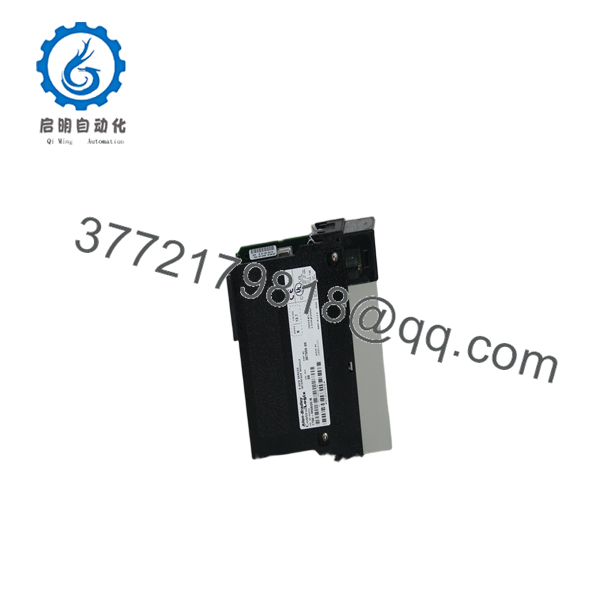
1756-M08SEB
1756-M08SEB
1756-M08SEB
Installation & Configuration Guide
1.Stage 1: Pre-Installation (Prep & Safety):Enforce safety procedures, disable drive power, and inspect fiber optic lines.
- Apply strict Lock-Out/Tag-Out (LOTO) procedures to the ControlLogix chassis and the main 3-phase power feeding all connected servo drives.
- Wear a grounded Electrostatic Discharge (ESD) wrist strap attached to an unpainted metal surface on the cabinet frame.
- Inspect plastic optical fiber (POF) or glass fiber cables for sharp bends or cracked connectors. Observe minimum bend radius limits (typically 30 mm).
2.Stage 2: Removal:Disconnect fiber transmit/receive lines and unlatch card.
- Remove the protective dust covers/latching boots from the fiber optic connectors on the front panel and pull the
Tx(Transmit) andRx(Receive) lines straight out. - Depress the upper and lower module retention latches on the 1756-M08SE front housing.
- Slide the module horizontally straight out of the chassis slot.
3.Stage 3: Installation (Clone & Seat):Align chassis rails, seat replacement card, and reconnect fiber loop.
- Align the top and bottom circuit board edges of the replacement 1756-M08SEB module with the guide rails in the target slot.
- Slide the card firmly into the chassis slot until both retention latches snap securely into place.
- Re-insert the fiber optic lines into the
TxandRxports, ensuring the SERCOS ring loop maintains correct directional continuity (TxtoRxdown the drive chain).
4.Stage 4: Power-On & Testing:Restore power, check ring status LEDs, and test axis motion.
- Re-apply power to the ControlLogix chassis and connected servo drives.
- Monitor the front panel LEDs: confirm that the
OKLED illuminates solid green and theSERCOSring status transitions through Phase 0 to Phase 4 (solid green ring lock). - Open Studio 5000 Logix Designer or RSLogix 5000, verify that all 8 motion axis tags report healthy status, and execute Motion Direct Commands (MAM/MAJ) to test movement.
Firmware/Software Versions & Upgrade Notes
- Series B Hardware: The Series B revision (1756-M08SEB) features updated internal optical transceivers and component enhancements over Series A, offering improved signal stability on longer fiber runs.
- Software Compatibility: Compatible with RSLogix 5000 (v10 through v20) and Studio 5000 Logix Designer (v21+).
- SERCOS Ring Phases: Upon boot, the module cycles through initialization phases:
- Phase 0 & 1: Optical ring check and drive presence discovery.
- Phase 2: Parameter configuration transfer.
- Phase 3: Timing synchronization.
- Phase 4: Active operational mode (Position/Velocity/Torque closed-loop execution).
Frequently Asked Questions (FAQ)
What is the primary difference between a 1756-M03SE, 1756-M08SE, and 1756-M16SE module?
All three belong to the ControlLogix SERCOS motion module family. The only difference is the maximum number of physical or virtual servo drives supported on the fiber optic ring:
- 1756-M03SE: Up to 3 axes
- 1756-M08SE: Up to 8 axes
- 1756-M16SE: Up to 16 axes
What does a flashing red SERCOS status light indicate on the 1756- card?
A flashing red SERCOS LED usually indicates a break in the fiber optic ring loop, a powered-down drive in the chain, dirty optical transceivers, or an incorrect Tx/Rx cable connection.
Can I swap a Series A (1756-M08SEA) card with a Series B (1756-) card?
Yes. Series B is a direct functional replacement for Series A. In RSLogix 5000 / Studio 5000, you can retain the existing module definition if Electronic Keying is set to “Compatible Module”.
What fiber optic cables are recommended for the 1756- SERCOS interface?
Rockwell Automation recommends 2090-SCEP (Plastic Optical Fiber for runs up to 32 meters) or 2090-SCVP (Hard Clad Silica fiber for runs up to 200 meters) with standard SERCOS heavy-duty connectors.
What warranty coverage is included with this New Surplus card?
We back this unit with a comprehensive 1-Year hardware replacement warranty. If any channel or optical transceiver fails during standard operation, an immediate replacement unit is dispatched directly from our buffer stock.



