
 WhatsApp: +86 16626708626
 Email:
  Phone: +86 16626708626
Description
Key Technical Specifications
- Part Number: 1756-PA75R
- Manufacturer: Allen-Bradley / Rockwell Automation
- Product Family: ControlLogix power supply
- Type: Redundant AC power supply
- Input Voltage Range: 85-265 V AC
- Input Frequency: 47-63 Hz
- Nominal Input: 120/240 V AC
- Output Power: 75 W at 0-60 °C
- Output Voltage: 5.1 V DC
- Output Current @ 5.1 V: 13 A
- Output Current @ 3.3 V: 4 A
- Output Current @ 1.2 V: 1.5 A
- Output Current @ 24 V: 2.8 A
- Inrush Current: 20 A max
- Hold-Up Time: 2 cycles @ 50/60 Hz
- Isolation: 250 V continuous; reinforced insulation
- Operating Temperature: 0-60 °C
- Mounting: Chassis / panel mount system
- Redundancy: Yes
Product Introduction
The Allen-Bradley 1756-PA75R is a ControlLogix redundant power supply used to feed the chassis backplane in industrial PLC systems. It accepts 85-265 V AC input and provides 5.1 V DC backplane power, with additional 3.3 V, 1.2 V, and 24 V capacity.
It is used where uptime matters and the cabinet design calls for redundant power architecture. The 75 W rating, 13 A at 5.1 V output, and ControlLogix chassis compatibility make it a standard replacement part for many Allen-Bradley installations.
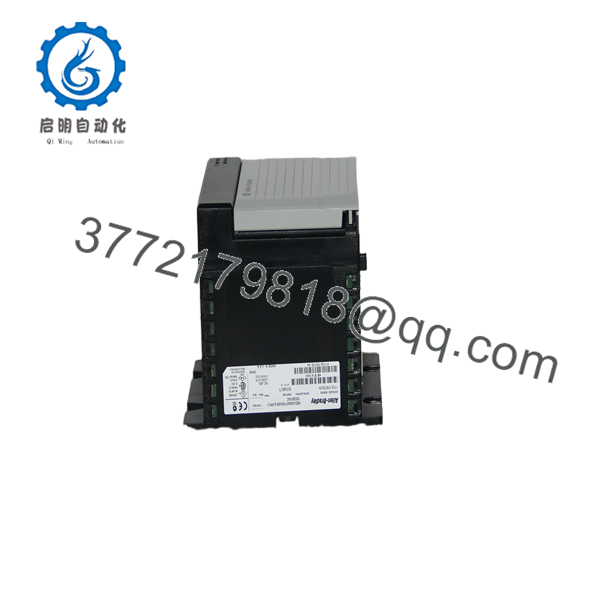
1756-PA75R
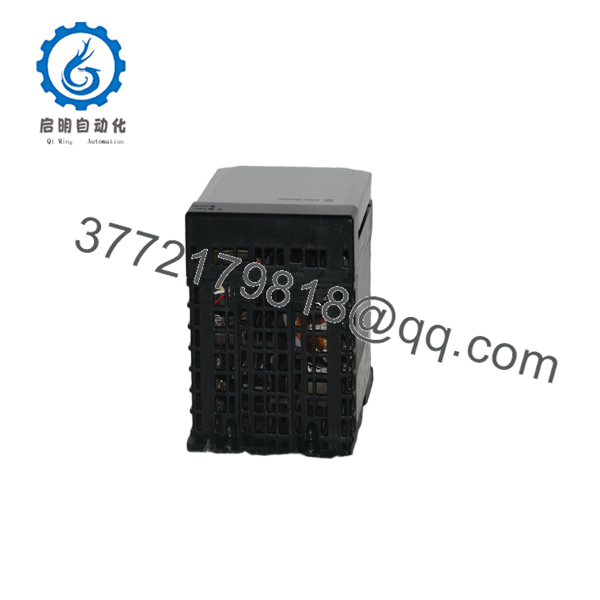
1756-PA75R
Troubleshooting Quick Reference
| Symptom | Possible Cause | Relevance to this Part | Quick Check Method | Recommendation |
|---|---|---|---|---|
| Chassis will not power up | No AC input, blown upstream fuse, or failed supply | ✅ High | Measure 85-265 V AC at the input terminals | Check incoming power and fusing first |
| Redundancy alarm active | Companion supply missing, failed, or not sharing load | ✅ High | Inspect LED status and verify both supplies are seated | Check the redundant pair and cabling |
| Modules on the rack reset under load | Output overload or unstable AC feed | ✅ High | Measure total chassis load and compare to 75 W rating | Reduce load and verify input stability |
| Supply runs hot | Overcurrent, poor airflow, or high ambient temperature | ✅ High | Check cabinet temperature and measure current draw | Improve cooling and confirm load margins |
| Intermittent backplane faults | Loose seating, connector wear, or chassis issue | ⚠️ Medium | Reseat the supply and inspect the chassis connector | Verify the rack before replacing the supply |
| Supply LED but no stable backplane power | Internal failure or miswired redundancy cable | ✅ High | Test the backplane output and inspect the redundancy link | Replace or retest the unit after wiring check |
| Input breaker trips on startup | High inrush or weak upstream protection | ✅ High | Measure inrush and compare it to breaker curve | Use proper protection and soft-start coordination |
If the fault persists, send technical support photos of the chassis, supply LEDs, and cabinet wiring.
Frequently Asked Questions
Q: Is the 1756-PA75R a single supply or a redundant supply?
A: It is a redundant ControlLogix power supply. That means it is used in an architecture where you want better availability than a single standalone unit.
Q: Can I swap it with a non-redundant 1756 supply?
A: Not blindly. The chassis and power architecture need to match the supply type, input source, and load requirement. Verify the exact ControlLogix power supply family before ordering.
Q: What input voltage does it take?
A: It accepts 85-265 V AC, with nominal 120/240 V AC operation at 47-63 Hz. That wide input range is one reason it is used in global installations.
Q: How much output current does it provide?
A: At 5.1 V DC, it supplies up to 13 A. It also provides 4 A at 3.3 V, 1.5 A at 1.2 V, and 2.8 A at 24 V.
Q: Does redundancy mean it is hot-swappable?
A: Not automatically in every setup. The redundancy architecture helps availability, but you still need to follow the chassis and maintenance procedure. Do not pull hardware based on assumption alone.
Q: Why is this cheaper than factory-new stock?
A: Usually because it is New Surplus inventory, not fresh production from the factory line. That is normal for industrial power supplies, but you should still verify test status and warranty terms.
Q: What should I check before blaming the power supply?
A: Check incoming AC, the chassis load, airflow, and the redundancy cabling first. In the field, a lot of “dead PSU” calls turn out to be upstream power or installation issues, not a failed supply.



