
 WhatsApp: +86 16626708626
 Email:
  Phone: +86 16626708626
Description
Key Technical Specifications
- Part Number: 1756-RM
- Manufacturer: Allen-Bradley / Rockwell Automation
- Product Family: ControlLogix redundancy modules
- Module Type: Redundancy module
- Supported Controller Families: ControlLogix 5560, ControlLogix 5570
- Current Draw @ 1.2 V DC: 4 mA
- Current Draw @ 5.1 V DC: 1.2 A
- Current Draw @ 24 V DC: 120 mA
- Power Dissipation: 9.0 W max
- Thermal Dissipation: 31 BTU/hr
- Connector Cables: 1756-RMC1, 1 m
- Operating Temperature: 0-60 °C
- Storage Temperature: -40 to 85 °C
- Weight: 0.29 kg
- Compatible Chassis: 1756-A4, A7, A10, A13, A17
- Compatible Redundant Power Supply: 1756-PA75R, 1756-PB75R
Product Introduction
The Allen-Bradley 1756-RM is a ControlLogix redundancy module used to manage primary and secondary controller synchronization in high-availability PLC systems. It works with redundant ControlLogix chassis assemblies and supports the matching controller and cable architecture.
It is selected when downtime is expensive and the control system needs failover coordination instead of a single-point controller. For replacement work, the exact controller family, chassis, and redundancy cable must match, or the pair will not configure correctly.
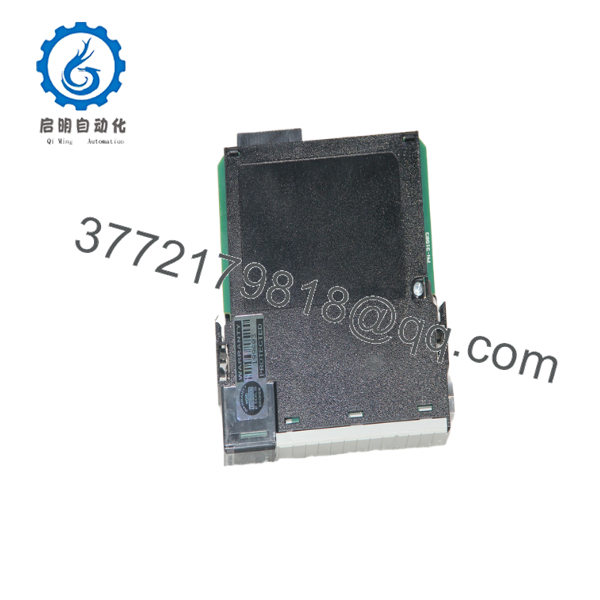
1756-RM
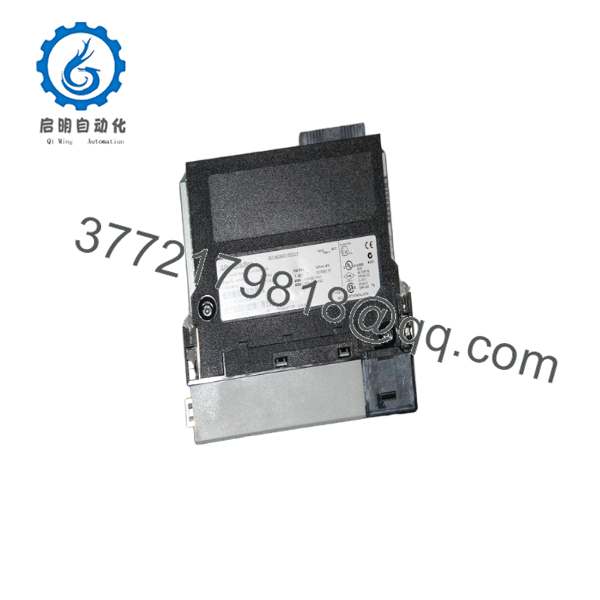
1756-RM
Troubleshooting Quick Reference
| Symptom | Possible Cause | Relevance to this Part | Quick Check Method | Recommendation |
|---|---|---|---|---|
| PRI/COM/OK LEDs do not follow normal startup pattern | Module not seated, chassis issue, or failed redundancy module | ✅ High | Reseat the module and inspect the LED sequence during power-up | Check seating and cabling before replacing the part |
| Redundancy pair will not synchronize | Mismatched controller series, firmware mismatch, or bad RM cable | ✅ High | Verify both controllers and inspect the 1756-RMC cable path | Match hardware and firmware before troubleshooting deeper |
| Switchover fails during test | Companion chassis fault or configuration mismatch | ✅ High | Review redundancy diagnostics and test the paired chassis separately | Verify both sides of the pair, not just one module |
| COM LED faults intermittently | Loose fiber/cable connection or damaged redundancy cable | ✅ High | Inspect cable ends and swap with a known-good cable if available | Replace the cable before condemning the module |
| System reports redundancy not available | Wrong slot placement or unsupported controller family | ✅ High | Check controller model, chassis type, and slot assignment | Confirm compatibility against the exact project configuration |
| Module runs unusually hot | Excessive backplane load or poor cabinet ventilation | ⚠️ Medium | Measure cabinet temperature and compare current draw to spec | Improve cooling and verify power budget |
| Controller behavior changes after swap | Firmware or configuration mismatch between primary and secondary | ✅ High | Compare firmware versions and reload the approved project | Use the same revision pair and documented configuration |
If you are stuck, send support photos of the redundancy LEDs, cable routing, and controller diagnostics logs.
Frequently Asked Questions
Q: What does the 1756-RM actually do?
A: It manages redundancy between two ControlLogix controller setups. In plain terms, it helps a standby controller take over if the primary side drops out.
Q: Is the 1756-RM the same as the newer 1756-RM2?
A: No. They are related redundancy modules, but they are not interchangeable without checking the exact controller family, firmware, and redundancy architecture. Do not assume a drop-in match.
Q: What should I check before ordering a replacement?
A: Check the controller family, chassis model, redundancy cable part number, and firmware revision. I’ve seen more time wasted on compatibility than on the hardware itself.
Q: Is this module hot-swappable?
A: Not in the casual sense people hope for. Redundancy hardware still needs the correct maintenance procedure, and swapping it wrong can break synchronization or destabilize the pair.
Q: Why is the unit cheaper than factory-new stock?
A: Usually because it is New Surplus inventory, meaning unused stock from overbuy, project closeout, or shelf inventory. That does not change the part number, but it does change how you should verify test status and warranty.
Q: Does the module store my application program?
A: No. The application stays in the controllers and engineering project. The RM module coordinates redundancy behavior; it does not hold your process logic like a PLC CPU.
Q: What is the most common replacement mistake?
A: Mixing the wrong controller revision or using the wrong redundancy cable. That is the classic mistake. Take the old photos, match the part numbers, and verify the firmware before power-up.



