
 WhatsApp: +86 16626708626
 Email:
  Phone: +86 16626708626
Description
Key Technical Specifications
| Parameter | Value / Specification |
| Catalog Number | 1761-NET-AIC (AIC+) |
| Protocol Support | DH-485, DF1 Full-Duplex, DF1 Half-Duplex, Modbus RTU Slave |
| Serial Interfaces | Port 1: 6-pin Mini-DIN RS-232; Port 2: 9-pin D-shell RS-232; Port 3: 6-pin phoenix RS-485 |
| Operating Voltage | 20.4 to 28.8V DC (external power) or 5V DC via 1761-CBL-HM02 from MicroLogix port |
| Current Draw | 120 mA @ 24V DC max |
| Isolation Voltage | 500V DC continuous channel-to-channel and line-to-line isolation |
| Baud Rates Supported | 300, 600, 1200, 2400, 4800, 9600, 19200, 38400 bps (auto-baud/fixed) |
| Mounting Format | DIN rail mount or direct panel screw mount |
| Operating Temperature | 0 to 60°C (32 to 140°F) |
| Dimensions | 72 x 120 x 78 mm (2.83 x 4.72 x 3.07 in) |
Product Introduction & Supply Chain Strategy
This product is a Brand New Surplus unit. It is not used, not pulled from a decommissioned plant, and not refurbished. All modules undergo rigorous quality verification to ensure OEM-level reliability. The Allen-Bradley 1761-NET-AIC (AIC+) is an isolated communication interface converter designed to link MicroLogix, SLC 500, CompactLogix, and PanelView hardware across DH-485 and RS-485 serial networks.
Maintaining this module as New Surplus provides crucial risk mitigation for legacy legacy machine cells. As serial interfaces age, worn signal transceivers and damaged optocouplers on used converter cards frequently lead to intermittent communication dropouts, corrupt data frames, and packet losses. Sourcing factory-fresh New Surplus units guarantees full 500V DC galvanic signal isolation, prevents ground loops between networked controllers, and delivers lower Total Cost of Ownership by eliminating emergency line stoppages caused by faulty networking interfaces.
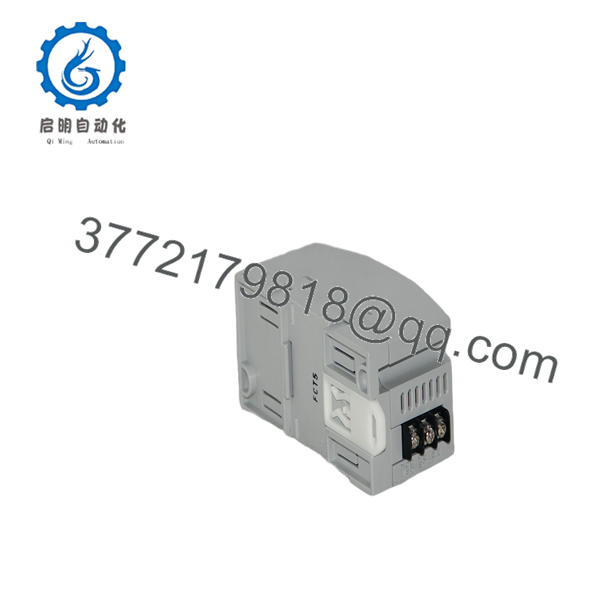
1761-NET-AIC
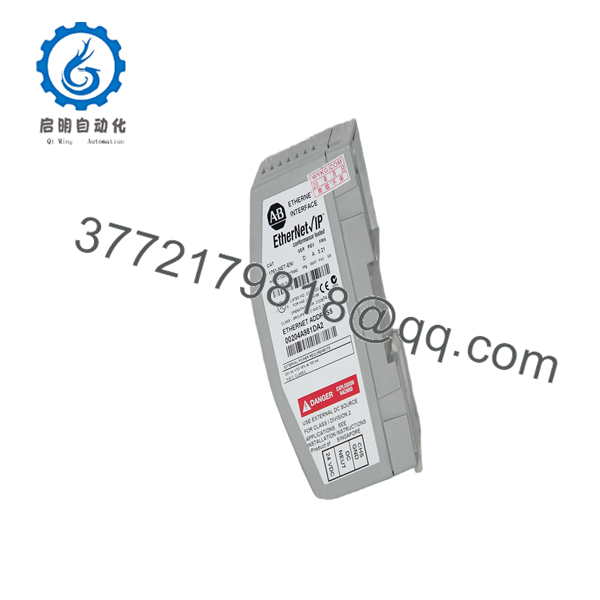
1761-NET-AIC
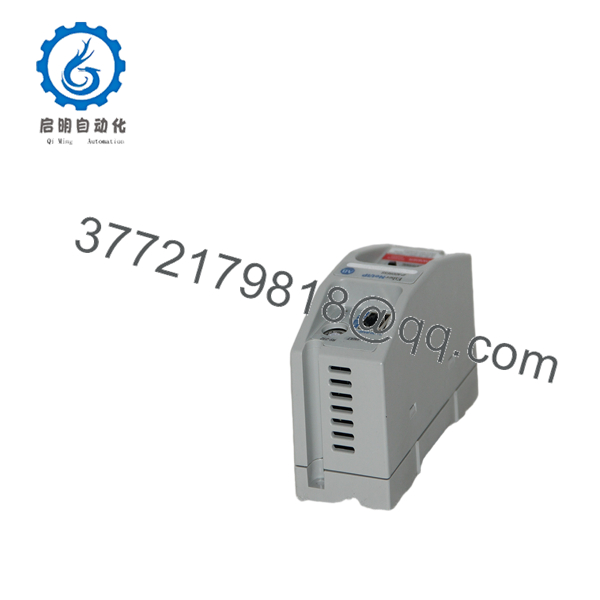
1761-NET-AIC
Installation & Configuration Guide
1.Pre-Installation (Prep & Safety):Safety warning: Verify DC supply polarity before energizing terminal blocks.
Isolate 24V DC control power to the cabinet feed and apply Lock-Out/Tag-Out (LOTO) procedures. Put on a grounded ESD wrist strap before handling the interface module. Confirm cable pinouts for the specific connected device (MicroLogix 1000/1100/1200/1500, SLC 5/03, or PC serial port).
2.Removal:
Unplug the 6-pin Mini-DIN RS-232 cable (Port 1), DB-9 serial cable (Port 2), and the 6-terminal phoenix connector block (Port 3) from the failing 1761-NET-AIC unit. Unclip the module mounting latches from the DIN rail or loosen the mounting screws to remove the housing.
3.Installation (Clone & Seat):
Unpack the New Surplus 1761-NET-AIC module in an ESD-protected zone. Snap the housing onto the 35mm DIN rail or secure it to the panel backplate using M4 screws. Reconnect the RS-485 phoenix connector to Port 3, taking care to maintain correct A, B, and Shield termination positions. Reattach RS-232 cables to Port 1 and Port 2.
4.Power-On & Testing:
Reapply 24V DC control power. Observe the front panel diagnostic LEDs: confirm the POWER LED illuminates solid green and the DC IN indicator is active. Initiate data transfer from RSLinx / Studio 5000 and verify active flashing on the TX and RX LEDs without error conditions.
Firmware/Software Versions & Upgrade Notes
- Hardware Hardware Revisions: 1761-NET-AIC Series A and Series B differ primarily in internal component layout and ambient temperature tolerance; both series are fully drop-in interchangeable in operational networks.
- Driver Configuration: Ensure RSLinx Classic uses the correct driver settings: “1747-PIC / AIC+ Driver” for direct DH-485 connections or “RS-232 DF1 Devices” with auto-configure enabled when communicating via DF1 pass-through.
- Baud Rate Matching: All nodes connected to the RS-485 network trunk via Port 3 must be configured for identical baud rates (typically 19,200 or 9,600 baud for DH-485 networks). Node address collisions on the DH-485 bus will cause line contention and disable network communications.
Frequently Asked Questions (FAQ)
Why buy a New Surplus 1761-NET-AIC instead of a cheap third-party RS-232/RS-485 converter?
Third-party commercial converters lack optical galvanic isolation, making connected MicroLogix processors extremely vulnerable to voltage spikes, ground loops, and electrical noise common in industrial environments. A ground loop can instantly destroy the serial communication port on an expensive PLC processor. The genuine Allen-Bradley 1761-NET-AIC provides 500V DC isolation and exact protocol impedance matching, securing plant hardware reliability.
Are these 1761-NET-AIC units genuine original Allen-Bradley products?
Yes. We guarantee that every 1761-NET-AIC module supplied is 100% Original OEM New Surplus. Units are sourced from system integrator overstock, canceled panel builds, and plant reserve inventory. Each module undergoes rigorous visual, mechanical, power-on, and loopback communication testing prior to shipment.
Can the 1761-NET-AIC operate without an external 24V DC power supply?
Yes, under specific conditions. When connected to a MicroLogix controller via Port 1 using a 1761-CBL-HM02 or 1761-CBL-AM00 cable, the 1761-NET-AIC draws 5V DC power directly from the MicroLogix channel 0 port. However, if using Port 2 (DB-9) or connecting to non-powered devices, an external 24V DC supply connected to the power terminal block is required.
What is the maximum distance supported on the RS-485 network port (Port 3)?
Port 3 supports network trunk cable lengths up to 1,219 meters (4,000 feet) using Belden 3106A (or equivalent shielded twisted-pair cable) at standard baud rates, provided proper 120-ohm termination resistors are installed at both physical ends of the network.
What warranty coverage comes with this New Surplus interface converter?
All New Surplus 1761-NET-AIC units include our standard 1-year replacement warranty. If any functional defect or communication failure occurs within 12 months under normal working conditions, we will replace the module immediately from our stocked inventory.



