
 WhatsApp: +86 16626708626
 Email:
  Phone: +86 16626708626
Description
Key Technical Specifications
- Part Number: 1761-NET-ENI
- Manufacturer: Allen-Bradley / Rockwell Automation
- Product Family: Ethernet interface module
- Module Type: Network communication adapter
- Supported Devices: MicroLogix, SLC 500, CompactLogix, DF1 devices
- Communication Ports: 1 RS-232, 1 Ethernet
- Ethernet Connector: RJ45
- Ethernet Speed: 10/100 Mbps
- Protocols: DF1 full-duplex, Ethernet/IP
- Power Supply: 20.4-26.4 V DC
- Current Draw: 50 mA typical, 100 mA maximum
- Inrush Current: 200 mA maximum
- Isolation: 710 V DC for 1 minute
- Operating Temperature: 0-60 °C
- Storage Temperature: -40 to 85 °C
- Mounting: DIN rail or panel
- Dimensions: 4.64 x 2.05 x 2.55 in
- Available Series: A, B, C, D
Product Introduction
The Allen-Bradley 1761-NET-ENI is a MicroLogix Ethernet interface module used to bridge DF1-capable controllers onto an Ethernet network. It is commonly used for program upload/download, HMI connectivity, and data exchange on legacy Allen-Bradley systems.
It is a practical fix when you need Ethernet access without replacing the controller. The low current draw, 10/100 Mbps capability, and RS-232 to Ethernet bridge function make it useful in retrofit work and plant network expansions.
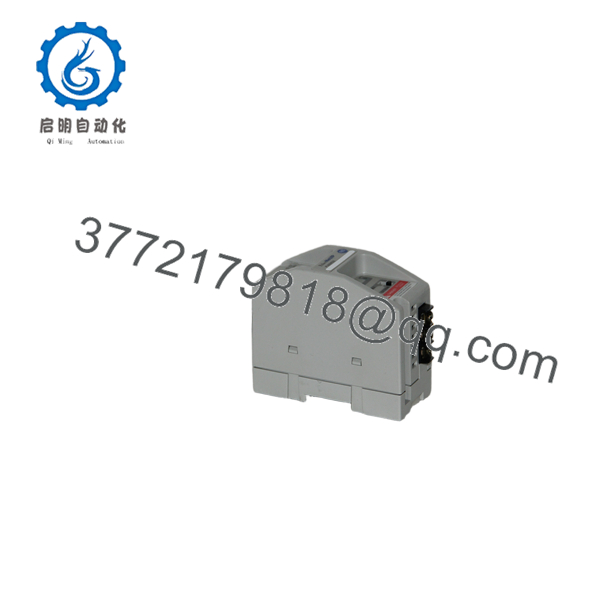
1761-NET-ENI
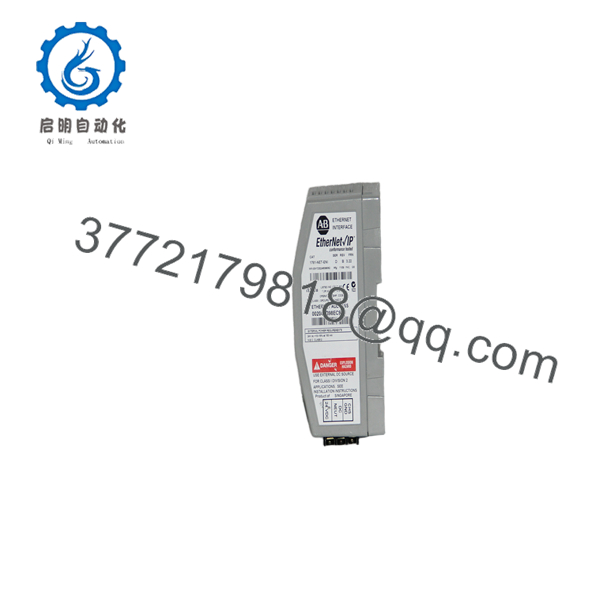
1761-NET-ENI
Troubleshooting Quick Reference
| Symptom | Possible Cause | Relevance to this Part | Quick Check Method | Recommendation |
|---|---|---|---|---|
| No Ethernet link light | Bad cable, wrong switch port, or no 24 V DC power | ✅ High | Measure 24 V DC at the power terminals and test the RJ45 cable | Check power and cabling first |
| Can ping the module, but PLC comms fail | Wrong DF1 settings, IP mismatch, or controller side setup issue | ✅ High | Verify serial protocol settings and IP addressing in software | Match the communication parameters before replacing hardware |
| RS-232 side does not respond | Incorrect cable, wrong baud rate, or device not DF1 compatible | ✅ High | Confirm baud rate, parity, and cable pinout | Check device setup before blaming the module |
| Intermittent communication drops | Network noise, poor grounding, or flaky connector | ⚠️ Medium | Inspect shielding, grounding, and connector seating | Fix the physical layer first |
| Module powers up but web or config access fails | Unsupported firmware revision or browser/tool mismatch | ⚠️ Medium | Read the module LEDs and verify the series/revision | Confirm the exact series and setup method |
| Module runs hot or resets | Supply voltage out of range or unstable 24 V DC source | ✅ High | Measure supply under load and watch for dips | Stabilize the power source |
| Network works, but data exchange is slow | Overloaded network, retries, or serial bottleneck | ⚠️ Medium | Check network traffic and serial port settings | Reduce traffic or simplify the link path |
If the problem persists, send support photos of the wiring, LEDs, and the communication settings screens.
Frequently Asked Questions
Q: What does the 1761-NET-ENI do?
A: It bridges DF1-based Allen-Bradley controllers onto Ethernet. In plain terms, it lets older MicroLogix or SLC equipment talk on an Ethernet network without replacing the PLC.
Q: Is this the same as a native Ethernet PLC port?
A: No. It is an interface module, not a built-in Ethernet CPU port. That distinction matters when you are troubleshooting speed, addressing, and protocol behavior.
Q: Can I use it with MicroLogix 1000?
A: Yes, that is one of its common uses. Just make sure the serial protocol and cable match the controller and that the power supply is within spec.
Q: Does it support 10/100 Mbps?
A: Yes, Series C and D support 10/100 Mbps Ethernet. Earlier series may be limited, so always check the exact series on the label.
Q: Why is this module often sold as New Surplus?
A: Because it is a legacy interface product. Most available stock is unused surplus from old projects or discontinued inventory, not new factory production.
Q: What should I check before ordering a replacement?
A: Check the series letter, serial-side cable, Ethernet speed requirement, and power source. Also verify whether your site needs a straight Ethernet bridge or a different protocol converter.
Q: What is the most common installation mistake?
A: Wrong serial settings. That is the classic one. People assume the module is bad when the real problem is baud rate, parity, or a mismatched DF1 configuration.



