
 WhatsApp: +86 16626708626
 Email:
  Phone: +86 16626708626
Description
Key Technical Specifications
- Part Number: 1764-LSP
- Manufacturer: Allen-Bradley / Rockwell Automation
- Product Family: MicroLogix processor
- Module Type: CPU / processor unit
- Memory: 7.6 KB
- User Program Capacity: 7 KB
- User Data Capacity: 4 KB
- Communication Protocols: DF1, DH-485, Modbus, ASCII
- Communication Ports: 1 RS-232
- Bus Current Draw: 300 mA @ 5 V DC
- Heat Dissipation: 1.9 W
- Supported Base Units: 1764-AWA, 1764-BWA, 1764-BXB
- Operating Temperature: 0-55 °C
- Real-Time Clock: Compatible with 1764-RTC / 1764-MM2RTC family
- Expansion I/O: Up to 156 points
- Enclosure Rating: IP20
Product Introduction
The Allen-Bradley 1764-LSP is a MicroLogix 1500 processor unit used for compact PLC control in machine and process applications. It provides the CPU, communication, and program execution functions for the MicroLogix 1500 platform.
It is used where a small controller needs RS-232 communication and legacy protocol support such as DF1, DH-485, Modbus, and ASCII. The 7 KB user program capacity and MicroLogix 1500 base compatibility make it a practical replacement part for older installed systems.
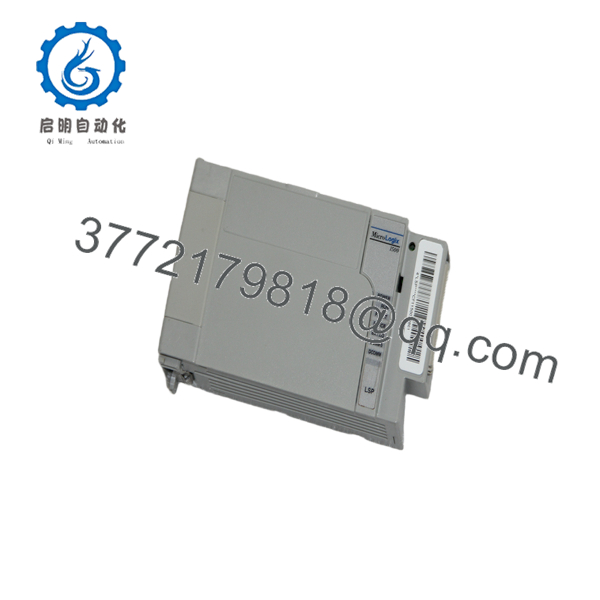
1764-LSP
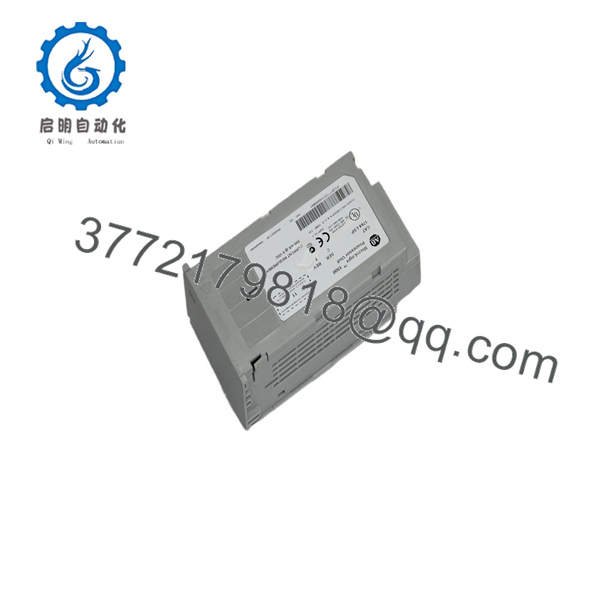
1764-LSP
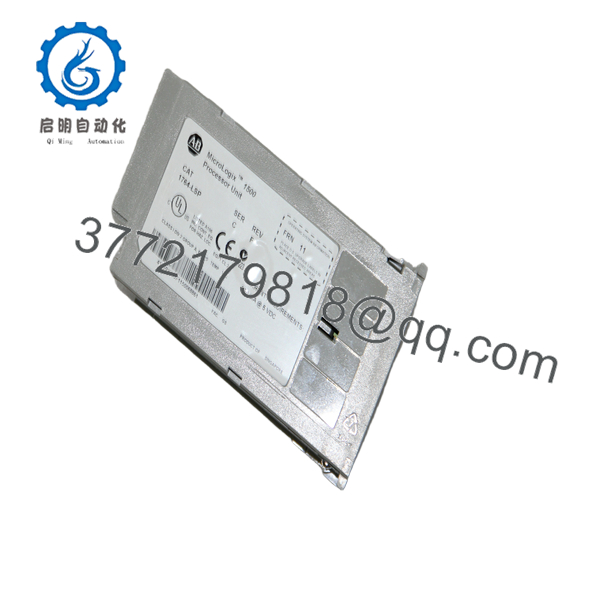
1764-LSP
Troubleshooting Quick Reference
| Symptom | Possible Cause | Relevance to this Part | Quick Check Method | Recommendation |
|---|---|---|---|---|
| No power-up LEDs | Missing bus power, bad base unit, or failed CPU | ✅ High | Measure system supply and check base seating | Verify the base and power before replacing the processor |
| COMM LED does not respond | Wrong serial settings, cable issue, or port configuration error | ✅ High | Check baud rate, parity, and RS-232 cabling | Confirm communication setup first |
| Program will not upload or download | RSLogix version mismatch or password/config issue | ✅ High | Verify software version and controller series | Match the software to the processor revision |
| Controller faults on startup | Corrupt program, memory issue, or hardware fault | ✅ High | Read the fault code and inspect the diagnostic status | Backup the project and isolate memory vs hardware |
| I/O does not respond | Base wiring issue, expansion bus issue, or logic problem | ⚠️ Medium | Check input status bits and output force state in software | Confirm the field wiring before blaming the CPU |
| Real-time clock lost after power cycle | RTC or battery issue | ⚠️ Medium | Check battery status and clock retention | Replace the battery or RTC module if needed |
| Intermittent resets | Low supply voltage, poor contact, or overheating | ✅ High | Measure supply under load and check cabinet temperature | Fix power stability and cooling first |
If the issue remains, send support photos of the LEDs, base, and the controller fault screen.
Frequently Asked Questions
Q: Is the 1764-LSP a complete PLC or just a CPU?
A: It is the processor unit for the MicroLogix 1500 system. You still need the correct base unit and I/O modules to build a complete controller package.
Q: What kind of communication does it support?
A: It supports DF1, DH-485, Modbus, and ASCII on its serial communications side. That makes it useful in older plants where not everything speaks Ethernet.
Q: Can I expand it with I/O modules?
A: Yes. The MicroLogix 1500 platform supports expansion, but you should verify the exact base and module count for your rack arrangement.
Q: Is this model obsolete?
A: Yes, it is a legacy processor. That is why most available stock is New Surplus or used inventory rather than current factory production.
Q: Will my old program load into a replacement CPU?
A: Usually yes, if the hardware series and software version are compatible. Still, save the original project and verify the RSLogix 500 version before swapping anything.
Q: Why is this cheaper than new factory stock?
A: Because it is usually surplus inventory from a closed project or spare parts shelf. It is not uncommon for legacy MicroLogix CPUs to be priced that way.
Q: What is the biggest replacement mistake?
A: Using the wrong base or the wrong software revision. That is the one that wastes time. Pull the old part number, check the base unit, and confirm the RSLogix version before you start.



