
 WhatsApp: +86 16626708626
 Email:
  Phone: +86 16626708626
Description
3. Key Technical Specifications
| Parameter | Specification Value |
|---|---|
| Catalog Part Number | 1784-CF128 |
| Manufacturer | Allen-Bradley (Rockwell Automation) |
| Memory Capacity | 128 Megabytes (MB) |
| Memory Technology | Industrial Single-Level Cell (SLC) NAND Flash |
| Form Factor | Type I CompactFlash Card |
| Compatible Controllers | ControlLogix 5560 series (1756-L61, L62, L63, L64, L65), CompactLogix 1769-L32E, L35E |
| Operating Temperature | −20°C to +70°C (−4°F to 158°F) |
| Storage Temperature | −40°C to +85°C (−40°F to 185°F) |
| Read/Write Cycles | > 2,000,000 write/erase cycles (SLC industrial endurance grade) |
| Vibration & Shock | Rated for high-vibration industrial cabinet installations |
| Functionality | Non-volatile user program backup, firmware image storage, auto-load on boot |
4. Product Introduction & Supply Chain Strategy
The Allen-Bradley 1784-CF128 is an industrial-grade 128 MB CompactFlash memory card engineered specifically for Rockwell Automation controllers. Unlike consumer-grade CF cards, the 1784-CF128 uses high-endurance Single-Level Cell (SLC) flash memory designed to withstand wide operating temperature swings, electrical noise, and constant industrial vibration. Installed directly into the front CF slot of ControlLogix 5560 (1756-L6x) processors, it holds non-volatile copies of controller project files and firmware, enabling automatic program recovery upon complete power loss or RAM battery failure.
This product is a Brand New Surplus unit. It is not used, not pulled from a decommissioned cabinet, and not refurbished. All cards undergo rigorous verification to guarantee zero wear on flash cells and full read/write integrity.
Using commercial off-the-shelf (COTS) retail CF cards or refurbished cards in legacy PLCs introduces high failure risks. Commercial cards use Multi-Level Cell (MLC) flash that fails under extreme temperatures and lacks the specialized timing controllers required by Logix hardware, leading to boot errors (Non-Volatile Memory Corrupt). Sourcing verified New Surplus 1784-CF128 cards ensures reliable automated boot recovery without risking plant downtime.
5. Installation & Configuration Guide
Stage 1: Pre-Installation (Prep & Safety)
- Confirm that the target controller (e.g., 1756-L61/L62/L63) is in REMOTE PROG or PROG mode before inserting or writing to non-volatile memory.
- Put on an anti-static ESD wrist strap grounded to the enclosure frame ground.
- Open the front protective door of the controller to access the CompactFlash slot.
- Verify that the card contacts on the 1784-CF128 are clean and free of physical debris.
Stage 2: Removal (If replacing an old card)
- Set the controller key switch to PROG mode to freeze logic execution if necessary.
- Press the CF card eject button on the front face of the controller module.
- Gently pull the card straight out of the slot guide rails.
- Store the removed memory card in an ESD protective pouch.
Stage 3: Installation & Program Save
- Align the side guide grooves of the 1784-CF128 with the card slot on the controller front panel.
- Push the card firmly into the slot until the ejector button pops outward and the card seats fully against the internal header.
- Connect online using Studio 5000 / RSLogix 5000.
- Navigate to Controller Properties -> Non-Volatile Memory tab.
- Click Load/Store, select Store to Image, choose your load parameter option (On Power Up, On Corrupt Memory, or User Command), and initiate the store command.
Stage 4: Power-On & Boot Verification
- Once the memory transfer completes, cycle main power to the controller chassis to verify boot behavior.
- Observe the controller front panel status LEDs:
OKshould return to solid green, confirming successful firmware and user logic retrieval from the 1784-.
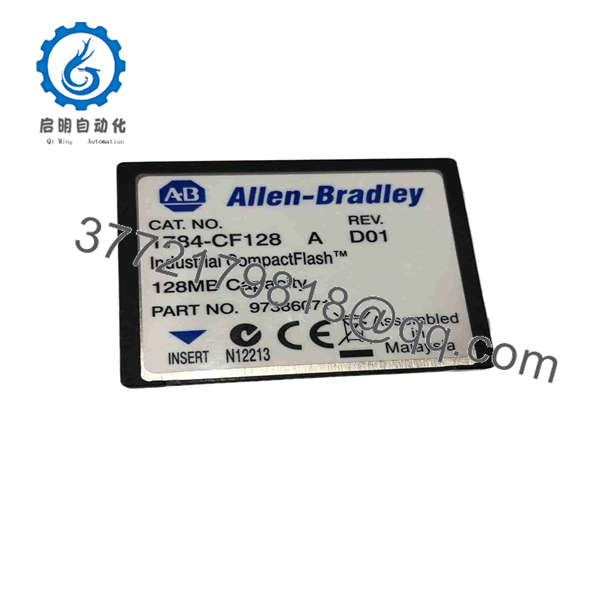
1784-CF128
6. Firmware/Software Versions & Upgrade Notes
The 1784- operates across a wide range of legacy RSLogix 5000 versions.
- Controller Compatibility: Works natively with ControlLogix 5560 processors (1756-L61, L62, L63, L64, L65) and 1769-L32E / 1769-L35E CompactLogix controllers.
- Format Requirements: Memory cards must be formatted as FAT or FAT16. Do not format the card using standard Windows NTFS or exFAT file systems, as the PLC processor will fail to recognize the storage volume.
- Modern Platform Upgrade: Newer ControlLogix 5570 (L7x) and 5580 (L8x) controllers utilize Secure Digital (SD) cards (1784-SD1, 1784-SD2) rather than CompactFlash.
7. Frequently Asked Questions (FAQ)
Q: Is this 1784- card brand new or has it been used in a decommissioned panel?
A: This product is a Brand New Surplus unit. It is not used, not pulled from a decommissioned plant, and not refurbished. All modules undergo rigorous quality verification to ensure OEM-level reliability.
Q: Can I use a standard commercial CompactFlash card from an electronics store instead of the 1784-?
A: It is strongly disadvised. Commercial cards use consumer-grade MLC/TLC flash and standard controller ICs that lack the low-temperature tolerance, high write-cycle endurance, and timing compatibility required by ControlLogix backplanes, frequently causing boot corruption.
Q: Will installing a 1784- automatically overwrite the running logic program on power-up?
A: Only if configured to do so. In Studio 5000 / RSLogix 5000, you can configure the boot mode to load from non-volatile memory On Power Up, On Corrupt Memory (battery drain), or User Command Only.
Q: What is the difference between 1784- and 1784-CF64?
A: The 1784- provides 128 MB of storage capacity—double that of the 64 MB 1784-CF64 card—allowing larger RSLogix 5000 project files, extensive tag documentation, and multi-firmware images to be stored simultaneously.
Q: What warranty applies to this New Surplus card?
A: We back this card with a full 1-year functional replacement warranty from the date of shipment, ensuring complete protection for your non-volatile system backups.



