
 WhatsApp: +86 16626708626
 Email:
  Phone: +86 16626708626
Description
3. Key Technical Specifications
| Parameter | Value |
|---|---|
| Bus Type | PCI revision 2.2 (universal short card) |
| Compatible Slots | 5 V / 3.3 V PCI, 32-bit / 64-bit PCI, PCI-X |
| Not Compatible With | PCI Express (PCIe) |
| Form Factor (H × L) | 10.7 cm × 16.5 cm (4.2 in × 6.5 in) |
| ControlNet Ports | Dual BNC (Channel A / Channel B redundant media) |
| NAP Port | RJ45 |
| Data Rate | 5 Mbps (ControlNet) |
| Power Requirements | 5 V DC, 700 mA max |
| Power Dissipation | 3.5 W |
| Isolation Voltage | 50 V continuous (tested to 600 V for 60 s) |
| Operating Temperature | 0 to 55 °C (32 to 131 °F) |
| Relative Humidity | 5 to 95 % non-condensing |
| Software Compatibility | RSLinx Classic 2.42.00 or later |
| Driver Compatibility | Windows XP SP1+, Windows 2000 SP4+, Windows 98/Me |
4. Product Introduction
The Allen-Bradley 1784-PCIC is a universal PCI short-card ControlNet communication interface. It provides messaging-only connectivity, allowing a PC to monitor, configure, and communicate with ControlNet devices through RSLinx Classic and related Rockwell software.
The card includes dual BNC connectors for redundant ControlNet media and an RJ45 Network Access Port (NAP). It fits standard 5 V or 3.3 V PCI, 32/64-bit, and PCI-X slots but is not compatible with PCI Express. This card is the messaging version; the 1784-PCICS variant adds SoftLogix I/O bridging capability.
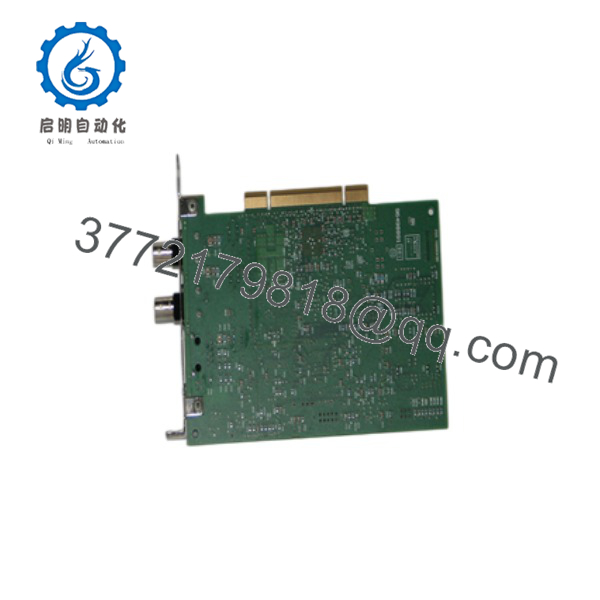
1784-PCIC
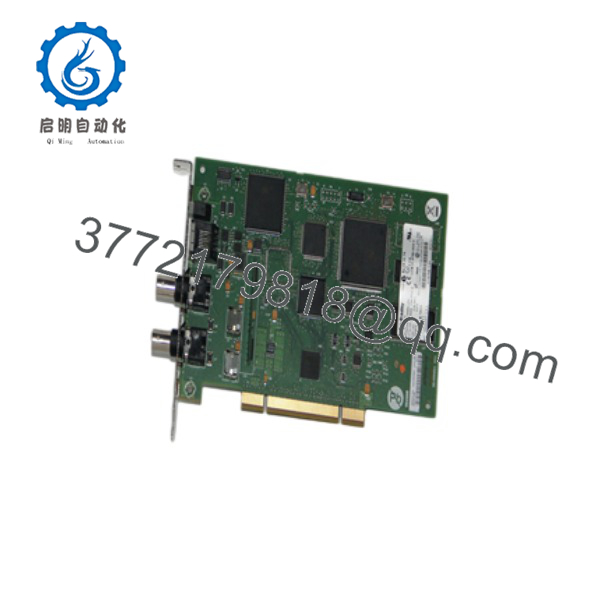
1784-PCIC
5. Installation & Configuration Guide
Stage 1: Pre-Installation Preparation (5–10 min) ⚠️ Safety First: Power down the host computer completely and unplug the AC cord. Wait for residual power to discharge. Ground yourself with an ESD wrist strap before handling the card. Tools Required: ESD wrist strap, Phillips screwdriver, antistatic mat. Data Backup: Note the existing ControlNet node address schedule and any RSLinx driver configurations. Photograph current cabling if replacing an existing card.
Stage 2: Removing the Old Card (if applicable) (5–8 min)
- Confirm the computer is fully powered off and unplugged.
- Open the computer case and locate the existing 1784-PCIC or similar card.
- Disconnect BNC and RJ45 cables.
- Remove the mounting screw and carefully extract the card from the PCI slot. ⚠️ Keep the old card until the new one is verified operational.
Stage 3: Installing the New Card (8–12 min)
- Verify the card is marked 1784-PCIC (not PCICS unless SoftLogix is required). Confirm it is a universal PCI short card.
- Select an available compatible PCI or PCI-X slot. Remove the expansion slot cover.
- Align the card with the slot and press firmly until fully seated. Secure with the mounting screw.
- Connect ControlNet media to the BNC connectors (Channel A and/or B for redundant media). Do not connect more than one ControlNet network.
- If using the NAP, connect the appropriate cable (typically 1786-CP or equivalent). Self-Checklist: [ ] Card fully seated [ ] Mounting screw tight [ ] Correct BNC polarity/media [ ] ESD precautions followed.
Stage 4: Power-On & Testing (10–20 min)
- Close the case, reconnect power, and boot the computer.
- Install or verify the RSLinx Classic driver (version 2.42 or later). Configure the 1784-PCIC driver in RSLinx.
- Observe status LEDs on the card (functional primarily with BNC connection).
- Browse the ControlNet network in RSLinx and confirm nodes appear.
- Test messaging and configuration functions with RSNetWorx for ControlNet if required. ⚠️ Troubleshooting Note: If the card is not detected, confirm the slot is not PCIe, verify driver version, and check that the correct firmware (PCIC vs PCICS) is installed. LED activity is limited when only the RJ45 NAP is used.
6. Frequently Asked Questions (FAQ)
Q: Can the 1784-PCIC be used in a PCI Express slot? No. The card is not compatible with PCI Express. Inserting it into a PCIe slot can damage the card or the motherboard.
Q: What is the difference between 1784-PCIC and 1784-PCICS? The 1784-PCIC is a messaging-only card for monitoring and configuration via RSLinx. The 1784-PCICS includes additional firmware for SoftLogix I/O bridging. Hardware is essentially the same; firmware differs.
Q: Is the 1784-PCIC still in production? No. Rockwell Automation discontinued the 1784-PCIC and 1784-PCICS. Remaining units are new surplus or refurbished. For new designs, consider ControlLogix ControlNet modules (1756-CN2 series) or Ethernet-based alternatives.
Q: Which software is required? RSLinx Classic version 2.42.00 or later. Older Windows versions (98/Me/2000/XP) are supported per the original specifications; modern 64-bit Windows may require compatibility testing or virtualization.
Q: Why is the price lower than historical OEM list price? These are genuine surplus units. They are original Allen-Bradley cards that have never been installed in a running system, but they are no longer available through standard Rockwell channels. Functional testing and warranty are provided.
Q: Can I use this card for SoftLogix? No. Use the 1784-PCICS version for SoftLogix applications. Attempting to run SoftLogix on a standard PCIC card typically produces driver or device-not-found errors.
Q: What cable is needed for the Network Access Port? Use a 1786-CP or equivalent ControlNet NAP cable when connecting a programming terminal via the RJ45 port.



