
 WhatsApp: +86 16626708626
 Email:
  Phone: +86 16626708626
Description
Key Technical Specifications
| Parameter | Specification |
|---|---|
| Catalog Number | 1788-EN2PAR |
| Product Type | EtherNet/IP to PROFIBUS PA Linking Device |
| Ethernet Protocol | EtherNet/IP |
| Fieldbus Protocol | PROFIBUS PA |
| DC Input Voltage | 24–32 V DC |
| Maximum DC Input Current | 0.75 A |
| PA Power | 0.5 A @ 24 V DC, single trunk |
| PA Power | 0.4 A @ 24 V DC, dual trunk |
| Module Consumption | 260 mA @ 24 V DC, no field devices attached |
| Power Dissipation | 12.24 W @ 24 V DC |
| Ethernet Cable | CAT5 STP/UTP |
| Ethernet Interface | Ethernet network connection |
| Isolation Voltage | 30 V continuous, basic insulation |
| Operating Temperature | 0 to 60 °C |
| Relative Humidity | 5–95%, noncondensing |
| Operating Shock | 15 g |
| Nonoperating Shock | 30 g |
| Vibration | 0.5 g @ 10–500 Hz |
| Enclosure | Open-style |
| Temperature Code | T4 |
| Certification | cULus, CE, RCM, ATEX, KC, ODVA EtherNet/IP conformance where product marking applies |
Rockwell’s technical documentation identifies the 1788-EN2PAR as a gateway between EtherNet/IP and PROFIBUS PA. It specifies a 24–32 V DC input, 0.75 A maximum input current, and 260 mA consumption at 24 V DC with no field devices attached.
The device is rated for 0–60 °C operation and 5–95% noncondensing humidity. The documented enclosure type is open-style, and the device carries T4 temperature-code specifications.
Product Introduction
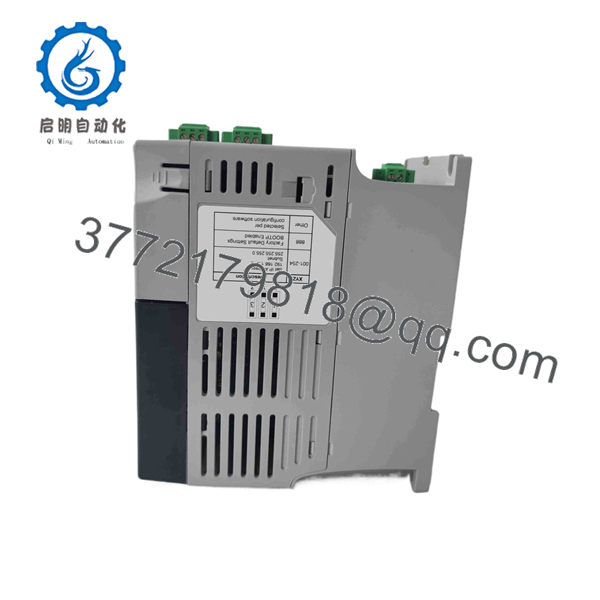
The Allen-Bradley 1788-EN2PAR is a PROFIBUS PA linking device that provides a communication gateway between an EtherNet/IP control network and PROFIBUS PA field devices. It is intended for process automation architectures where PA instrumentation must exchange data with an EtherNet/IP-based control system.
This is a specialized legacy communication component, not a conventional EtherNet/IP I/O adapter. The field-side PROFIBUS PA power budget, trunk configuration, device addressing, and gateway configuration all need to be considered during replacement. Rockwell’s later documentation identifies the 1788-EN2PAR as End of Life as of November 1, 2021, so replacement planning is important for existing installations.
1788-EN2PAR

1788-EN2PAR
Installation & Configuration Guide
Stage 1: Pre-Installation Preparation — 20–30 Minutes
⚠️ Safety First: Place the process in the approved safe state and follow the plant’s LOTO procedure before disconnecting the linking device or PROFIBUS PA trunk.
Tools Required:
- ESD wrist strap
- Digital multimeter
- Small insulated screwdriver
- Wire labels
- Laptop with the applicable Rockwell configuration tools
- PROFIBUS diagnostic equipment where available
- Smartphone/camera for documenting wiring
Data Backup:
- Record the exact 1788-EN2PAR catalog number and Series.
- Record the firmware revision.
- Rockwell currently provides firmware information for the 1788-EN2PAR through its Product Compatibility and Download Center; Series C documentation includes firmware 3.001.
- Export or document the EtherNet/IP configuration.
- Record the PROFIBUS PA network configuration.
- Document PA device addresses and device names where applicable.
- Photograph all Ethernet, PA, and DC power connections.
- Record whether the installation uses a single or dual PA trunk.
- Document the number and type of connected PA instruments.
⚠️ Critical: Do not treat this as an ordinary Ethernet module replacement. The 1788- sits between two different industrial communication architectures. A physical replacement can be correct while the network configuration remains wrong.
Stage 2: Removing the Old Linking Device — 15–25 Minutes
- Put the process in its approved maintenance state.
- Isolate the 24 V DC supply according to the site procedure.
- Verify the supply is de-energized.
- Label the Ethernet connection.
- Label each PROFIBUS PA trunk connection.
- Label the DC power wiring.
- Photograph the terminal arrangement.
- Disconnect the Ethernet connection.
- Disconnect the PROFIBUS PA wiring.
- Disconnect the 24 V DC supply.
- Remove the linking device from its mounting arrangement.
- Inspect the wiring and terminals for corrosion, loose strands, or damaged insulation.
⚠️ PA warning: Do not casually short or cross-connect PROFIBUS PA conductors. The PA trunk also carries field-device power, so incorrect wiring can affect multiple field instruments.
Stage 3: Installing the New Unit — 15–25 Minutes
- Verify the replacement is .
- Confirm the Series and firmware requirements.
- Inspect the housing, terminals, and connectors.
- Mount the device in the approved enclosure or panel.
- Connect the 24 V DC supply.
- Verify supply polarity before energizing.
- Reconnect the PROFIBUS PA trunk exactly as documented.
- Reconnect the Ethernet network.
- Tighten terminals using the specified torque:
- DC power: 0.22–0.25 N·m
- PROFIBUS PA: 0.5–0.6 N·m
- Confirm that the PA trunk configuration matches the original installation.
- Check cable shielding and grounding against the site’s instrumentation standard.
Self-Checklist:
- 1788- verified
- Series verified
- Firmware documented
- 24 V DC polarity checked
- Ethernet connection restored
- PA trunk wiring restored
- Single/dual trunk configuration verified
- Terminal torque checked
Stage 4: Power-On & Network Testing — 30–90 Minutes
- Perform a final wiring inspection.
- Measure the 24 V DC supply before connecting the device.
- Energize the linking device.
- Observe the module status indicators.
- Connect to the EtherNet/IP network.
- Verify the gateway appears at the expected network address.
- Confirm the EtherNet/IP controller can establish communication.
- Check the PROFIBUS PA master status.
- Verify PA field devices are detected.
- Confirm device status and diagnostic information.
- Compare process values against the HMI/SCADA system.
- Check for communication errors, missing devices, or unexpected diagnostics.
- Verify critical process instruments individually before returning the plant to normal operation.
Rockwell provides an AOP, DTM, EDS files, and firmware package for the 1788- through its Product Compatibility and Download Center. These tools are useful when reconstructing an existing installation, but the exact configuration should match the installed controller and gateway revision.
Common Replacement Pitfalls
❗ 1. Confusing EtherNet/IP With PROFIBUS PA
The 1788- is a gateway, not a simple protocol converter cable. EtherNet/IP exists on the control side; PROFIBUS PA exists on the field-instrument side. Both configurations must be correct.
❗ 2. Ignoring PA Power Consumption
The gateway itself consumes approximately 260 mA at 24 V DC without field devices. The PA side also has its own power requirements: 0.5 A for a single trunk or 0.4 A for a dual trunk at 24 V DC. Calculate the complete field-device load before commissioning.
❗ 3. Firmware Mismatch
Rockwell’s download center identifies firmware version 3.001 for Series C. Do not assume every 1788- on the surplus market carries the same firmware. Record the existing revision before removing the original.
❗ 4. Treating PA Wiring Like Standard Ethernet
PROFIBUS PA has its own physical-layer requirements and power architecture. Do not substitute ordinary Ethernet cabling practices for PA installation requirements.
❗ 5. Forgetting the End-of-Life Status
Rockwell’s later technical documentation identifies the 1788- as End of Life as of November 1, 2021. Existing systems therefore need a documented spare-parts and migration strategy rather than indefinite dependence on new OEM production.
Frequently Asked Questions (FAQ)
1. What is the Allen-Bradley 1788-?
The 1788- is an Allen-Bradley linking device that connects EtherNet/IP networks with PROFIBUS PA networks. It is intended for process automation applications where PA field instrumentation must communicate with an EtherNet/IP control architecture.
2. Is the 1788- a PROFIBUS DP module?
No. The model is specifically associated with PROFIBUS PA. Do not substitute it for a standard PROFIBUS DP communication module simply because both products use the PROFIBUS family of protocols.
3. Is the 1788- discontinued?
Yes. Rockwell’s later technical documentation identifies the legacy 1788- and 1788-CN2PAR as End of Life as of November 1, 2021. The same documentation identifies the PROFIBUS PA A-PAL/B module from Aparian as a replacement option.
4. What power supply does the 1788- require?
The specified input is 24–32 V DC, with a maximum input current of 0.75 A. The device itself consumes approximately 260 mA at 24 V DC without connected field devices. The PA trunk has separate power requirements that must be included in the system calculation.
5. What operating temperature is specified?
The documented operating temperature is 0 to 60 °C (32 to 140 °F), with 5–95% relative humidity, noncondensing.
6. What firmware should I verify before buying a 1788-?
Verify the Series and firmware revision on the actual unit. Rockwell’s Product Compatibility and Download Center currently provides Series C information and lists firmware 3.001, along with the corresponding AOP and DTM resources.
7. What should I check when buying a surplus 1788-?
For a legacy spare, verify the exact catalog number, Series, firmware revision, Ethernet communication, PA master communication, and field-device communication. A basic power-on test is not enough. Ideally, the supplier should demonstrate an EtherNet/IP connection and communication with a PROFIBUS PA test device or representative PA network.



