
 WhatsApp: +86 16626708626
 Email:
  Phone: +86 16626708626
Description
Key Technical Specifications
| Parameter | Value |
| Catalog Number | 1792D-8BVT8D |
| I/O Capacity | 8 Inputs / 8 Outputs |
| Input Type | 24 VDC Sink (Sinking) |
| Output Type | 24 VDC Source (Sourcing, 0.5 A max per output) |
| Network Protocol | DeviceNet (125 kbps, 250 kbps, 500 kbps) |
| Network Connector | 5-pin Mini-style sealed connector |
| I/O Connectors | 5-pin M12 Micro-style sealed female receptacles |
| Operating Voltage Range | 11–25 VDC (DeviceNet bus power) / 24 VDC (Auxiliary field power) |
| Enclosure Rating | NEMA 4X/6P, IP67 (Washdown / Dust-tight) |
| Operating Temperature | −25 to 60°C (−13 to 140°F) |
| Diagnostics | LED indicators for Network Status, Module Status, and I/O Point Status |
Product Introduction & Supply Chain Strategy
The Allen-Bradley 1792D-8BVT8D is an IP67-rated Compact ArmorBlock I/O module designed for direct machine mounting without an enclosure. Featuring 8 24V DC sinking inputs and 8 24V DC sourcing outputs with M12 quick-disconnect micro connectors, it transfers discrete sensor and actuator data to host controllers over a DeviceNet fieldbus trunk line.
Since Rockwell Automation has transitioned legacy DeviceNet ArmorBlock modules toward End-of-Life (EOL) status, securing original New Surplus units is critical for preserving washdown production lines. Sourcing factory-sealed New Surplus stock guarantees intact IP67 seals, uncorroded M12 pin interfaces, and zero internal water damage—risks frequently encountered when buying used or refurbished outdoor/on-machine hardware. Keeping verified spares on site shields your plant from costly line stops while holding down Total Cost of Ownership (TCO).
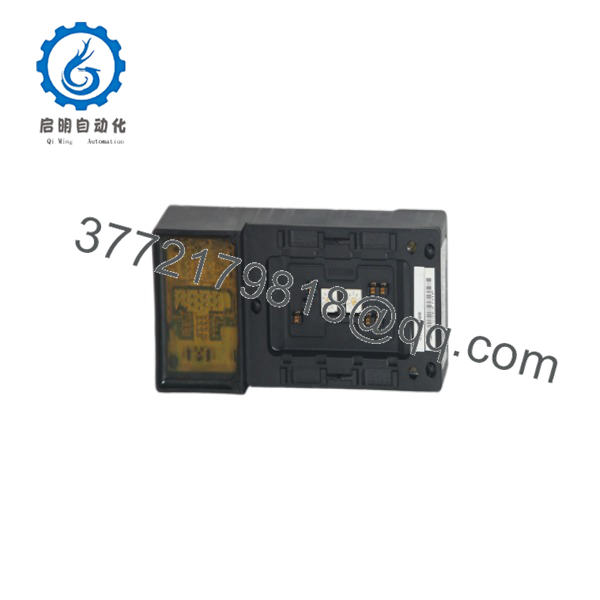
1792D-8BVT8D
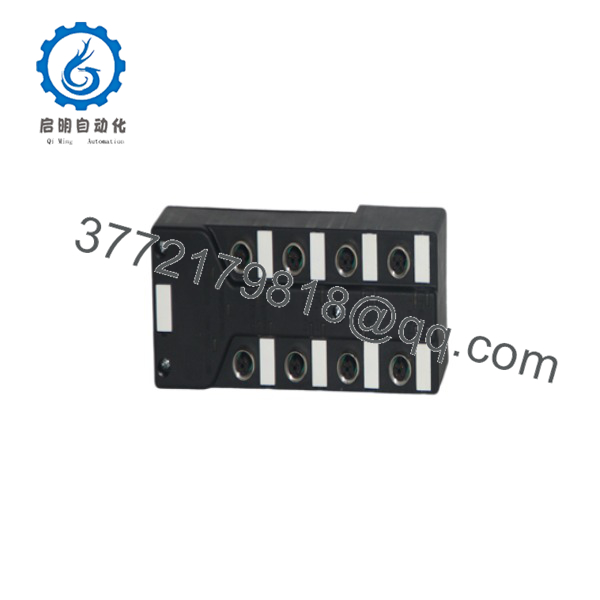
1792D-8BVT8D
Installation & Configuration Guide
Stage 1: Pre-Installation (Prep & Safety)
- Power Isolation: De-energize both 24V DC auxiliary power supply lines and DeviceNet bus power before mounting or attaching cabling.
- IP67 Inspection: Check all O-rings and sealing gaskets on M12 cable connectors for cracks, dirt, or degradation to ensure environmental sealing integrity.
- Addressing Setup: Set the rotary node address switches (00–63) and baud rate switches (125k, 250k, 500k, or PGN) on the front of the block according to your system schedule.
Stage 2: Removal
- Unscrew the 5-pin Mini network trunk connector and all M12 I/O cordsets from the module face.
- Remove the two mounting bolts holding the ArmorBlock housing to the machine frame or aluminum extrusion.
- Lift the block clear of the mounting surface and wipe clean the mounting area.
Stage 3: Installation (Clone & Seat)
- Bolt the new 1792D-8BVT8D housing securely to the machine frame using two M5 or #10 screws, verifying solid chassis ground contact.
- Match the rotary node address and baud rate switches to the exact settings of the replaced unit.
- Reattach all M12 field sensor/actuator cordsets, hand-tightening the knurled coupling nuts until completely seated. Seal any unused ports with protective IP67 sealing caps.
- Thread the 5-pin Mini DeviceNet network cable onto the main trunk port.
Stage 4: Power-On & Testing
- Apply DeviceNet bus power (24 VDC) and auxiliary output power; observe the front panel NS (Network Status) and MS (Module Status) LEDs.
- Confirm the MS LED turns solid green and the NS LED transitions from flashing green to solid green upon establishing scanner connection.
- Trigger field sensors and force output channels via RSNetWorx for DeviceNet to verify point-by-point I/O status LED illumination and load actuation.
Firmware/Software Versions & Upgrade Notes
- Configuration Tools: Configured and commissioned using RSNetWorx for DeviceNet software and standard Electronic Data Sheets (EDS files).
- EDS File Verification: Ensure the exact EDS file matching catalog number
1792D-8BVT8Dand major revision number is registered in your RSNetWorx EDS Hardware Installation Tool. Registering an incorrect EDS file causes network configuration mismatches and prevents I/O mapping. - Network Baud Rate Automatic Detection: If using Auto-Baud mode, ensure at least one master node (e.g., 1747-SDN or 1756-DNB) on the DeviceNet trunk line is transmitting at a fixed baud rate during system startup.
Frequently Asked Questions (FAQ)
Is this 1792D-8BVT8D block guaranteed to be New Surplus and not refurbished?
Yes. This unit is 100% Brand New Surplus stock in original OEM factory packaging. It has never been mounted on plant machinery, exposed to washdown chemicals, or repaired. The enclosure housing, rotary switches, and M12 pin connectors remain in pristine factory condition.
Why is buying New Surplus so critical for IP67/NEMA 4X on-machine modules?
Refurbished or used on-machine modules often suffer from degraded internal rubber seals, micro-cracks in plastic housings from overtightened bolts, and pin corrosion caused by ingress of cutting fluids or high-pressure washdown water. Sourcing New Surplus guarantees uncompromised ingress protection and full electrical isolation.
Do I need external power for the 8 outputs on the 1792D-8BVT8D?
Yes. While DeviceNet network power (24 VDC) drives the module’s internal logic and communication circuit, an external auxiliary 24 VDC power connection is required to supply output load current to solenoids, indicators, and actuators.
What should I do if the NS (Network Status) LED turns solid red?
A solid red NS LED indicates a critical communication fault—most commonly a duplicate node address on the network or a bus off condition caused by severe noise/baud rate mismatch. Verify that no other device shares the block’s rotary node switch setting and check trunk line termination resistor values (121 ohms at each physical end of the trunk).
What warranty protection comes with this New Surplus module?
We support this 1792D-8BVT8D New Surplus ArmorBlock with a comprehensive 1-year replacement warranty. Every unit undergoes strict physical pin checks, switch setting verification, and anti-static moisture-barrier packaging prior to dispatch.



