
 WhatsApp: +86 16626708626
 Email:
  Phone: +86 16626708626
Description
Key Technical Specifications
| Parameter | Value |
| Catalog Number | 1794-ADN |
| Communication Protocol | DeviceNet (125 kbps, 250 kbps, 500 kbps) |
| I/O Capacity | Supports up to 8 Flex I/O terminal base modules |
| Input Power Voltage | 24 VDC nominal (19.2–31.2 VDC range including 5% ripple) |
| Flexbus Current Output | 640 mA maximum at 5 VDC |
| DeviceNet Current Draw | 90 mA maximum at 24 VDC |
| DeviceNet Connector | 5-pin open style unsealed plug (pluggable terminal) |
| Node Address / Baud Rate | 2 rotary switches for Node (00–63) and Baud selection |
| Thermal Dissipation | 13.6 BTU/hr at 24 VDC |
| Isolation Voltage | 50 V continuous (DeviceNet to Flexbus and power) |
| Operating Temperature | 0 to 55°C (32 to 131°F) |
Product Introduction & Supply Chain Strategy
The Allen-Bradley 1794-ADN is a DeviceNet communication adapter engineered for the modular Flex I/O system. Serving as the primary network head in remote I/O panel assemblies, it marshals data between up to eight digital, analog, or specialized Flex I/O modules and a central DeviceNet scanner (such as a 1756-DNB or 1747-SDN).
With Rockwell Automation transitioning legacy DeviceNet networking hardware toward End-of-Life (EOL), securing authentic New Surplus 1794-ADN modules is critical to preserving distributed panel operations. Sourcing factory-sealed New Surplus eliminates the elevated risks of component aging, internal power supply ripple, and backplane flexbus communication faults common in second-hand or rebuilt hardware. Keeping verified spares on-site prevents catastrophic fieldbus drops while optimizing your overall Total Cost of Ownership (TCO).
Installation & Configuration Guide
Stage 1: Pre-Installation (Prep & Safety)
- Power Isolation: Shut down and lock out 24 VDC field supply power and DeviceNet bus power before handling wiring or module connections.
- Node Address Configuration: Use a small flathead screwdriver to set the two rotary node address switches (00–63) on the front of the adapter to match your scanner configuration.
- ESD Safety: Wear a grounded anti-static wrist strap to avoid electrostatic damage to internal flexbus logic circuits.
Stage 2: Removal
- Unplug the 5-pin open-style DeviceNet connector and 24 VDC power wiring terminals from the top of the adapter.
- Push down on the flexbus latch mechanism on the right side of the adjacent terminal base to disengage the backplane bus.
- Release the DIN-rail locking tab at the bottom of the 1794-ADN and lift the adapter straight off the mounting rail.
Stage 3: Installation (Clone & Seat)
- Mount the 1794-ADN onto the DIN rail to the left of the first 1794 terminal base unit.
- Slide the adapter firmly to the right along the DIN rail until the side flexbus connector locks securely into the adjacent terminal base block.
- Reattach the 24 VDC power supply wiring (Power and Common terminals) and plug the 5-pin DeviceNet connector back into the top header.
Stage 4: Power-On & Testing
- Apply 24 VDC external logic power and DeviceNet bus power; observe the front panel I/O Status, DeviceNet Status, and Power LEDs.
- Verify the DeviceNet Status LED turns solid green, indicating a valid network connection and active I/O scanner handshake.
- Check the I/O Status LED; a solid green light confirms all attached Flex I/O modules have been successfully recognized and mapped across the internal flexbus.
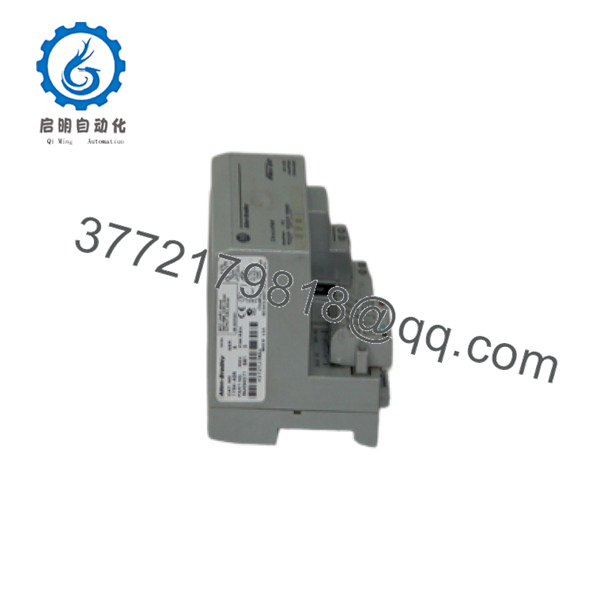
1794-ADN
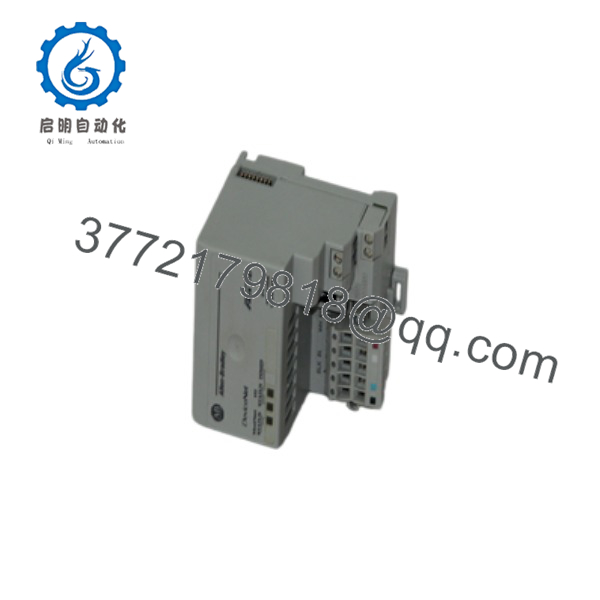
1794-ADN
Firmware/Software Versions & Upgrade Notes
- Configuration Tooling: Network identification, I/O mapping, and parameterization are managed via RSNetWorx for DeviceNet software using official Rockwell Automation EDS files.
- EDS Hardware Profile: Ensure the correct Electronic Data Sheet (
1794-ADNmajor/minor revision specific) is registered using the RSNetWorx Hardware Installation Tool prior to scanning the bus. - Flexbus Power Limits: The internal power supply supplies up to 640 mA at 5 VDC across the flexbus. Verify that the combined 5 VDC current requirements of the attached 8 Flex I/O modules do not exceed 640 mA to prevent bus brownouts.
Frequently Asked Questions (FAQ)
Is this 1794-ADN adapter guaranteed to be New Surplus and not refurbished?
Yes. This module is 100% Brand New Surplus stock in original OEM packaging. It has never been deployed in an active control panel, subjected to thermal stress, or subjected to aftermarket repair work. All internal power circuits and flexbus contacts remain in pristine factory condition.
Why should I choose New Surplus over a refurbished 1794-ADN adapter?
Refurbished adapters frequently suffer from heat-stressed voltage regulators and degraded flexbus connectors from repeated card insertions. Buying New Surplus guarantees zero internal electrical wear, stable 5 VDC flexbus power delivery, and complete network stability without unexpected node drops.
Can I replace the 1794-ADN adapter while the rest of the Flex I/O rack is powered?
No. Flex I/O adapters do not support Removal and Insertion Under Power (RIUP) on the main adapter slot. Always disconnect 24 VDC system power and DeviceNet network power prior to mounting or dismounting the 1794-ADN to prevent damaging the flexbus backplane contacts.
What should I check if the I/O Status LED flashes red?
A flashing red I/O Status LED indicates an internal flexbus communication fault or a module mismatch between your RSNetWorx device configuration and the physical I/O cards installed on the DIN rail. Check that all terminal base flexbus latches are tightly seated and verify that module keys match the software schedule.
What warranty protection comes with this New Surplus adapter?
We back this 1794-ADN New Surplus adapter with a comprehensive 1-year replacement warranty. Every unit undergoes strict visual inspection, node switch verification, and anti-static packaging before shipment.



