
 WhatsApp: +86 16626708626
 Email:
  Phone: +86 16626708626
Description
Key Technical Specifications
| Parameter | Specification |
| Catalog Number | 1794-IB32 |
| Number of Inputs | 32 sourcing/sinking (4 groups of 8) |
| Nominal Input Voltage | 24V DC |
| Operating Voltage Range | 19.2V DC to 31.2V DC |
| On-State Voltage Range | 19.2V DC to 31.2V DC |
| Off-State Voltage (Max) | 5.0V DC |
| On-State Current | 2.0 mA @ 19.2V DC to 4.1 mA @ 31.2V DC |
| FlexBus Current | 80 mA @ 5V DC |
| Power Dissipation (Max) | 6.0 W @ 31.2V DC |
| Compatible Terminal Bases | 1794-TB32, 1794-TB32S |
| Isolation Voltage | 50V continuous (tested at 850V DC for 1 s) |
Product Introduction & Supply Chain Strategy
The Allen-Bradley 1794-IB32 is a high-density Flex I/O module designed to interface up to 32 discrete 24V DC signals directly to ControlLogix, CompactLogix, or SLC 500 controllers via EtherNet/IP, ControlNet, or Remote I/O adapters. It packs 32 sinking input channels into a compact DIN-rail footprint, reducing cabinet panel space and wiring complexity in industrial automation systems.
Maintaining New Surplus stock of the 1794-IB32 is a vital insurance strategy for facilities running legacy or mature Flex I/O racks. Buying Original New Surplus avoids the severe risks of worn-out internal optocouplers found in second-hand parts. This preserves maximum system uptime and optimizes your Total Cost of Ownership (TCO) without paying inflated distributor list prices or waiting months for OEM production runs.
Installation & Configuration Guide
Stage 1: Pre-Installation (Prep & Safety)
- Disconnect all main power sources and execute standard Lock-Out/Tag-Out (LOTO) procedures.
- Put on a grounded ESD wrist strap before handling the 1794-IB32 module.
- Inspect the terminal base (1794-TB32 or 1794-TB32S) for damaged pins or loose wiring.
- Verify the keyswitch on the terminal base is set to Position 2 (required for digital input modules).
Stage 2: Removal
- Release the latching mechanism at the top of the existing module.
- Gently pull the module straight out from the terminal base to avoid bending backplane connector pins.
- Inspect the backplane slot for dust or debris; clear using clean, dry compressed air if necessary.
Stage 3: Installation (Clone & Seat)
- Align the module keyswitch ratchet on the back of the 1794-IB32 with the base unit setting (Position 2).
- Firmly press the module onto the 1794-TB32 terminal base until the locking latch clicks securely into place.
- Ensure all terminal base wiring matches the 32-point pinout diagram (common external power connections across groups).
Stage 4: Power-On & Testing
- Verify that the 24V DC field supply provides stable voltage between 19.2V DC and 31.2V DC with zero shorts.
- Re-apply power to the Flex I/O adapter and field power bus.
- Confirm the module status LED turns solid green and individual channel LEDs actuate as field sensors trigger.
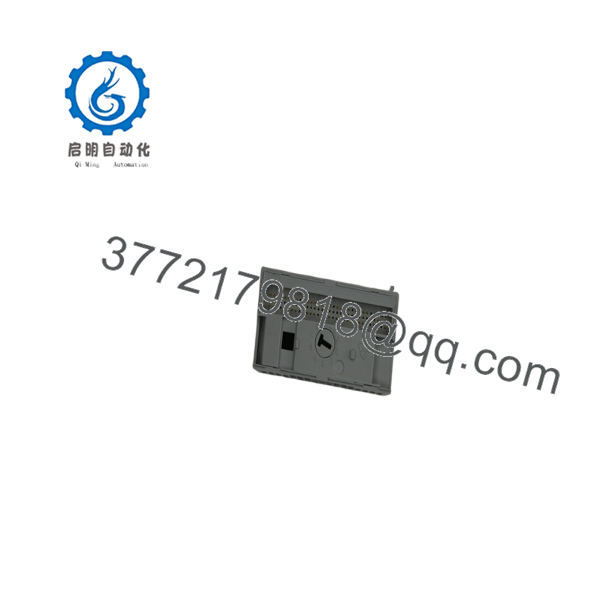
1794-IB32
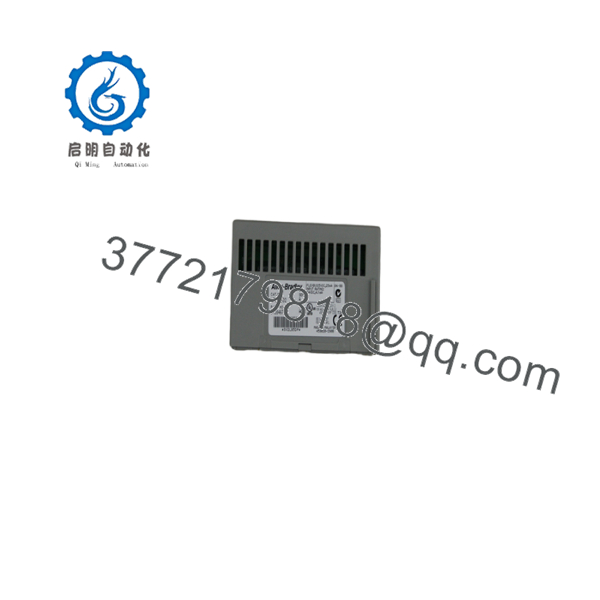
1794-IB32
Firmware/Software Versions & Upgrade Notes
- Recommended Firmware: Hardware Revision A and B units accept standard FlexBus protocol drivers; no field-flashable firmware is required directly on the 1794-IB32 card.
- Adapter Compatibility: Ensure your communication adapter (e.g., 1794-AENT or 1794-APB) uses firmware revision V4.001 or higher to properly address 32-point dense I/O modules.
- Studio 5000 / RSLogix 5000 Module Profile: Use electronic keying set to “Compatible Module” or “Disable Keying” when replacing older hardware revisions to avoid I/O faulting on the controller card.
- Upgrade Risks: Never flash or power-cycle an upstream network adapter while field power is applied to the 1794-, as this can cause unpredicted output triggers or loss of input monitoring across all 32 channels.
Frequently Asked Questions (FAQ)
Is this 1794- unit brand new, or has it been pulled from an active system?
This product is a Brand New Surplus unit. It is not used, not pulled from a decommissioned plant, and not refurbished. All modules undergo rigorous quality verification to ensure OEM-level reliability.
Why shouldn’t I just buy a cheaper refurbished or pulled 1794- module online?
Refurbished input modules frequently suffer from degraded internal optocouplers, dry-soldered joints, or latent thermal stress from continuous operation in harsh industrial cabinets. While a used card might save a few hundred dollars upfront, a single failed input channel can trigger an emergency machine shutdown, costing tens of thousands in downtime.
Which terminal bases work with the 32-point 1794- module?
Because the 1794- utilizes 32 distinct input channels plus common power and ground terminals, it requires a 32-point terminal base unit such as the 1794-TB32 (screw-clamp) or 1794-TB32S (spring-clamp). Standard 16-point bases (like the 1794-TB3) are not compatible.
Can I hot-swap the 1794- while the Flex I/O rack is powered up?
The Flex I/O system supports Removal and Insertion Under Power (RIUP). However, you must observe strict ESD safety protocols and exercise caution when pulling the card so as not to disrupt field power connections or cause short circuits on adjacent terminal wiring.
What warranty and quality verification comes with this New Surplus module?
Every 1794- unit undergoes an inbound physical inspection, serial number validation, and functional verification. We back our New Surplus stock with a full 1-year replacement warranty for total peace of mind.



