
 WhatsApp: +86 16626708626
 Email:
  Phone: +86 16626708626
Description
Key Technical Specifications
| Parameter | Value |
| Catalog Number | 2711-B6C2 |
| Display Type | Color Active Matrix TFT |
| Display Size | 5.5-inch diagonal (115 x 86 mm viewable area) |
| Resolution | 320 x 234 pixels |
| Input Method | Keypad (10 Configurable Function Keys F1–F10) AND Touchscreen |
| Communication Port | DH-485 Communication Port (8-pin RJ45) |
| RS-232 Printer Port | Yes (9-pin D-sub RS-232 for serial printing/logging) |
| Input Voltage | 85–264 VAC (47–63 Hz) |
| Power Consumption | 60 VA maximum |
| Internal Memory | 240 KB Application Flash Memory |
| Backlight Life | 50,000 hours typical (replaceable backlight bulb catalog 2711-NC13) |
| Enclosure Rating | NEMA 12, 13, 4X (Indoor use only), IP65 |
Product Introduction & Supply Chain Strategy
The Allen-Bradley 2711-B6C2 PanelView 600 is a robust human-machine interface (HMI) designed for mid-sized machinery control. Featuring a 5.5-inch color display and versatile dual-input capability (combining physical membrane function keys with an analog resistive touchscreen), it communicates seamlessly over DH-485 networks to SLC 500, MicroLogix, and PLC-5 controllers.
With Rockwell Automation having completely retired the standard PanelView line, replacing damaged operator panels presents significant operational risk. Choosing factory-sealed New Surplus over refurbished units eliminates major failure modes such as cracked touch matrices, yellowed/dim CCFL backlights, and degraded membrane key switches. Maintaining a verified 2711-B6C2 unit on-site prevents catastrophic production line halts while avoiding immediate, multi-thousand-dollar HMI application conversions.
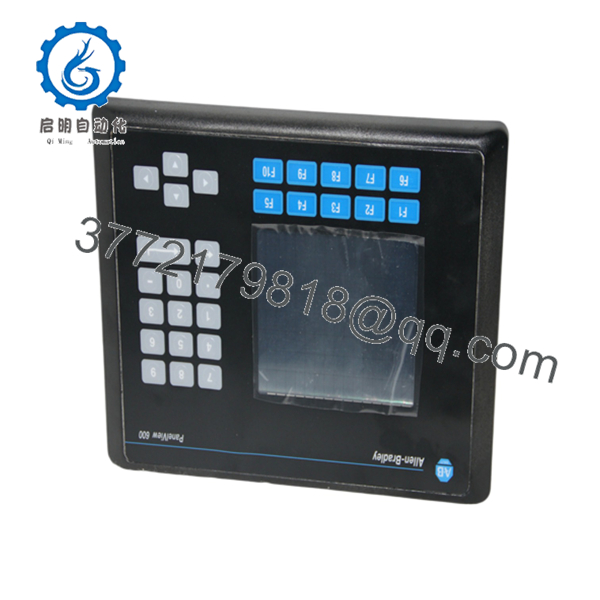
2711-B6C2
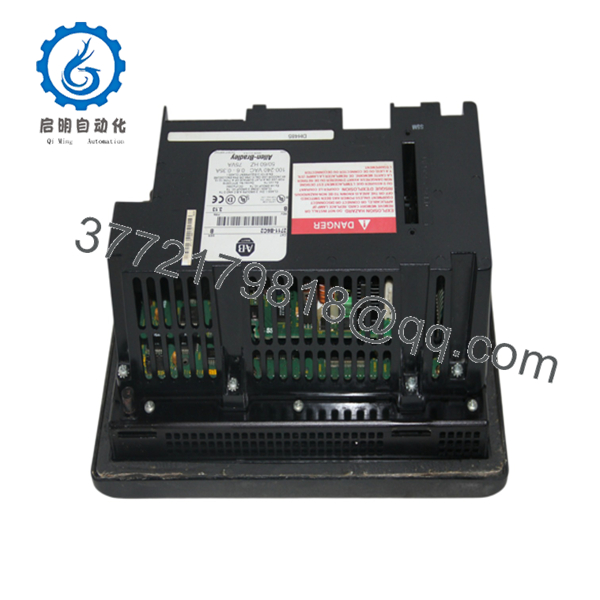
2711-B6C2
Installation & Configuration Guide
Stage 1: Pre-Installation (Prep & Safety)
- Lock-Out/Tag-Out (LOTO): Isolate and disconnect all 120/230 VAC main power lines feeding the enclosure cutout before installation.
- Cutout Verification: Verify panel cutout dimensions match the standard PanelView 600 specification (167 mm H x 266 mm W / 6.57 in H x 10.47 in W). Clean away metal shavings or dust from the mounting lip.
- Gasket Inspection: Ensure the factory-installed rear sealing gasket is properly seated and pliable to maintain NEMA 4X / IP65 enclosure integrity.
Stage 2: Removal
- Disconnect the 8-pin RJ45 DH-485 network cable and RS-232 printer connector from the rear interface panel.
- Remove the AC power wiring block from the terminal header.
- Loosen and remove the mounting clamps along the top, bottom, and side perimeter of the terminal, then carefully push the unit forward out of the panel cutout.
Stage 3: Installation (Clone & Seat)
- Insert the new 2711-B6C2 terminal into the panel cutout from the front.
- Install all self-locking mounting clamps around the perimeter, tightening them evenly in an alternating pattern to 10 in-lbs (1.13 N·m) of torque. Do not overtighten to avoid bowing the front bezel.
- Reattach the AC line, neutral, and earth ground wires securely to the power block.
- Plug the DH-485 cable into the primary 8-pin RJ45 port.
Stage 4: Power-On & Testing
- Apply 120/230 VAC power; observe the boot sequence on the display screen.
- Verify the screen executes self-diagnostics and enters the terminal Configuration Screen or boots directly into the application program.
- Perform touch-screen calibration if prompted, press function keys F1–F10 to confirm tactile response, and verify communication active status with the PLC.
Firmware/Software Versions & Upgrade Notes
- Software Application: Configured and programmed exclusively using PanelBuilder32 software (version 3.80 or higher recommended).
- Application Transfer: Upload or download
.PVA/.PVRruntime application files via memory card (using a ATA flash memory card with 2711-NM216 card retaining cap) or directly through a 1747-UIC USB-to-DH-485 converter. - Firmware Alignment: Match terminal firmware (FRN) with your PanelBuilder32 build settings. Attempting to download an application file created for a higher firmware revision can cause terminal boot loops or graphic object rendering errors.
Frequently Asked Questions (FAQ)
Is this 2711-B6C2 unit guaranteed to be New Surplus and not refurbished?
Yes. This module is 100% Brand New Surplus stock in original OEM factory condition. It has never been mounted in an industrial cabinet, exposed to factory air contaminants, or subjected to screen/bezel repair. The front overlay matrix, display CCFL, and gasket remain in pristine factory condition.
Why is buying New Surplus so vital for standard PanelView terminals?
Refurbished PanelView terminals are notorious for short service lives due to aged CCFL backlights (which lose brightness over time) and brittle touch overlays that fail from wear. Buying New Surplus guarantees full 50,000-hour backlight life, uncompromised touch sensitivity, and reliable internal power supplies.
What is the difference between the 2711-B6C2 and 2711-K6C2?
The B in 2711- signifies Dual Input (both a physical keypad and a touchscreen). The K version (2711-K6C2) features Keypad Input Only with no touch capability. The 2711- can replace a 2711-K6C2 directly while providing operators the added flexibility of screen-touch interaction.
Can I transfer the application program directly from a failed unit?
Yes. If the old terminal still powers up, you can transfer the runtime file to a PC using PanelBuilder32 via a 1747-UIC converter or transfer it directly using a supported PCMCIA ATA Memory Card inserted into the rear slot.
What warranty protection comes with this New Surplus HMI?
We back this 2711- New Surplus terminal with a comprehensive 1-year replacement warranty. Every unit undergoes strict physical inspection, connector integrity validation, and anti-static protective packaging prior to shipment.



