
 WhatsApp: +86 16626708626
 Email:
  Phone: +86 16626708626
Description
3. Key Technical Specifications
| Parameter | Value |
|---|---|
| Display Type | Color active-matrix TFT with CCF backlight |
| Display Size | 10.1 / 10.4 inches |
| Display Area | 211 × 158 mm (8.3 × 6.2 in) |
| Resolution | 640 × 480 pixels |
| Operator Input | Analog resistive touchscreen (384 cells, 24 × 16) |
| Touch Cell Size | Approx. 26 × 30 pixels |
| Application Memory | 1008 KB |
| Communication Ports | Ethernet (10Base-T / auto-negotiate); RS-232 printer port |
| Input Voltage | 85–264 V AC, 47–63 Hz |
| Heat Dissipation | Approx. 39 W (132 BTU/hr) |
| Enclosure Rating | NEMA Type 12/13 or 4X (indoor), IP54/IP65 |
| Configuration Software | PanelBuilder32 |
| Operating Temperature | 0 to 55 °C (32 to 131 °F) |
| Weight (approx.) | 2.7–3.0 kg (6–6.6 lb) |
4. Product Introduction
The Allen-Bradley 2711-T10C20 is a PanelView 1000 Standard operator terminal. It features a 10.4-inch color active-matrix TFT display with 640 × 480 resolution and an analog resistive touchscreen.
The terminal communicates via a built-in Ethernet port (10Base-T with auto-negotiation) and includes an RS-232 printer port. It is powered by 85–264 V AC and provides 1008 KB of application memory. Applications are developed with PanelBuilder32 software. The “T” indicates touch-only input and the “20” indicates Ethernet communication. This model is part of the discontinued PanelView Standard family and is intended for indoor industrial panel mounting.
5. Installation & Configuration Guide
Stage 1: Pre-Installation Preparation (10–15 min) ⚠️ Safety First: Disconnect all power sources. Verify the panel cutout matches the required dimensions (approximately 257–282 mm height × 370–390 mm width). Wear an ESD wrist strap. Tools Required: ESD strap, screwdriver, multimeter, Ethernet cable, RS-232 printer cable if used. Data Backup: Upload the existing application from the old terminal using PanelBuilder32 if possible. Record the IP address, subnet mask, and any printer settings.
Stage 2: Removing the Old Terminal (8–12 min)
- Confirm power is removed.
- Disconnect the Ethernet cable and RS-232 printer cable. Label both.
- Disconnect AC power wiring.
- Release the mounting hardware and remove the terminal from the panel. ⚠️ Retain the old terminal until the replacement is fully tested and the application is verified.
Stage 3: Installing the New Terminal (10–15 min)
- Verify the unit is marked 2711-T10C20 and note the series letter.
- Insert the terminal into the panel cutout from the front and secure with the mounting hardware.
- Connect AC power (85–264 V AC), observing polarity and grounding requirements.
- Connect the Ethernet network cable and, if required, the RS-232 printer cable.
- Ensure the front gasket is properly seated for the enclosure rating. Self-Checklist: [ ] Correct cutout size [ ] Mounting secure [ ] Power connections correct [ ] Ethernet and serial cables seated.
Stage 4: Power-On & Testing (15–30 min)
- Apply AC power. Observe the COMM and Fault status LEDs.
- Connect a programming PC running PanelBuilder32 (use the AB_ETH driver in RSLinx for this legacy terminal) and download or verify the application.
- Confirm Ethernet communication with the controller and verify all screens and touch response.
- Test any printer functionality if used.
- Place the system in normal operation and monitor for faults. ⚠️ Troubleshooting Note: A solid red Fault LED usually indicates a hardware or configuration problem. No Ethernet communication is most often caused by an incorrect IP address, wrong RSLinx driver (use AB_ETH, not AB_ETHIP), or network cable issues.
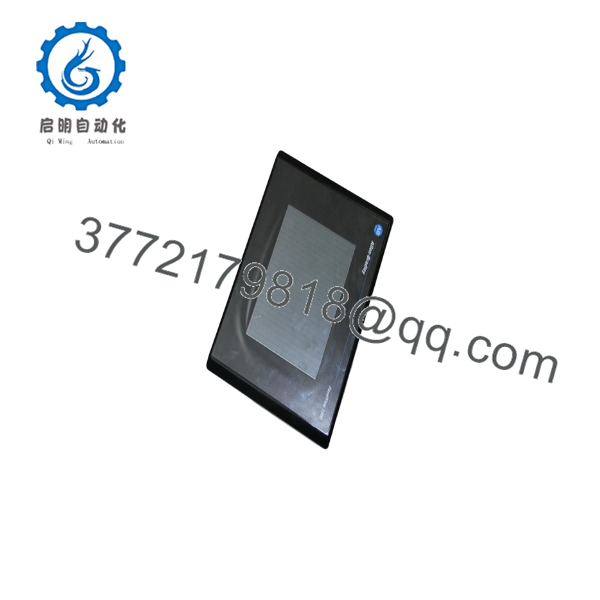
2711-T10C20
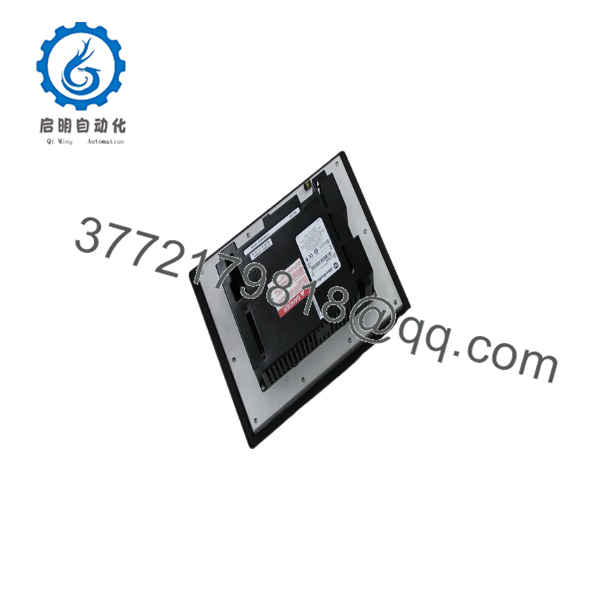
2711-T10C20
6. Frequently Asked Questions (FAQ)
Q: Can the 2711-T10C20 be hot-swapped? No. Always remove AC power before installing or removing the terminal. Power must be off during all wiring changes.
Q: Is the 2711-T10C20 still in production? No. The PanelView Standard (including the 1000 series) was discontinued. Remaining units are new surplus or refurbished. For new designs, migrate to PanelView Plus 7 or PanelView 5000 series terminals.
Q: What software is required? PanelBuilder32 is used to develop and download applications. For Ethernet communication in RSLinx, use the AB_ETH (or AB Ethernet) driver, not the Ethernet/IP driver.
Q: What does the catalog number mean? T = Touchscreen only, 10 = 10-inch class display, C = Color, 20 = Ethernet + RS-232 printer port.
Q: Why is the price lower than historical OEM list price? These are genuine surplus units from excess inventory. They are original Allen-Bradley terminals that have never been installed in a running system, but they are no longer available through standard Rockwell channels. Functional testing and warranty are provided.
Q: Does this model support an ATA memory card? Yes. An ATA PC flash memory card can be used for application storage and transfer.
Q: Is the backlight replaceable? On many series the CCFL backlight is field-replaceable. Confirm the exact replacement part number with the series of your terminal before ordering.



