
 WhatsApp: +86 16626708626
 Email:
  Phone: +86 16626708626
Description
Key Technical Specifications
| Parameter | Value |
|---|---|
| Catalog Number | 2711-T5A15 |
| Product Family | PanelView 550 Standard Operator Terminal |
| Display Size | 5.5-inch (monochrome) |
| Display Type | Monochrome transflective LCD with LED backlight (blue mode) |
| Display Area (W × H) | 120 × 60 mm (4.75 × 2.38 in) |
| Resolution | 256 × 128 pixels |
| Input Methods | Touchscreen (128 touch cells, 16 × 8 matrix) |
| Application Memory | 170 KB runtime; 240 KB non-volatile (objects, text, bitmaps) |
| Communication Ports | 1 × ControlNet (BNC); 1 × RS-232 printer port |
| Communication Cable (ControlNet) | 2711-NC13 (or equivalent ControlNet coax cable) |
| Real-Time Clock | Battery-backed RTC (2711-NB4) |
| Backlight Life | ~100,000 hours to ½ brightness at 25 °C |
| Backlight Replacement | 2711-NL5 (LED backlight assembly) |
| Input Voltage | 18–32 V DC (nominal 24 V DC) |
| Power Consumption | ~18 W (typical); 20 W max |
| Panel Cutout (W × H) | 193 × 131 mm (7.60 × 5.16 in) |
| Terminal Dimensions (W × H × D) | 220 × 160 × 110 mm (8.66 × 6.30 × 4.33 in) |
| Mounting Depth | ~82 mm (3.23 in) behind panel |
| Weight | ~1.05 kg (2.31 lb) |
| Operating Temperature | 0 to 55 °C (32 to 131 °F) |
| Storage Temperature | −20 to 70 °C (−4 to 158 °F) |
| Humidity | 5–95% non-condensing |
| Enclosure Rating | NEMA Type 12/13, 4X (indoor use only); IP54, IP65 |
| Certifications | UL, CE, CSA (industrial use) |
Product Introduction
The Allen-Bradley 2711-T5A15 is a PanelView 550 standard operator terminal with a 5.5-inch monochrome LCD and touchscreen. It provides ControlNet and RS-232 printer communication for integration with SLC 500, CompactLogix, ControlLogix, and PLC-5 systems in legacy installations.
This HMI is chosen for machine interfaces where a monochrome touchscreen with ControlNet networking is required. In field deployments, it’s commonly used on conveyors, mixers, and small process skids where ControlNet I/O and simple alarm/setpoint screens are needed.
Troubleshooting Quick Reference
| Symptom | Possible Cause | Relevance to this Part | Quick Check Method | Recommendation |
|---|---|---|---|---|
| No display, no backlight | 24 V DC supply missing or wiring fault | ✅ High | Measure 18–32 V DC at input terminals; check polarity and fuse | Fix 24 V DC supply and wiring before swapping HMI |
| Backlight on but screen blank | Application not loaded or corrupted | ✅ Medium | Check for “No Application” or similar message; try PanelBuilder 32 download | Reload application; verify ControlNet node and baud settings |
| Touchscreen unresponsive in areas | Membrane damage or calibration issue | ✅ Medium | Run touchscreen calibration in terminal setup; inspect for physical damage | Replace membrane/touch overlay if calibration fails |
| ControlNet communications failing | Node address/baud mismatch or cable fault | ✅ High | Verify ControlNet node, baud rate, and cable continuity; monitor with RSLinx | Correct ControlNet config; replace coax cable if open/short |
| Display dim or faint | Backlight aging or driver issue | ✅ Medium | Measure backlight brightness; check for dimness in bright ambient light | Replace backlight assembly (2711-NL5) if dim/faint |
| Time/date lost after power-off | RTC battery depleted | ✅ High | Check RTC battery voltage (2711-NB4); verify time reset after power cycle | Replace RTC battery; re-set time and date |
If you’re stuck, send photos of the terminal (including rating label), a screenshot of the blank screen or fault, and your ControlNet network settings. We’ll review it before you swap the unit.
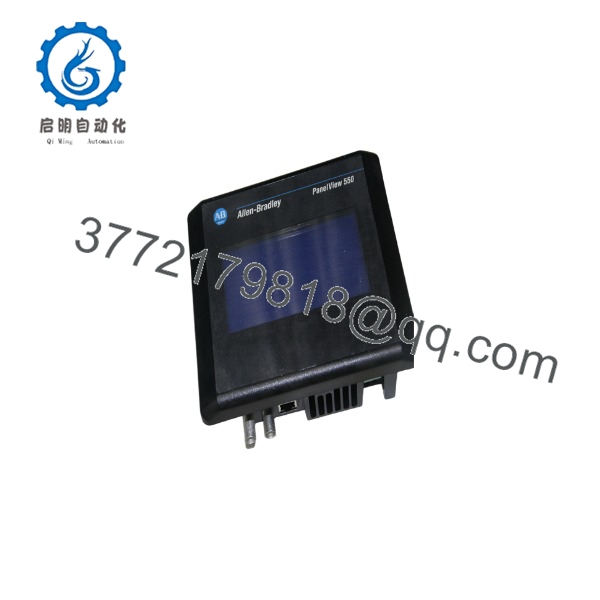
2711-T5A15
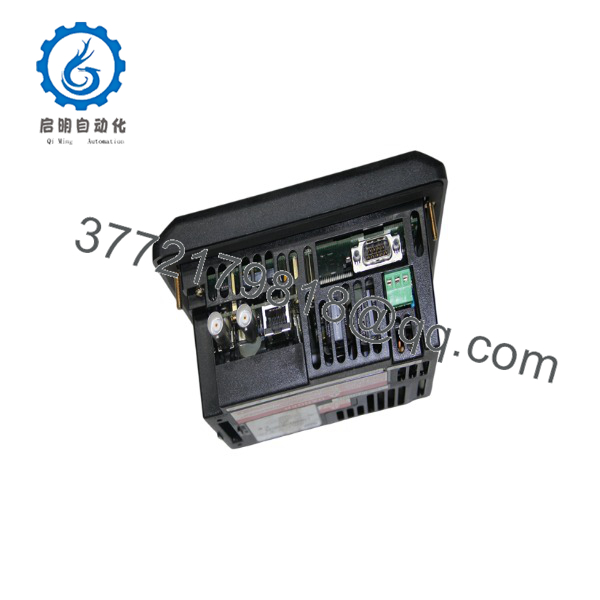
2711-T5A15
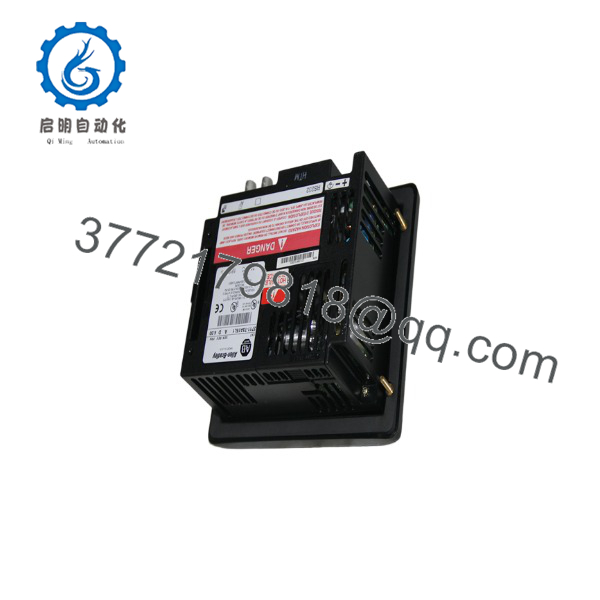
2711-T5A15
Frequently Asked Questions (FAQ)
Q: Is the 2711-T5A15 hot-swappable?
A: No. The 2711-T5A15 must be installed and removed with 24 V DC power OFF. Hot-swapping can damage the power supply and communication ports.
Q: What’s the difference between 2711-T5A15 and 2711-T5A15L1?
A: Both are PanelView 550 monochrome touch terminals. T5A15 uses ControlNet (BNC) and RS-232 printer. T5A15L1 adds a local ControlNet port (with terminal block) and RS-232 printer. Choose based on your wiring preference (BNC vs terminal block).
Q: Can I use the 2711- with ControlLogix over EtherNet/IP?
A: No. The 2711- has ControlNet and serial printer ports only. For EtherNet/IP, you need a PanelView Plus or newer HMI with an Ethernet port.
Q: What software do I need to program the 2711-?
A: PanelBuilder 32 is used to create and download applications to the 2711-. It runs on Windows and communicates via ControlNet or serial, depending on configuration.
Q: What condition are these units in, and why is pricing lower than factory?
A: We sell New Original (New Surplus) and Refurbished (tested) units. Pricing is lower because these are surplus or professionally refurbished, and the PanelView 550 line is discontinued. Each refurbished unit goes through power, display, and communication tests and comes with a 1-year warranty.
Q: Can I keep my existing application when swapping a failed 2711-?
A: Yes, if the replacement is the same catalog number and you have a PanelBuilder 32 backup. Download the existing .MER runtime file to the new terminal and verify ControlNet node and baud settings.
Q: What is the recommended replacement for the 2711-?
A: Rockwell’s migration path is PanelView Plus 6 / 7 (e.g., 2711P-… series) with FactoryTalk View ME. Migration requires application conversion and new communication wiring (Ethernet or serial, depending on model).



