
 WhatsApp: +86 16626708626
 Email:
  Phone: +86 16626708626
Description
3. Key Technical Specifications
| Parameter | Value |
|---|---|
| Display Type | Monochrome transflective FSTN passive matrix |
| Display Size | 3 inches |
| Display Area | 67 × 33 mm (2.64 × 1.30 in) |
| Resolution | 128 × 64 pixels |
| Backlight | 50,000 hours minimum life; non-replaceable |
| Operator Input | Keypad: 10 function keys (F1–F10), numeric keypad (0–9), navigation, Enter, +/–, decimal |
| Communication Ports | RS-232 (DH-485), RS-232 (DF1), RS-485 (Modbus / Siemens MPI), USB device port |
| Input Voltage | 18–30 V DC (24 V DC nominal) |
| Power Consumption | 5 W max (0.21 A at 24 V DC) |
| Operating Temperature | 0 to 50/55 °C (32 to 122/131 °F) |
| Storage Temperature | –20/–25 to 70 °C (–4/–13 to 158 °F) |
| Relative Humidity | 5 to 95 % non-condensing |
| Dimensions (approx.) | 119 × 139 × 55 mm (4.69 × 5.47 × 2.15 in) |
| Weight | Approx. 0.30 kg (0.65 lb) |
| Preferred Controllers | MicroLogix, Micro800, SLC, PowerFlex 4 |
4. Product Introduction
The Allen-Bradley 2711C-K3M is a PanelView Component C300 operator interface terminal. It features a 3-inch monochrome transflective FSTN display with 128 × 64 resolution and a full keypad assembly including ten function keys, a numeric keypad, and navigation keys.
The terminal is designed for low-end visualization and control applications. It communicates via RS-232 (DH-485 and DF1), RS-485 (Modbus and Siemens MPI), and a USB programming port. Applications are developed with the built-in DesignStation software accessed through a web browser. The unit mounts with quick-lever clamps and is commonly paired with MicroLogix, Micro800, or PowerFlex 4 drives.
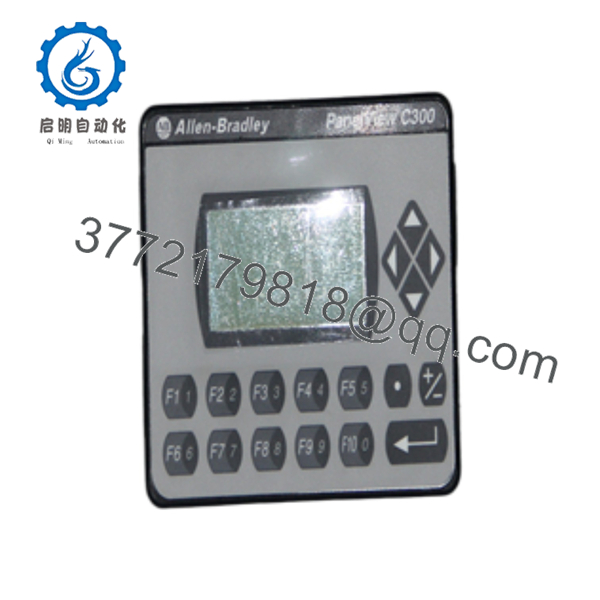
2711C-K3M
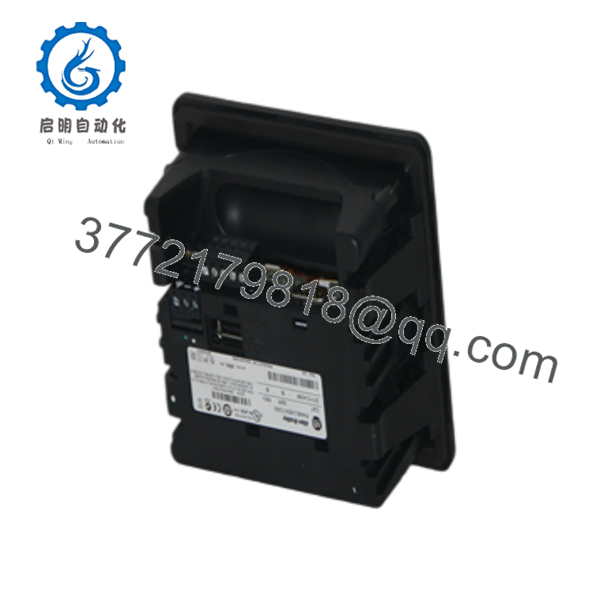
2711C-K3M
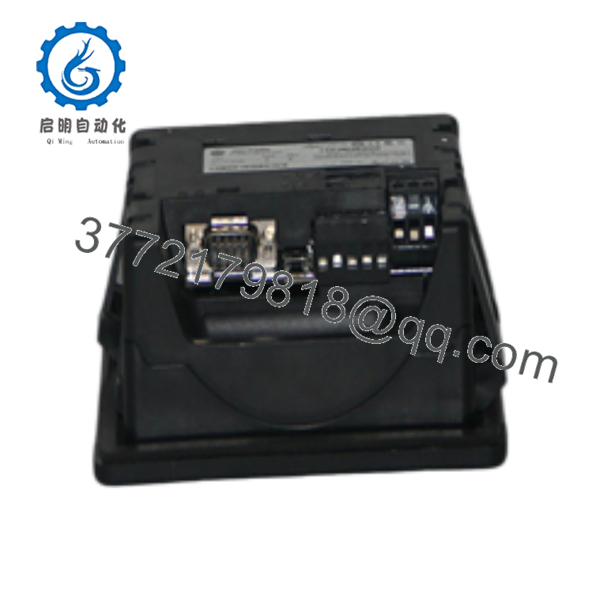
2711C-K3M
5. Installation & Configuration Guide
Stage 1: Pre-Installation Preparation (5–10 min) ⚠️ Safety First: Disconnect 24 V DC power. Verify the panel cutout matches the required dimensions (approximately 99 × 119 mm). Wear an ESD wrist strap if handling internal connections. Tools Required: ESD strap (if needed), screwdriver for clamps, multimeter, USB cable or serial cable for programming. Data Backup: Upload the existing application file via USB or Ethernet if the old terminal is still functional. Record communication settings and node addresses.
Stage 2: Removing the Old Terminal (5–8 min)
- Confirm power is removed.
- Disconnect communication cables (RS-232, RS-485) and the power connector. Label each cable.
- Release the quick-lever mounting clamps and remove the terminal from the panel. ⚠️ Keep the old unit until the replacement is fully tested and the application is confirmed.
Stage 3: Installing the New Terminal (8–12 min)
- Verify the unit is marked 2711C-K3M.
- Insert the terminal into the panel cutout from the front.
- Secure it with the quick-lever clamps from the rear. Do not overtighten.
- Connect 24 V DC power (observe polarity).
- Connect the required communication cables (RS-232 or RS-485).
- If programming is needed, connect a USB cable to a PC. Self-Checklist: [ ] Correct cutout size [ ] Clamps secure [ ] Power polarity correct [ ] Communication cables seated.
Stage 4: Power-On & Testing (10–20 min)
- Apply 24 V DC power. The display should illuminate.
- Access the terminal configuration via USB or Ethernet using a supported browser (IE 7/8 or Firefox 3.0 at the time of original release).
- Download or verify the application file.
- Test keypad function keys and communication with the target controller (MicroLogix, Micro800, etc.).
- Confirm all screens and data tags operate correctly. ⚠️ Troubleshooting Note: A blank display usually indicates incorrect power polarity or a failed backlight. No communication is most often caused by mismatched protocol, baud rate, or cable pinout.
6. Frequently Asked Questions (FAQ)
Q: Can the 2711C-K3M be hot-swapped? No. Always remove 24 V DC power before installing or removing the terminal. Power must be off during cable connections.
Q: Is the 2711C-K3M still in production? No. The PanelView Component family was discontinued. Remaining units are new surplus or refurbished. For new designs, migrate to PanelView Plus 7 or PanelView 800 series terminals.
Q: What software is used to program this terminal? DesignStation software (version 2.0 or later) that resides on the terminal and is accessed through a web browser over USB or Ethernet. No separate PC software installation was required for basic development.
Q: Which controllers are supported? Primarily MicroLogix, Micro800, SLC, and PowerFlex 4 drives. Serial protocols include DH-485, DF1, Modbus, and Siemens MPI.
Q: Why is the price lower than historical OEM list price? These are genuine surplus units from excess inventory. They are original Allen-Bradley terminals that have never been installed in a running system, but they are no longer available through standard Rockwell channels. Functional testing and warranty are provided.
Q: Is the backlight replaceable? No. The backlight is rated for a minimum of 50,000 hours and is not a field-replaceable component.
Q: Does this model have Ethernet? The base 2711C-K3M is primarily a serial terminal. Some PanelView Component models include Ethernet; confirm the exact catalog number and markings on the unit you receive, as Ethernet capability varies by specific C300 configuration.



