
 WhatsApp: +86 16626708626
 Email:
  Phone: +86 16626708626
Description
Key Technical Specifications
| Parameter | Specification / Value |
| Network Standards | IEEE 802.3 10BASE-T, IEEE 802.3 AUI |
| RJ-45 Ports | 6x 10BASE-T (10 Mbps, Half-Duplex) |
| Auxiliary Interface | 1x Attachment Unit Interface (AUI) DB-15 |
| Topology | Star / Bus via AUI transceiver connection |
| Packet Handling | Cut-through repeating, automatic collision handling |
| LED Indicators | Power, Link, Activity, Collision, Jabber |
| Input Voltage | 100–240 V AC, 50/60 Hz internal power adapter |
| Operating Temperature | 0°C to 40°C (32°F to 104°F) |
| Form Factor | Compact standalone / desktop chassis |
| Mounting Options | Wall mount / Desktop rubber feet |
Product Introduction & Supply Chain Strategy
The Allied Telesis AT-MR126F is a compact 6-port 10BASE-T Ethernet micro repeater designed to connect legacy network segments via twisted-pair cabling and an AUI backbone interface. Commonly deployed in industrial automation systems, legacy SCADA setups, and marine communication racks, this unit provides reliable signal amplification and packet repeating without needing software configuration.
Acquiring the AT-MR126F as New Surplus offers a high-ROI strategy for maintaining legacy systems. Because Allied Telesis has discontinued this model, sourcing unused, factory-sealed hardware prevents costly network redesigns and unplanned downtime. Avoiding refurbished hardware eliminates risks related to dried-out electrolytic capacitors or degraded solder joints, preserving total cost of ownership (TCO) while guaranteeing OEM-level operational lifespans.
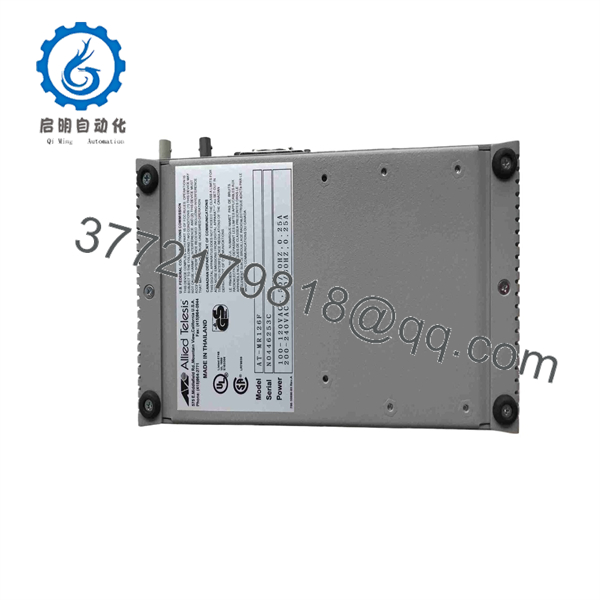
AT-MR126F
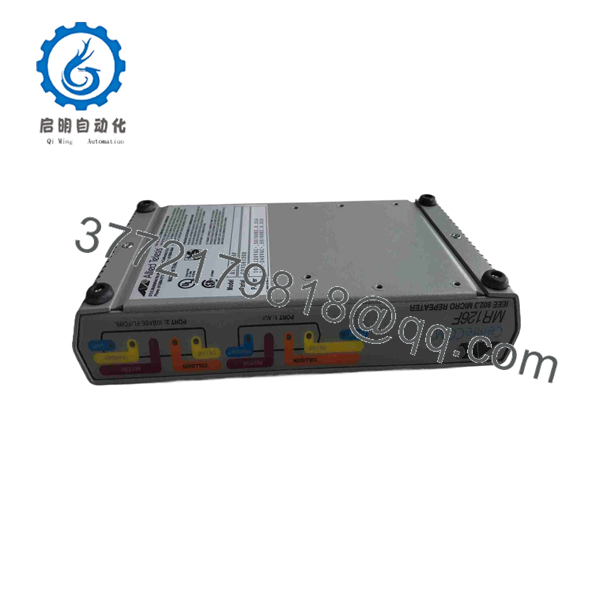
AT-MR126F
Installation & Configuration Guide
1.Pre-Installation Setup and Safety:ESD Strap Required.
Disconnect power to the rack or bench area. Put on a grounded anti-static wrist strap before handling the unit. Inspect the backplane ports and RJ-45 pins for any shipping debris. Verify that your incoming supply voltage matches the 100–240 V AC specification.
2.Removing the Old Hardware:Label Cables.
Tag all connected RJ-45 cables and the DB-15 AUI connection with port numbers. Loosen the thumbscrews on the AUI connector carefully to avoid damaging the pin contacts. Unmount the legacy unit from the bracket or panel.
3.Mounting and Cabling the New Unit:Physical Installation.
Secure the AT-MR126F on the wall bracket or desktop surface. Reattach the AUI transceiver cable and tighten the lock screws to ensure ground continuity. Plug in the RJ-45 cables into their designated ports until the retaining clips click securely.
4.Power-On Verification:Diagnostic LED Check.
Connect the AC power cable. Observe the front LED status: PWR must show solid green, and individual port LEDs should illuminate upon detecting link pulses from downstream devices. Verify that no continuous COL (Collision) or Jabber LEDs remain lit.
Firmware/Software Versions & Upgrade Notes
- Operating Architecture: Unmanaged ASIC hardware-level repeater; requires no firmware images, bootloaders, or IP configuration.
- Compatibility Notice: Operates strictly at 10 Mbps Half-Duplex. Connecting to modern managed Gigabit or 100BASE-TX switches requires forced 10 Mbps/Half-Duplex speed and duplex settings on the upstream switch port to prevent duplex mismatches.
- Replacement Safety: Because there are no internal settings, flash memory, or configuration files to back up, hardware swaps are 100% hardware drop-in replacements.
Frequently Asked Questions (FAQ)
Q: Why should I buy New Surplus instead of cheaper refurbished units online?
A: Refurbished units often carry hidden degradation in their power supply transformers and smoothing capacitors from thousands of operational hours. A failed $100 refurbished hub can bring down an entire production line, costing tens of thousands in lost output. Our New Surplus inventory is unused, verified clean, and provides full expected operational lifespans.
Q: Is the AT-MR126F a managed switch or an unmanaged hub?
A: It is an unmanaged micro repeater (Layer 1 hub device). It broadcasts incoming traffic on any port out to all other ports without MAC address routing tables or web management interfaces.
Q: How do I handle auto-negotiation when connecting this device to modern Ethernet cards?
A: Modern Network Interface Cards (NICs) or managed switch ports connected to the AT-MR126F should be manually locked to 10 Mbps / Half-Duplex. Auto-negotiation protocols can fail when communicating with legacy Layer 1 repeaters, causing high collision rates and packet drops.
Q: What condition is this unit shipped in, and has it been opened?
A: Units are supplied in Original OEM packaging. Anti-static bags are opened only under ESD-safe cleanroom conditions for inbound quality control inspection and live power-on validation.
Q: What is the warranty coverage on this New Surplus unit?
A: Every unit comes backed by a complete 1-year functional replacement warranty. If a defect occurs under standard operating conditions, we replace the unit immediately from our stock.



