
 WhatsApp: +86 16626708626
 Email:
  Phone: +86 16626708626
Description
3. Key Technical Specifications
| Parameter | Value |
|---|---|
| Manufacturer | ALSTOM |
| Model Number | AY00000000268-B |
| Product Type | PLC Module |
| Application | Industrial automation and control systems |
| System Compatibility | ALSTOM legacy PLC/control platforms |
| Module Function | Control/interface processing (verify exact application by OEM documentation) |
| Installation Type | Control cabinet / rack mounting |
| Communication Interface | Verify exact system configuration before installation |
| Firmware | Verify existing module firmware revision before replacement |
| Operating Temperature | Verify OEM datasheet for installed system limits |
| Power Requirements | Verify from rack power budget and OEM documentation |
| Condition Available | New Original (New Surplus) or Refurbished (tested) |
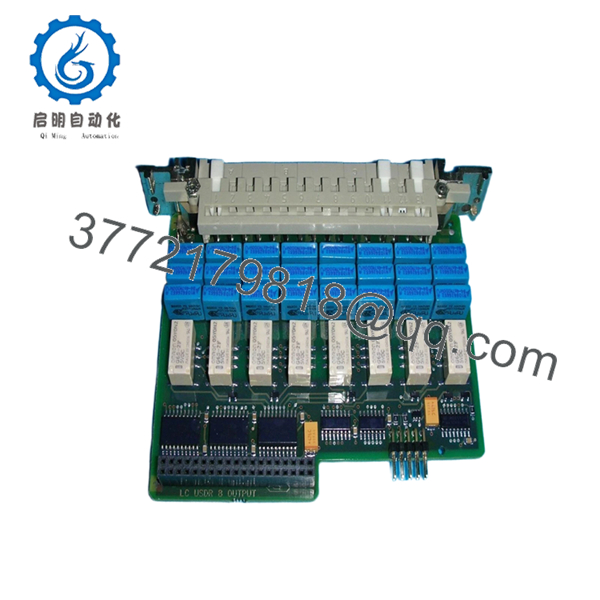
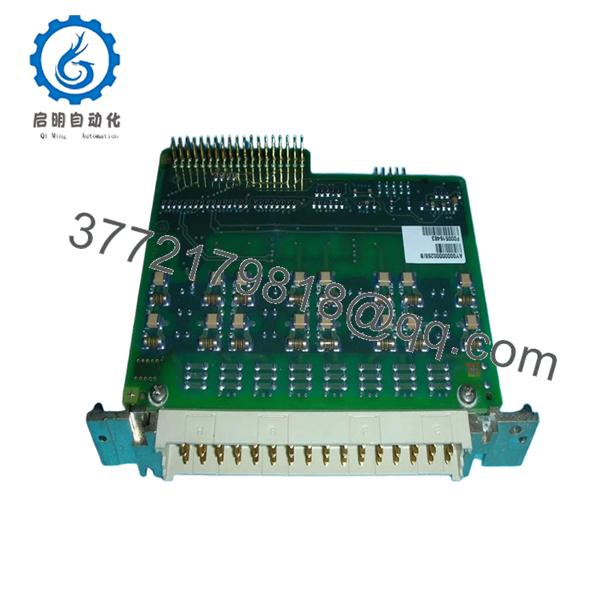
ALSTOM AY00000000268-B is referenced in industrial automation inventory listings as an ALSTOM PLC module. Exact electrical specifications, firmware requirements, and system role should be confirmed against the installed ALSTOM platform documentation before replacement.
4. Product Introduction
ALSTOM AY00000000268-B is a PLC module used in legacy ALSTOM industrial control systems. It is supplied for replacement and maintenance applications where existing automation equipment must remain operational without immediate platform migration.
For field replacement work, engineers should verify the complete part number, hardware revision, rack position, and application configuration. ALSTOM provides customer support and parts documentation channels for installed systems, but legacy hardware compatibility must still be checked before installation.

- AY00000000268-B
- AY00000000268-B
5. Installation & Configuration Guide
Stage 1: Pre-Installation Preparation (Estimated Time: 5–10 minutes)
⚠️ Safety First:
- Notify operations before removing the AY00000000268-B module.
- Confirm the equipment is in a safe maintenance state.
- Apply lockout/tagout procedures.
- Remove control power and wait at least 5 minutes for capacitor discharge.
Tools Required:
- ESD wrist strap
- PH1 screwdriver
- Fluke 115 multimeter
- Wire labels
- Smartphone/camera for photos
Data Backup:
- Export available PLC application and configuration files.
- Record rack slot position.
- Photograph module labels, connectors, and wiring.
- Document firmware version and hardware revision.
- Record communication settings.
Stage 2: Removing the Old Module (Estimated Time: 5 minutes)
- Remove cabinet access cover if required.
- Label all wiring before disconnecting.
- Disconnect connectors carefully.
- Release rack locking tabs or retaining screws.
- Pull the module straight out to protect the backplane.
- Inspect the connector area for dust, bent pins, or mechanical damage.
⚠️ Note: Keep the original module until the replacement completes commissioning. The old unit provides a reference for configuration comparison.
Stage 3: Installing the New Module (Estimated Time: 10 minutes)
- ESD Preparation: Wear a grounded wrist strap before touching the module.
- Verify:
- ALSTOM manufacturer marking
- AY00000000268-B part number
- Hardware revision
- Configuration Clone (Critical):
- Match rack location.
- Copy any jumper/DIP switch settings if present.
- Confirm communication parameters.
- Insert the module into the rack.
- Ensure proper mechanical seating.
- Reconnect wiring using correct terminal handling practices.
Self-Checklist:
- Correct part number verified
- Hardware revision checked
- Configuration copied
- Wiring secured
- Rack locking mechanism engaged
Stage 4: Power-On & Testing (Estimated Time: 10–15 minutes)
Pre-Power Check:
- Measure supply voltage with a Fluke 115 multimeter.
- Confirm no short circuit condition exists.
Power-On Steps:
- Power the control rack only.
- Observe module LEDs/status indicators.
- Connect engineering software if applicable.
- Verify module recognition.
- Check communication status.
- Restore configuration if required.
- Perform controlled I/O testing.
⚠️ Troubleshooting Note:
If the controller does not recognize the module, check firmware mismatch, rack addressing, configuration files, and power budget first.
6. Frequently Asked Questions (FAQ)
Q: Can I hot-swap the ALSTOM AY00000000268-B module?
A: Do not assume hot-swap capability. Most legacy PLC modules require power isolation before removal. Pulling a live module can damage the backplane or create unpredictable controller faults.
Q: Is the ALSTOM AY00000000268-B obsolete?
A: This is a legacy ALSTOM automation component, so availability depends on remaining inventory and tested replacement stock. ALSTOM maintains support channels for spare parts and documentation, but older hardware requires careful compatibility checks.
Q: Is the AY00000000268-B a new original module or refurbished?
A: Confirm the condition before purchase. New Original / New Surplus units should show original manufacturer markings and unused condition. Refurbished units should include functional test records.
Q: Will I lose my PLC program when replacing this module?
A: It depends on the ALSTOM control architecture. Before removing the module, save application files, configuration data, and communication parameters. Never assume the module stores or does not store critical settings.
Q: What is the direct replacement for AY00000000268-B?
A: A direct replacement depends on the installed ALSTOM system, firmware revision, rack configuration, and application. Verify replacement compatibility using the existing hardware documentation before ordering.
Q: Why do replacement PLC modules fail after installation?
A: The common causes are firmware mismatch, incorrect rack position, and configuration differences. I have seen maintenance teams replace a board with the correct part number but miss a revision difference that prevented the controller from accepting it.
Q: What inspection process should be completed before shipping an AY00000000268-B?
A proper industrial QC process should include:
- Inbound Inspection & Traceability
- Verify source records and inventory documentation.
- Confirm serial number markings.
- Check for corrosion, scratches, rework marks, or physical damage.
- Audit available manuals and certificates.
- Live Functional Testing
- Test on a compatible ALSTOM PLC rack or simulation system.
- Verify power-up sequence.
- Check LED status.
- Perform communication handshake tests where applicable.
- Run continuous operation testing for more than 24 hours.
- Generate an official test report.
- Electrical Parameter Testing
- Insulation resistance test using a 500 V Megger where applicable.
- Ground continuity check.
- Additional electrical tests based on module design.
- Firmware & Configuration Verification
- Record firmware version.
- Photograph configuration settings.
- Document hardware revision.
- Final QC & Packaging
- QC inspector sign-off.
- Anti-static ESD bagging.
- Bubble wrap and heavy-duty corrugated boxing.
- QC Passed label with inspection date.
Test photos and videos should be available upon request. Verified functional testing under controlled conditions is the correct standard for legacy automation modules.



