WhatsApp: +86 16626708626
 Email:
 Phone: +86 16626708626
Description
Core Product Summary (Brand / Model / Key Attributes)
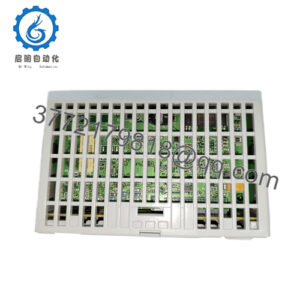
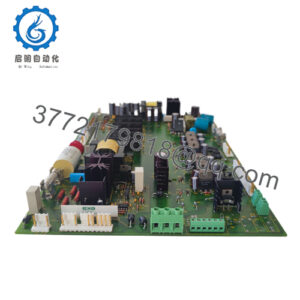
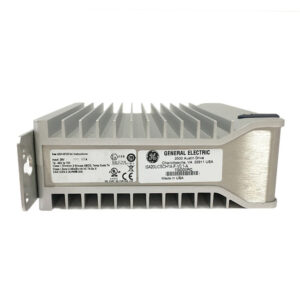
Alstom C264MB1I691001204900000C111N10 is a configured order string within the MiCOM C264 (C264M modular) substation and bay controller series associated with Alstom grid automation. The MiCOM C264 platform operates as a modular bay controller, remote terminal unit (RTU), and bay computer for control, monitoring, measurement, and automation in electrical substations and power systems.
Because C264 order strings encode specific hardware, I/O, power supply, and communication options, selection and replacement require matching the complete C264MB1I691001204900000C111N10 string and configuration records against the existing unit’s nameplate, project drawings, and bill of materials. Engineers should verify exact power supply ratings, I/O modules, communication interfaces, and programmed logic/database settings with system documentation prior to installation.
Key Technical Specifications
| Parameter | Specification |
|---|---|
| Brand | Alstom |
| Full Order / Configuration Code | C264MB1I691001204900000C111N10 |
| Product Series / Variant Prefix | MiCOM C264 / C264M modular configuration |
| Product Type | Modular bay controller / bay computer / substation controller |
| Primary Functions | Substation/bay control, monitoring, I/O acquisition, measurement, event/disturbance recording, and automation logic |
| Safety & Installation Context | IEC 60255-27 safety framework (Class I protective earthing, Installation Category III, Pollution Degree 2) |
Detailed Product Overview
Within electrical substation automation architectures, the MiCOM C264 series serves as a modular bay controller and bay computer that interfaces with field switchgear, Intelligent Electronic Devices (IEDs), and local or remote SCADA/control systems. Depending on configuration, C264 units handle digital and analog I/O, measurements, interlocking, event and disturbance recording, and programmable automation schemes.
In the C264MB1I691001204900000C111N10 string, C264M identifies the modular C264 hardware line, followed by configuration characters that specify build options such as CPU/communication hardware, power supply, and I/O or interface selections. Because a full character-by-character decoding table for this exact suffix string is not confirmed in available documentation, engineers and procurement specialists should treat the entire code as a specific configured build rather than assuming option details from another C264 order string.
Integrating or replacing a C264 bay controller involves more than mechanical mounting: configuration databases, logic schemes, communication addresses, and time-synchronization settings must match the bay’s engineering design. Verifying both hardware build options and project configuration files before commissioning helps avoid bay control or communication mismatches.
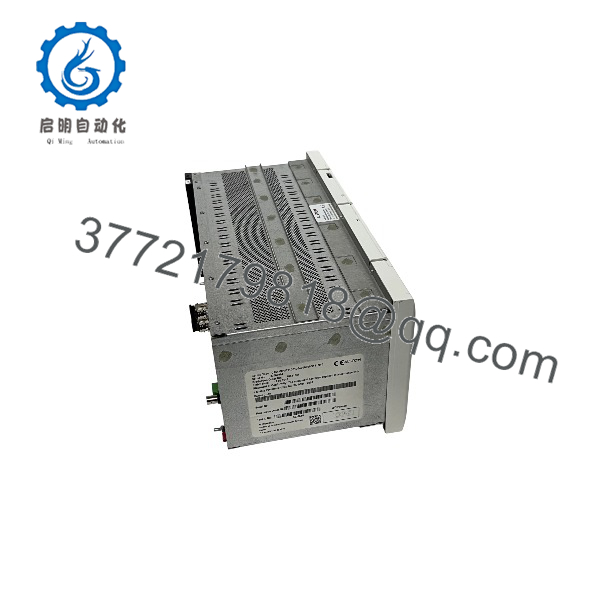
C264MB1I691001204900000C111N10
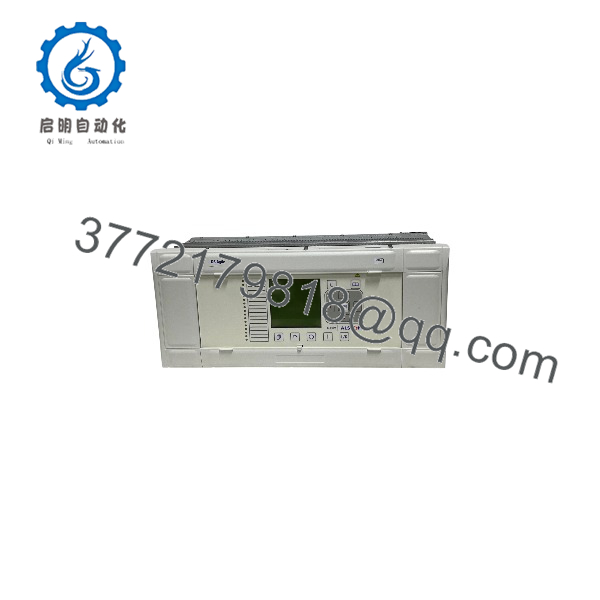
C264MB1I691001204900000C111N10
Engineering Selection Highlights
- Exact configured string
C264MB1I691001204900000C111N10→ helps verify the exact hardware option build against existing cabinet nameplates, bills of materials, and bay schedules. - MiCOM C264 / C264M modular architecture → supports bay control, monitoring, and substation automation roles when aligned with station protection and SCADA requirements.
- Option-encoded ordering string → requires checking project configuration sheets and nameplate details rather than inferring I/O, power, or interface options from the base
name alone. - Configuration and database alignment → requires confirming that application logic, I/O mappings, and communication settings match the target bay before putting the controller into service.
System Compatibility & Integration Requirements
| Item / Dependency | Verified Compatibility or Requirement | Practical Note |
|---|---|---|
| Controller Family | MiCOM C264 (C264M modular bay controller / substation controller) |
Confirm exact order string C264MB1I691001204900000C111N10 against existing bay documentation and configuration records. |
| Protective Earthing & Supply | Class I equipment requiring protective safety earth; external protective fuse/supply protection per manual | Verify rated supply voltage, fuse rating, and earthing connections against unit nameplate and station drawings before energizing. |
| Current Transformer (CT) Circuits | Live secondary circuits must not be opened | Maintain shorting/safety discipline on CT circuits during installation, testing, or replacement to prevent hazardous high voltages. |
Dimensions, Mounting & Connection Notes
- Mounting & physical inspection: Inspect the unit and packaging upon receipt, verify mechanical integrity, and mount within the designated cabinet/rack position per project installation drawings.
- Electrostatic discharge (ESD) precautions: Normal movement can generate high electrostatic voltages capable of damaging electronic modules; use grounded wrist straps or equipotential handling practices and antistatic surfaces when handling boards or internal modules.
- Electrical & CT safety: Isolate relevant power sources, discharge supply capacitors after disconnecting power per manual procedures, maintain protective earth connections, and never open a live CT secondary circuit.
- Wiring & termination: Verify terminal designations, conductor/crimp insulation requirements, and external protection ratings against the bay wiring diagrams before applying power.
FAQ
- What is Alstom ? It is a configured order code in the MiCOM C264 (
C264Mmodular) bay controller and substation automation series associated with Alstom. - What does a MiCOM C264 bay controller do? It performs bay-level control, monitoring, I/O acquisition, measurements, event/disturbance recording, and automation logic in electrical substations and power systems.
- Why is the full order string important when replacing or ordering? Because the characters following
represent specific configuration options, matching the full stringagainst plant records helps prevent option mismatches. - What key safety rule applies to CT circuits during work on substation controllers? Never open the secondary circuit of a live current transformer (CT), as dangerous high voltages can be generated.
Verification & Troubleshooting Notes
- Order code or build mismatch: If mounting, connectors, or option modules do not align with the cabinet layout, compare
character-for-character against the existing unit’s nameplate, bill of materials, and bay drawings. - Power-up or communication fault after replacement: Confirm supply voltage and protective fuse integrity per equipment documentation, verify all connectors and cables are seated properly, check LED/local status indicators and configuration settings per the MiCOM C264 manual, and test in accordance with site commissioning procedures.
- Unverified option details: Consult the station engineering records, project configuration files, and MiCOM C264 technical documentation rather than assuming option values from other C264 units.
- Safety precaution: Always follow site lockout/tagout procedures, isolate hazardous AC/DC sources, discharge capacitors after power removal, observe ESD controls, and keep live CT secondaries closed before inspecting or servicing equipment.