
 WhatsApp: +86 16626708626
 Email:
  Phone: +86 16626708626
Description
Key Technical Specifications
| Parameter | EP3-E-4-EN Information |
|---|---|
| Manufacturer | Alstom |
| Model | EP3-E-4-EN |
| Product family | EPIC III |
| Module type | Control / controller module |
| Digital inputs | 32, according to secondary documentation |
| Analog inputs | 4 × 0/4–20 mA, according to secondary documentation |
| Supply voltage | 100–240 VAC ±10%, reported by secondary source |
| Typical power consumption | Approximately 15 W, reported by secondary source |
| CPU | 32-bit RISC processor, reported by secondary source |
| Electrical isolation | 1.5 kVAC isolation is reported between supply and logic circuits |
| Real-time clock | Battery-backed RTC reported |
| Primary application | EPIC III electrostatic precipitator control |
The available online information is predominantly from industrial-part distributors rather than an accessible current Alstom OEM datasheet. Therefore, values such as the input count, supply range, power consumption, isolation rating, and environmental limits should be treated as application-reference data rather than a substitute for the original EPIC III documentation.
The model is consistently identified across multiple industrial automation sources as an Alstom EPIC III control module.
Product Introduction
The Alstom EP3-E-4-EN is an EPIC III control module associated with electrostatic precipitator (ESP) control systems. Its reported mixed digital and analog signal capability allows the controller to process discrete equipment status signals together with continuous 0/4–20 mA process signals.
For maintenance applications, the critical issue is exact hardware identification. The EP3-E-4-EN should not be treated as a generic PLC replacement; verify the EPIC III system configuration, connector arrangement, firmware/configuration requirements, and installed module revision before substitution.
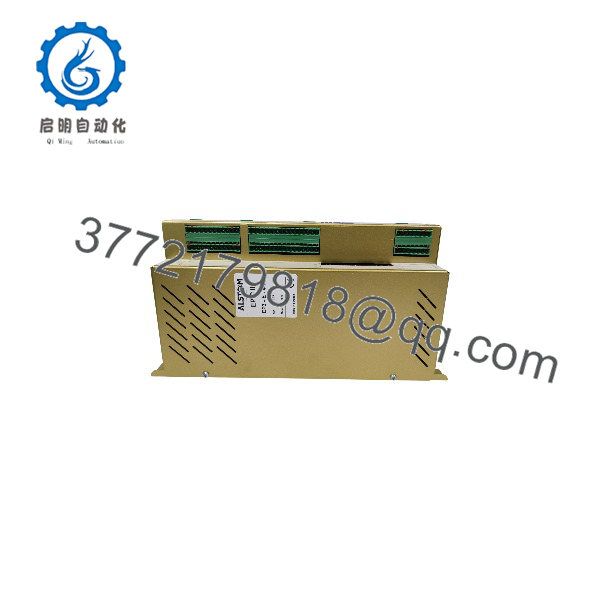
EP3-E-4-EN
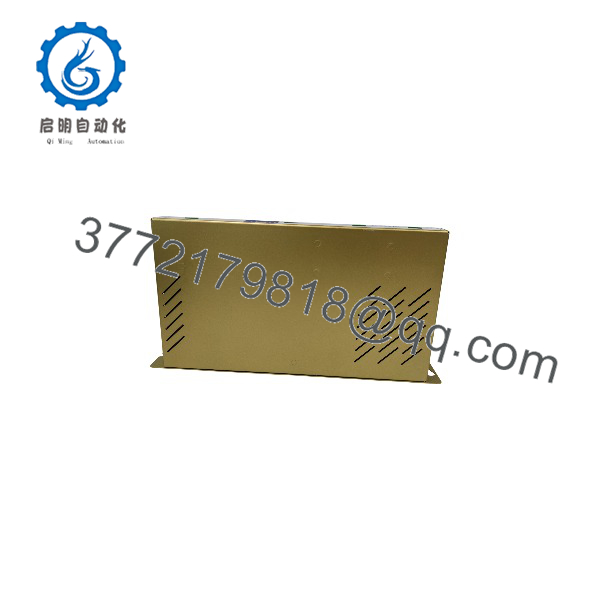
EP3-E-4-EN
Installation & Configuration Guide
1. Pre-installation
- ⚠️ Isolate the control system and associated high-voltage ESP equipment according to the plant lockout/tagout procedure.
- Record the existing module’s full model number, revision, serial number, and nameplate information.
- Photograph all terminal/connector positions before removing the existing module.
- Verify that the replacement is EP3-E-4-EN, not a visually similar EP3 variant such as EP3-E-4-A, EP3-E-4-S, or another EPIC III module.
- Confirm the actual supply voltage and system wiring against the project drawings rather than relying solely on online catalog specifications.
2. Remove the Existing Module
- ⚠️ Confirm all applicable AC and control power sources are isolated.
- Allow the cabinet to discharge according to the equipment manufacturer’s safety procedure.
- Use appropriate ESD protection when handling the controller.
- Label connectors and wiring if the cabinet documentation does not already provide permanent identification.
- Remove the module without applying excessive force to the PCB, connector, or mounting hardware.
3. Install the Replacement
- Inspect the replacement for bent connectors, contamination, shipping damage, or evidence of previous modification.
- Compare the connector arrangement and hardware revision with the removed unit.
- Install the EP3-E-4-EN in the original mounting position.
- Reconnect wiring according to the approved EPIC III drawings.
- Check supply, signal common, grounding, and shield connections before energizing.
- Do not modify jumpers, switches, firmware, or configuration parameters unless the EPIC III documentation specifically requires it.
4. Power-On and Testing
- ⚠️ Energize the control electronics under the plant commissioning procedure; do not immediately enable the ESP high-voltage section.
- Check module startup/self-diagnostic indications.
- Verify communication with the associated EPIC III control system.
- Check digital input states against known field conditions.
- Verify each analog channel using a calibrated process source or approved loop-test procedure.
- Confirm alarm, interlock, trip, and permissive logic before returning the ESP to automatic operation.
- Record the installed module’s revision and test results for future maintenance.
Troubleshooting priorities: If the replacement does not communicate, first verify the exact module variant, connector seating, supply voltage, configuration/firmware compatibility, and communication wiring. Do not assume a physically compatible EP3-series module is functionally interchangeable.
Frequently Asked Questions (FAQ)
Q1. What is the Alstom used for?
It is identified as an EPIC III control module, primarily associated with electrostatic precipitator control applications.
Q2. Is a PLC?
It is more accurately described as an EPIC III dedicated control module/controller rather than a general-purpose PLC. Its function depends on the EPIC III system architecture and configuration.
Q3. How many I/O channels does the have?
One technical listing specifies 32 digital inputs and 4 analog 0/4–20 mA inputs. Because this information comes from a secondary source, confirm the exact I/O configuration against the module documentation before engineering a replacement.
Q4. What power supply does the require?
A secondary technical listing specifies 100–240 VAC ±10%. The actual installed system should be checked against its nameplate and electrical drawings before energization.
Q5. Can be directly replaced by another EP3 module?
Not automatically. EPIC III modules with similar physical formats can have different functions or interfaces. The complete model suffix, hardware revision, connectors, firmware/configuration, and system documentation should be checked before substitution.
Q6. Is the obsolete?
The module is associated with the legacy EPIC III platform and is widely listed by industrial spare-parts suppliers, including suppliers specializing in legacy Alstom equipment. Current OEM lifecycle/support status should be confirmed for the specific installation.
Q7. What should be included when requesting a replacement quotation?
Provide , the equipment/system type, quantity, required condition (new original, new surplus, or tested used), photographs of the nameplate and connectors, and—if available—the EPIC III system revision or existing module documentation. This reduces the risk of receiving a similar but incompatible EP3-series variant.



