
 WhatsApp: +86 16626708626
 Email:
  Phone: +86 16626708626
Description
3. Key Technical Specifications
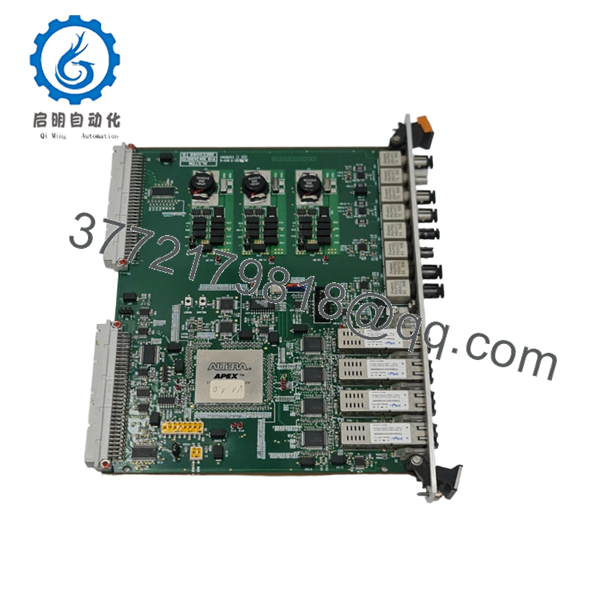
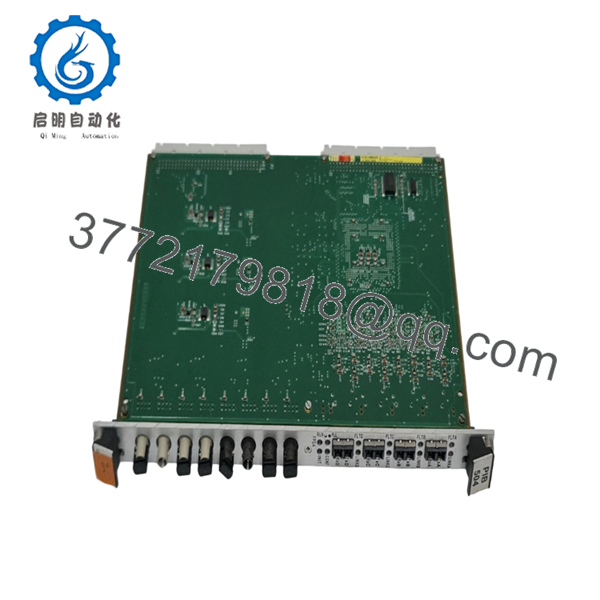
- Model Number: PIB504 / PIB-504 (3BEE0088 variant)
- Type: Fiber Optic Interface / Power Interface Board
- Interface: Fiber Optic with multiple 850nm transceivers
- Communication: High-speed fiber optic data transmission
- Rack Compatibility: VME-based systems (SD7000, MV7000 drives, ControBloc)
- Operating Temperature: –20 °C to +70 °C
- Power Supply: Typically 24V DC (rack dependent)
- Protection: Designed for harsh industrial environments with EMI immunity
- Mounting: VME backplane compatible
- Applications: Power generation, drives, turbine control, industrial automation
4. Product Introduction
The ALSTOM PIB504 is a Fiber Optic Interface Module used in ALSTOM/Converteam and GE systems for reliable high-speed data transmission over optical links. It serves as a key communication board in VME racks for applications including drive systems like SD7000 and MV7000, power plant controls, and industrial automation.
This module provides multiple 850nm optical transceivers that deliver noise-immune communication over distance. Engineers select it for legacy and active installations where electrical isolation and signal integrity matter most in noisy high-power environments.
5. Installation & Configuration Guide
Stage 1: Pre-Installation Preparation (10–15 minutes) ⚠️ Safety First: Notify operations of planned downtime, verify safe state, lock out/tag out rack power, and discharge capacitors. Tools Required: ESD wrist strap, appropriate screwdriver, multimeter, fiber optic cleaning kit, labels, smartphone for photos. Data Backup: Photograph existing fiber connections, module seating, and any status LEDs. Note current communication settings and diagnostics.
Stage 2: Removing the Old Module (5–10 minutes)
- Remove front cover if equipped.
- Disconnect fiber optic cables carefully (cap ends to prevent contamination). Label each connection.
- Disconnect any power or auxiliary wiring.
- Release locking mechanisms and extract the module straight from the VME slot. ⚠️ Note: Store the removed module safely for comparison until the new unit proves stable.
Stage 3: Installing the New Module (10 minutes)
- Apply ESD precautions. Match the exact model and revision.
- Clean fiber ports on the new module.
- Align with the slot and insert firmly into the VME backplane until fully seated.
- Reconnect fiber optic cables (ensure proper polarity and secure coupling). Reattach any other wiring. Self-Checklist: [ ] Module seated correctly, [ ] Fibers clean and connected, [ ] All locks engaged.
Stage 4: Power-On & Testing (15–25 minutes) Pre-Power Check: Verify no shorts and confirm power supply voltages. Power-On Steps:
- Apply rack power with field devices isolated.
- Observe LEDs for power, link status, and error indicators (green link lights indicate good connections).
- Connect to the programming or diagnostic tool to verify communication.
- Perform loopback or end-to-end fiber tests.
- Bring the full system online and monitor for stable data transmission.
⚠️ Troubleshooting Note: No link lights usually mean dirty connectors, wrong polarity, or broken fiber. Communication faults may require checking transceiver compatibility or slot configuration. Clean fibers with approved tools only.

- PIB504
- PIB504
6. Frequently Asked Questions (FAQ)
Can this module be hot-swapped under power? Generally no. Fiber optic modules in these VME racks require the rack or section to be powered down to avoid damage to the backplane or optics. Follow your specific system redundancy guidelines if available.
Is this model obsolete, and is it genuinely new? The PIB504 is a legacy fiber optic board still supported in many Alstom/GE installations. Available stock consists of New Original or New Surplus units from verified sources. We conduct functional testing on compatible racks and provide documentation upon request.
What is the direct replacement if this is out of stock? Look for matching PIB504 or equivalent Converteam/GE fiber interface boards with compatible transceiver counts and wavelengths. Provide your full system details for exact cross-reference, as pinouts and firmware can vary between revisions.
Will swapping affect my existing programming or logic? No. This is a communication interface module. Control logic remains on the processor. However, you may need to verify or re-establish fiber links and communication parameters after installation.
Why is your price lower than current OEM list price? We supply tested surplus and original stock from decommissioned or excess inventory. This provides genuine hardware at lower cost than new production while meeting the same technical requirements. All units receive full inspection and testing.



