
 WhatsApp: +86 16626708626
 Email:
  Phone: +86 16626708626
Description
Key Technical Specifications
| Parameter | Value |
|---|---|
| Manufacturer | Alstom |
| Part number | SA44650.C |
| Product type | Plug-in input/output module |
| Application | Industrial automation and control systems |
| Mounting style | Plug-in board/module |
| Function class | Signal I/O interface |
| System family | ALSPA-related legacy control platform |
| Replacement profile | Legacy spare for installed base support |
| Lifecycle risk | High, due to older platform association and procurement scarcity |
| Stocking strategy | Maintain buffer stock for critical assets; consider cross-site sharing |
| Procurement note | Verify exact suffix and board revision before ordering |
Product Introduction & Supply Chain Strategy
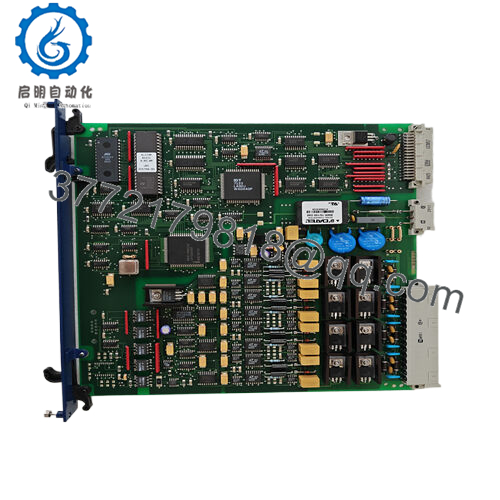
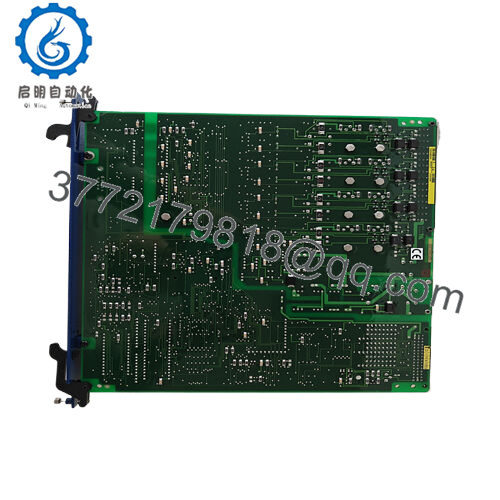
Alstom SA44650.C is a plug-in input/output module used in legacy industrial control environments where stable signal handling matters. It fits applications that rely on older Alstom/ALSPA platform hardware and supports the kind of installed base that cannot tolerate avoidable outages.
Buying this as New Surplus is a supply-chain decision, not just a parts purchase. The part is likely tied to an aging platform, so lead time variability and obsolescence risk make buffer stock and last-time-buy planning more economical than waiting for an emergency replacement. New Surplus also avoids the hidden failure exposure that comes with uncertain prior-use inventory and supports better Total Cost of Ownership (TCO).

- SA44650.C
Installation & Configuration Guide
Stage 1: Pre-Installation
- Apply lock-out/tag-out and confirm the cabinet is safe to open.
- Gather an ESD strap, insulated tools, and a camera or phone for documentation.
- Photograph all DIP switches, jumpers, terminal blocks, and cable positions before removal.
- Confirm the exact board suffix, revision, and connector orientation.
Stage 2: Removal
- Power down the system and verify the relevant rails are de-energized.
- Release the module using the proper extractor path for the rack or carrier.
- Pull straight out and do not rock the board side to side.
- Inspect the backplane connector and edge contacts for bent pins or discoloration.
Stage 3: Installation
- Copy the original DIP switch and jumper settings exactly.
- Match the replacement board’s revision and connector layout before insertion.
- Seat the module evenly to avoid damage to edge fingers or backplane contacts.
- Reconnect wiring only after confirming every terminal matches the documented photos.
Stage 4: Power-On & Testing
- Restore control power and check for abnormal current draw.
- Verify status LEDs and system diagnostics after startup.
- Confirm I/O points map correctly and respond as expected.
- Run a functional test of the affected control loop before returning the asset to service.
Firmware/Software Versions & Upgrade Notes
This part is associated with legacy control hardware, so firmware and configuration compatibility should be treated carefully. The safest approach is to match the installed system version, preserve existing settings, and avoid unnecessary upgrades during replacement.
If the host system uses older driver logic or a fixed control image, a newer board revision may require parameter changes or software updates. Downgrading can be just as risky if the replacement unit was shipped with a newer configuration baseline. Document the original hardware revision, firmware level, and I/O mapping before swap-in.
Frequently Asked Questions
Is SA44650.C really new?
Yes, it should be handled as New Original / New Surplus inventory, not a prior-use unit. For legacy control modules, that matters because hidden wear can be impossible to see from the outside.
Why is it cheaper than OEM-new but higher than refurb?
New Surplus usually comes from secured excess stock, not current factory production. That makes it less expensive than fresh OEM channel supply, but far more credible than refurbished stock.
Is this part obsolete?
It is very likely a legacy or EOL-related spare tied to an older Alstom platform. That means procurement should focus on availability protection, not just unit price.
Can I hot-swap it?
Do not assume hot-swap capability unless the system documentation explicitly allows it. For older plug-in control boards, isolate power first and verify the cabinet is safe.
Will configuration carry over automatically?
No. Always document and replicate DIP settings, jumpers, wiring, and any system parameters before installation.
What kind of warranty should I expect?
Warranty terms depend on the supplier and traceability package. For this class of part, written warranty, serial verification, and QC documentation are more important than verbal assurances.
How should I stock it?
For a critical installed base, keep 1 to 2 units on-site as buffer stock. If demand is low and the asset is aging, consider vendor consolidation, cross-site sharing, and last-time-buy planning to reduce obsolescence write-offs.



