
 WhatsApp: +86 16626708626
 Email:
  Phone: +86 16626708626
Description
Key Technical Specifications
- AMAT Part Number: 0190-15384
- Cross-Reference OEM Part Number: Delta Tau 603603-103
- Board Manufacturer: Delta Tau Data Systems
- End Application: Applied Materials semiconductor process/deposition/etch tool automation
- Form Factor: CompactPCI (CPCI)
- I/O Channel Configuration: Digital I/O board, commonly listed as 32 inputs / 16 outputs in some sources and as a 96-channel I/O board addressing points 00–47 in others
- Mounting: Card-cage/backplane slot install, standard CPCI edge connector
A note on the channel count discrepancy: secondary market listings for this part number are not consistent on the exact input/output channel breakdown — some describe 32 In/16 Out, others reference a 96-channel/00-47 addressing scheme. Before you order, pull your existing card’s silkscreen revision and cross-check against the Delta Tau 603603-103 documentation or your tool’s I/O map. We don’t want to sell you a board that doesn’t match your chamber’s wiring.
Product Introduction
The AMAT 0190-15384 is a Delta Tau-built CompactPCI I/O board (cross-referenced to Delta Tau 603603-103) used inside Applied Materials semiconductor process tools for digital I/O handling on the tool’s motion/automation controller. It’s a card-cage part, not a standalone controller — it plugs into the CPCI backplane alongside the main motion controller board.
Fabs pull this part when an I/O card starts throwing intermittent point faults or fails outright, since replacing the card is faster than chasing individual channel failures in a running tool. Because it’s an OEM AMAT-numbered part rather than a generic third-party I/O card, it drops back into the existing rack without requalifying the tool’s I/O mapping — assuming the revision matches what’s already on your chamber.
Troubleshooting Quick Reference
| Symptom | Possible Cause | Relevance to this Part | Quick Check Method | Recommendation |
|---|---|---|---|---|
| Tool won’t boot, no chassis power | CPCI backplane power supply fault | ❌ Low | Check backplane 5V/3.3V rails at the power supply module | Rule out the rack power supply before replacing the I/O card |
| Specific I/O point stuck high/low or unresponsive | I/O board channel failure | ✅ High | Cross-check point status in the tool’s diagnostic screen against field wiring at the terminal block | Isolate to the card if wiring and field device both check out |
| All points on the card dead, card not recognized in CPCI slot | Board-level failure or bad backplane connector | ✅ High | Reseat the card, check for bent CPCI connector pins, try a known-good slot | Card replacement likely needed if reseating doesn’t resolve it |
| Random I/O glitches across multiple points | Loose wiring, ground loop, or noise on the field cabling | ❌ Low | Inspect terminal block connections, check cable shielding/grounding | Usually a wiring issue, not the card itself |
| Intermittent faults that clear on power cycle | Marginal card or thermal issue in the card cage | ✅ High | Monitor point status over a shift, check card cage fan operation | Persistent intermittent faults point to card degradation |
If you’re not confident it’s the card versus wiring, send us photos of the fault code on your tool’s diagnostic screen along with the affected I/O point numbers — that narrows it down fast.
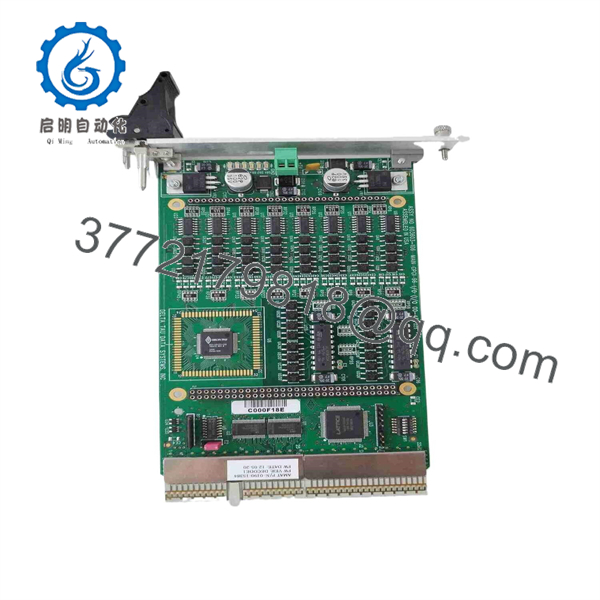
0190-15384
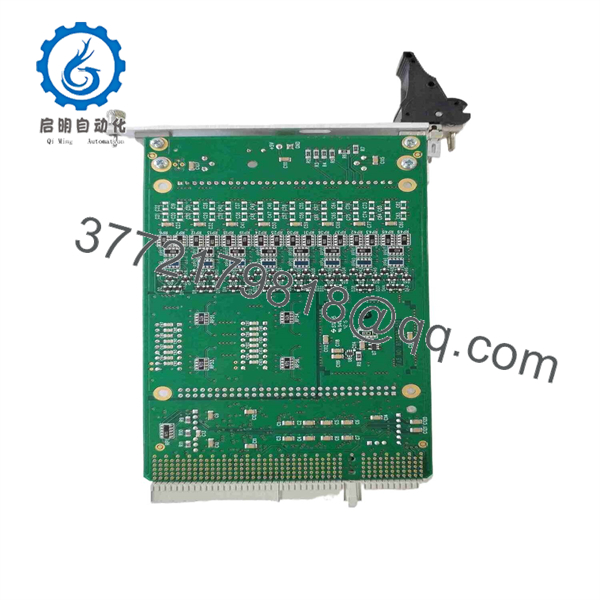
0190-15384
Frequently Asked Questions (FAQ)
Is this the exact same board as what’s currently in my tool, or a compatible substitute?
It’s the same AMAT part number, cross-referenced to Delta Tau 603603-103. That said, given the channel-count discrepancy noted in the specs above, confirm your existing card’s exact revision markings before ordering — Delta Tau I/O boards have shipped in multiple silkscreen revisions under related part numbers, and you don’t want a mismatch on channel mapping.
Can I hot-swap this card while the tool is running?
No. Power down the chassis or at minimum the CPCI slot before pulling or inserting this card. CPCI backplanes aren’t universally hot-swap rated across all AMAT tool configurations, and pulling a live card risks taking down neighboring boards on the same bus.
Will my I/O configuration and point assignments carry over automatically?
The board itself doesn’t store your tool-specific I/O configuration — that lives in the tool’s controller software. After swapping the card, verify point mapping against your existing configuration rather than assuming it’s plug-and-play, especially since channel numbering can vary by revision.
Is this new, refurbished, or pulled from a working system?
This varies by the specific unit in stock — some listings for this part are New Surplus (unused OEM stock), others are Refurbished and tested. We’ll confirm the exact condition of the unit you’re purchasing before it ships, and it’s tested for board-level functionality either way.
Why is this available on the surplus market instead of through AMAT directly?
Applied Materials tool parts like this typically move through the surplus/aftermarket channel once tools are decommissioned, upgraded, or parted out — AMAT doesn’t sell most legacy board-level spares direct-to-end-user at this point in the part’s lifecycle. That’s standard for tooling this age, not a sign of a lesser part.
What’s your testing process before this ships?
Power-on and CPCI bus recognition testing, plus point-level continuity/response checks where our test rack configuration allows. Full functional validation against your exact tool configuration isn’t something we can replicate on our bench, so final verification in your system is still on you at install.



