
 WhatsApp: +86 16626708626
 Email:
  Phone: +86 16626708626
Description
Key Technical Specifications
| Parameter | Specification |
| Model Code | AB7001 / AB7001-C |
| Serial Subnetwork Interface | 1x RS-232/422/485 configurable (D-Sub 9-pin female connector) |
| Serial Baud Rate | 1,200 to 57,600 bit/s |
| Serial Protocol Support | Modbus-RTU Master, DF1, custom Request/Response, Produce/Consume ASCII |
| Network Interface | DeviceNet Slave / Adapter Profile 12 (5-pin Phoenix terminal) |
| DeviceNet Baud Rate | 125, 250, 500 kbit/s (DIP switch configurable) |
| I/O Data Capacity | Max 512 bytes Input, 512 bytes Output data |
| Power Supply | 24 V DC (±10%), 100 mA typical / 300 mA max |
| Galvanic Isolation | Integrated serial subnetwork and power isolation |
| Mounting & Enclosure | DIN-rail mount (EN 50022 standard), IP20 rating |
| Dimensions (H x W x D) | 120 mm x 27 mm x 75 mm |
Product Introduction & Supply Chain Strategy
This product is a Brand New Surplus unit. It is not used, not pulled from a decommissioned plant, and not refurbished. All modules undergo rigorous quality verification to ensure OEM-level reliability. The Anybus AB7001 serves as a stand-alone protocol converter gateway, interfacing non-networked serial devices (such as barcode readers, variable frequency drives, weigh scales, and flow meters) to a DeviceNet master controller without modifying device hardware or PLC logic.
Securing a genuine New Surplus AB7001 for your local buffer stock mitigates severe supply chain downtime risks when a communications bridge fails. Second-hand or repaired gateways often suffer from compromised Optocoupler isolation and micro-cracks in terminal connections due to thermal cycles. Keeping factory-sealed inventory on-site guarantees full 10 to 15 year operational longevity and protects against $50,000 per hour unplanned line stoppages.
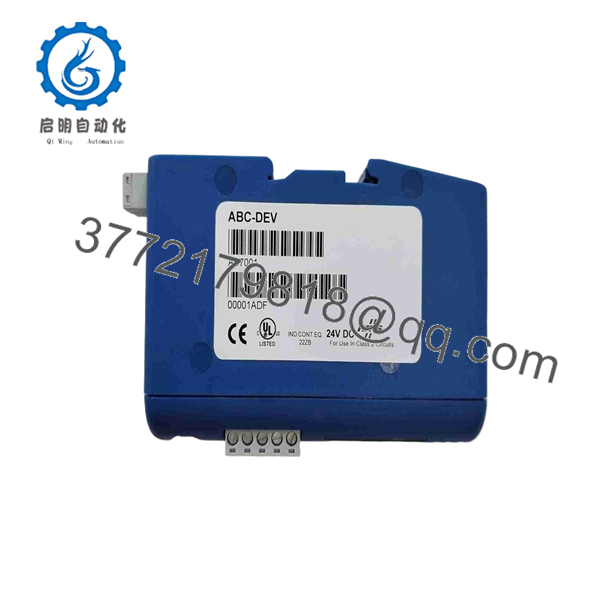
AB7001
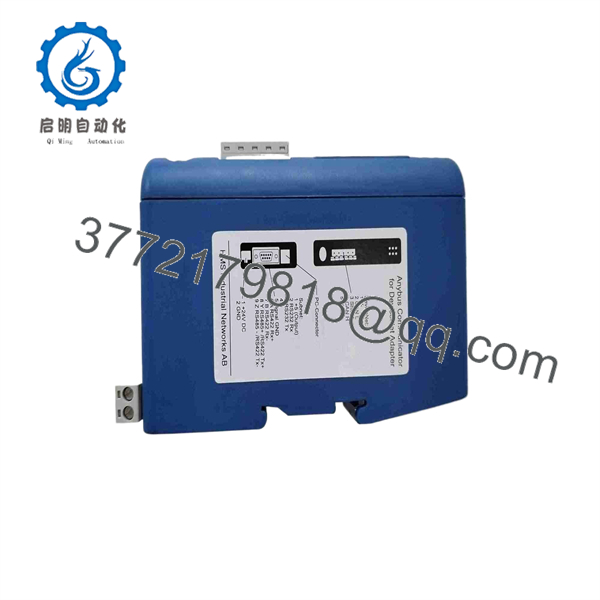
AB7001
Installation & Configuration Guide
Stage 1: Pre-Installation (Prep & Safety)
- Enforce strict Lock-Out/Tag-Out (LOTO) procedures on the 24 V DC system cabinet power supply.
- Put on a grounded ESD wrist strap before handling the gateway enclosure.
- Record the original DIP switch settings (DeviceNet MAC ID and network baud rate) and download the
.cfgconfiguration backup using Anybus Configuration Manager.
Stage 2: Removal
- Unplug the 5-pin DeviceNet Phoenix connector and the subnetwork D-Sub 9-pin serial plug.
- Disconnect the 2-pin 24 V DC main power connector.
- Release the bottom DIN-rail retention clip using a flathead screwdriver and lift the gateway off the rail.
Stage 3: Installation (Clone & Seat)
- Set the 8-position DIP switch on the front of the AB7001 to match the targeted DeviceNet MAC ID and baud rate.
- Snap the module onto the 35 mm DIN-rail until the retention latch clicks securely.
- Reattach the serial subnetwork D-Sub cable, DeviceNet network plug, and 24 V DC power wiring.
Stage 4: Power-On & Testing
- Energize the 24 V DC supply and verify power polarity.
- Connect a PC to the RS-232 configuration port using the configuration cable and download the saved configuration file.
- Observe front panel status LEDs: verify solid green indicators for power and network status, and confirm active TX/RX data blinking on the serial side.
Firmware/Software Versions & Upgrade Notes
- Recommended Tool: Use Anybus Configuration Manager (ACM) for Windows to manage frame building and Modbus RTU 6-step wizard setup.
- EDS File Matching: Ensure the DeviceNet Electronic Data Sheet (
.eds) installed in your master controller software (e.g., RSNetWorx for DeviceNet) matches the vendor ID and revision level of the replacement AB7001 unit. - Upgrade/Downgrade Warning: Modifying gateway firmware or altering baud rates without verifying master scan rates can disrupt serial polling timings and trigger node offline alarms. Always perform configuration uploads/downloads with the subnetwork off-line before commissioning.
Frequently Asked Questions (FAQ)
Q: Why is your New Surplus pricing lower than OEM direct, but higher than refurbished options?
A: Our pricing reflects the global procurement cost of securing genuine, unused inventory. Refurbished parts are cheap because they carry high failure risks from degraded isolation barriers and aged capacitors. Our New Surplus stock provides original OEM quality at a fraction of factory list price.
Q: Is this Anybus gateway truly unused?
A: Yes. Every unit is brand-new, stored in anti-static ESD packaging, and features clean terminal contacts with zero wear on DIN-rail clips. Packaging is opened solely for visual inspection and anti-counterfeit verification.
Q: Do I need to modify my PLC program when replacing an existing ?
A: No. As long as you download the original .cfg file to the new module and set the DeviceNet MAC ID DIP switches identically, the gateway presents the exact same I/O data structure to the PLC.
Q: Does the support custom RS-232 or RS-485 ASCII protocols?
A: Yes. Beyond standard Modbus RTU and DF1, the gateway supports flexible Produce/Consume and Request/Response ASCII frame building using the Anybus Configuration Manager software.
Q: What warranty coverage comes with this module?
A: We provide a full 1-year replacement warranty on all New Surplus modules, covering complete functional operation under standard industrial operating conditions.



