
 WhatsApp: +86 16626708626
 Email:
  Phone: +86 16626708626
Description
3. Key Technical Specifications
| Parameter | Value |
|---|---|
| Manufacturer | Molex / Woodhead / Applicom |
| Engineering Number | APP-ETH-PCU-C |
| SAP Number | 1120000005 |
| Product Name | PCU2000ETH |
| Product Type | Industrial PCI Ethernet Interface Card |
| Bus Interface | Universal PCI 3.3 V / 5 V (PCI-X compatible) |
| Ethernet Port | 1 × RJ45 |
| Communication Speed | 10/100 Mbps Auto-Negotiation |
| Communication Protocol | Industrial Ethernet TCP/IP |
| Interface Software | OPC DA, DLL, DAServer, DDE Server |
| Processor | AMD SC520 |
| Memory | 16 MB SDRAM, 4 MB Flash |
| Operating Temperature | 0 °C to +65 °C |
| Power Consumption | Approximately 5.5 W |
| Certifications | CE, RoHS |
| Typical Applications | SCADA, HMI, Industrial Data Acquisition |
The APP-ETH-PCU-C is designed as a dedicated industrial communication processor that offloads protocol handling from the host PC, improving deterministic communication with PLCs and industrial Ethernet devices. It supports OPC, DLL, DAServer, and DDE interfaces for SCADA and HMI integration.
4. Product Introduction
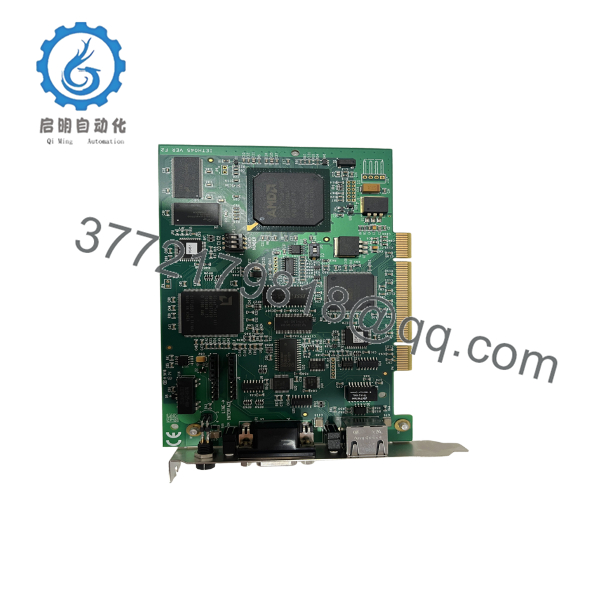
The APP-ETH-PCU-C (PCU2000ETH) is an industrial PCI Ethernet communication card developed by Applicom (later Molex Woodhead). It provides deterministic Ethernet communication between Windows-based industrial computers and PLCs, making it suitable for SCADA, HMI, MES, and industrial data acquisition systems.
Unlike a standard commercial Ethernet adapter, the PCU2000ETH incorporates an onboard processor that executes industrial communication protocols independently of the host CPU. This architecture reduces communication latency and improves reliability when exchanging real-time process data with industrial controllers. The card supports numerous industrial Ethernet protocols from vendors including Allen-Bradley, Siemens, Schneider Electric, Mitsubishi, GE Fanuc, and Omron.

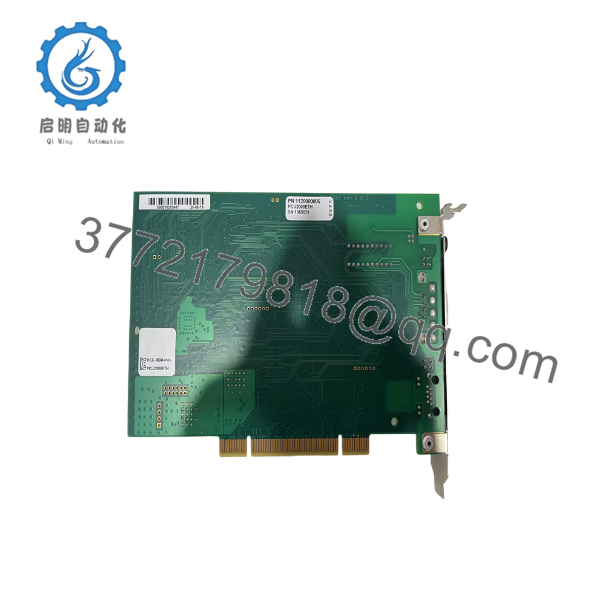
- APP-ETH-PCU-C PCU2000ETH
- APP-ETH-PCU-C PCU2000ETH
5. Installation & Configuration Guide
Stage 1 – Pre-Installation Preparation (10 Minutes)
⚠️ Safety First
- Shut down the industrial PC completely.
- Disconnect AC power.
- Wear an ESD wrist strap.
- Record existing network configuration.
- Back up the SCADA or HMI project before replacing the communication card.
Required Tools
- Phillips screwdriver
- ESD wrist strap
- Digital multimeter
- Network cable tester
- Industrial Ethernet patch cable
Stage 2 – Removing the Existing Card (5 Minutes)
- Remove the computer cover.
- Disconnect the Ethernet cable.
- Unscrew the PCI retaining bracket.
- Carefully remove the communication card.
- Inspect the PCI connector for contamination or bent contacts.
⚠️ Do not discard the old card until the replacement has passed communication testing.
Stage 3 – Installing the APP-ETH-PCU-C (10 Minutes)
- Confirm the replacement part number matches APP-ETH-PCU-C.
- Insert the card firmly into a Universal PCI 3.3 V/5 V slot.
- Secure the mounting bracket.
- Connect the RJ45 Ethernet cable.
- Reassemble the PC enclosure.
Installation Checklist
- ✔ Correct PCI slot
- ✔ Card fully seated
- ✔ RJ45 connected
- ✔ Bracket secured
- ✔ ESD precautions observed
Stage 4 – Driver Installation & Commissioning (15 Minutes)
- Start Windows.
- Install the Applicom communication driver package.
- Verify the device appears correctly in Device Manager.
- Configure the Ethernet network parameters.
- Launch the Applicom Engineering Console.
- Test communication with the PLC.
- Verify OPC Server connectivity.
- Confirm SCADA data updates correctly.
⚠️ Troubleshooting
Card Not Detected
Check:
- PCI slot compatibility
- BIOS PCI configuration
- Driver installation
- Card seating
PLC Communication Failure
Verify:
- IP addressing
- Network cabling
- Supported industrial protocol
- Firewall configuration
- PLC communication settings
6. Frequently Asked Questions (FAQ)
Q1. What is the APP-ETH-PCU-C used for?
It is an industrial PCI communication card used to connect Windows-based SCADA, HMI, or engineering workstations to PLCs over Industrial Ethernet. Unlike a standard network adapter, it includes an onboard processor dedicated to industrial communication tasks.
Q2. Which PLC brands are supported?
The PCU2000ETH supports communication with controllers from Allen-Bradley, Siemens, Schneider Electric, Mitsubishi, GE Fanuc, and Omron, among others, through supported industrial Ethernet protocols.
Q3. Is the APP-ETH-PCU-C still manufactured?
No. The APP-ETH-PCU-C has been discontinued by the manufacturer. It is typically available only through surplus inventory or professionally refurbished industrial automation suppliers.
Q4. Which operating systems are supported?
The final driver releases support Windows 7, Windows 8/8.1, Windows Server 2003, Windows Server 2008, Windows Server 2012, and Windows Vista. Compatibility with newer Windows versions should be verified before deployment.
Q5. Can I replace this card with a standard Ethernet adapter?
No. A conventional Ethernet NIC does not provide the onboard industrial protocol engine or Applicom software stack. Replacing it with a generic network adapter will not support existing Applicom-based SCADA or HMI applications without software redesign.
Q6. Is there a newer replacement for the PCU2000ETH?
Yes. Molex introduced the APP-ETH-PCIE (PCIE2000ETH) for systems requiring a PCI Express interface. It provides similar industrial Ethernet communication capabilities while supporting modern PCIe hardware platforms. Existing software compatibility and driver requirements should be verified before migration.



