
 WhatsApp: +86 16626708626
 Email:
  Phone: +86 16626708626
Description
Key Technical Specifications
| Parameter | Value |
|---|---|
| Model Number | EZ-S6C-K |
| Product Family | AutomationDirect EZTouch / EZSeries |
| Product Type | 6-inch color operator interface / touchscreen HMI |
| Display Type | 5.7 in. STN color LCD |
| Display Palette | 128-color palette |
| Display Resolution | 320 × 240 pixels |
| Visible Display Area | 4.72 × 3.50 in. (119.4 × 88.9 mm) |
| Touch Technology | Resistive touch, 48 cells (8 × 6) |
| Processor | Motorola ColdFire 32-bit CPU, 40 MHz |
| Standard User Memory | 512 KB |
| Memory Expansion | Upgradeable to 1 MB or 1.5 MB user RAM |
| Screen Capacity | Up to 999 screens, memory dependent |
| Serial Communication Ports | Computer: RS-232C; PLC: RS-232C, RS-422A, or RS-485A |
| Supported PLC Drivers | K-Sequence, DirectNET, Koyo Modbus, Think & Do Modbus |
| Supply Voltage | 24 V DC nominal |
| Operating Voltage Range | 20–30 V DC |
| Power Consumption | 15 W at 24 V DC |
| Recommended Power Supply | 24 V DC, 1.5 A switching power supply |
| Front Enclosure Rating | NEMA 4 / 4X, indoor use |
| Operating Temperature | 0 to 45 °C (32 to 113 °F) |
| Vibration Rating | 5–55 Hz, 2 G, 2 hours per X/Y/Z axis |
| Certifications | UL, cUL, CE |
| Physical Depth Installed | Approximately 2.3 in. (59 mm) |
| Real-Time Clock | Built-in clock and calendar |
The EZ-S6C-K is the Koyo/AutomationDirect serial-driver variant. It does not support the EZ-ETHERNET or EZ-ETHERPLUS Ethernet option cards; verify the communications requirement before ordering. AutomationDirect lists this model as a retired product, so replacement stock is typically limited to surplus or tested refurbished inventory.
Product Introduction
The AutomationDirect EZ-S6C-K is a 6-inch EZTouch color touchscreen HMI designed for operator control, status display, alarms, recipes, and data entry on legacy DirectLOGIC, Koyo, and Think & Do PLC installations. It uses a 5.7-inch, 320 × 240 STN color display and communicates through serial RS-232C, RS-422A, or RS-485A connections.
Buyers commonly select the EZ-S6C-K when keeping an existing serial HMI application running without reengineering the PLC program or changing the panel cutout. The unit supports K-Sequence, DirectNET, Koyo Modbus, and Think & Do Modbus drivers, but it is not an Ethernet-capable model.
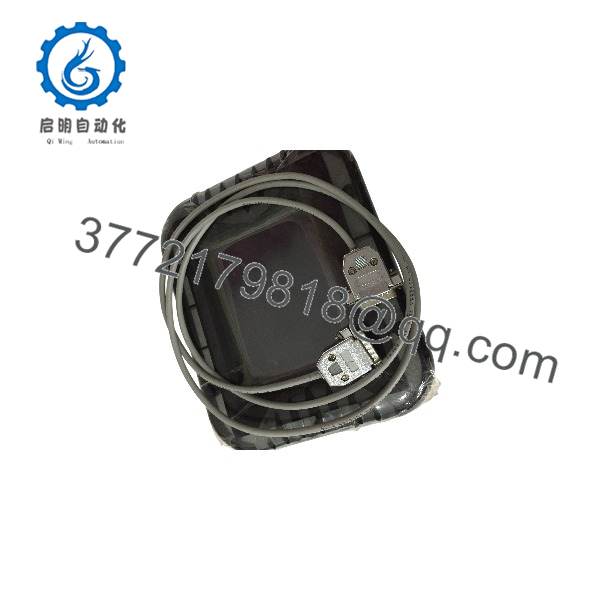
EZ-S6C-K
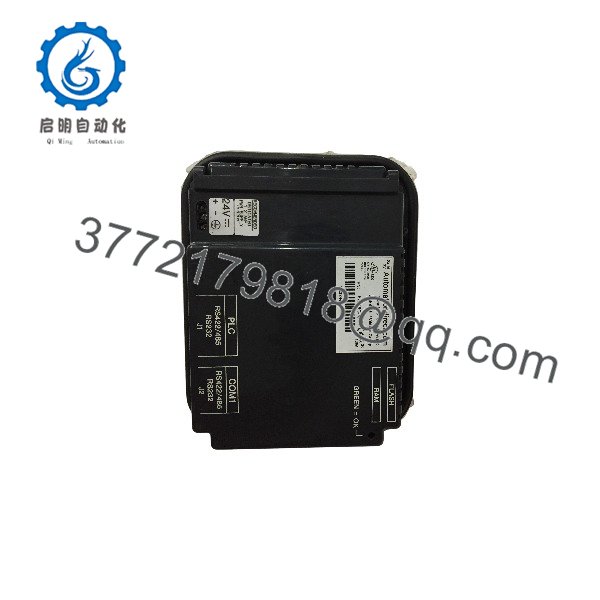
EZ-S6C-K
Troubleshooting Quick Reference
| Symptom | Possible Cause | Relevance to This Part | Quick Check Method | Recommendation |
|---|---|---|---|---|
| No display or LEDs after power-up | Missing 24 V DC supply, blown fuse, reversed polarity, loose terminal connection | ❌ Low until supply is verified | Measure 20–30 V DC directly at the HMI power connector using a Fluke 115 or equivalent meter; confirm polarity against the wiring diagram | Check the power supply, fuse, wiring, and common reference before replacing the panel |
| Screen powers up but remains blank or heavily dim | Failed backlight, aged STN LCD, display cable fault | ✅ High on an obsolete unit | Check whether the touchscreen responds and whether faint graphics appear under strong external light | A dim but operating unit usually indicates display/backlight aging; plan replacement or refurbishment |
| “Protocol Error” or PLC communication alarm | Incorrect driver, baud rate, parity, station address, cable pinout, or PLC-port configuration | ❌ Usually external/configuration related | Compare EZTouch project communications settings with the PLC serial-port setup; inspect RS-232/RS-485 wiring and shield termination | Do not replace the HMI until serial settings and cable pinout are proven correct |
| HMI shows old values but will not update | PLC communications stopped, wrong node address, damaged serial cable, incorrect RS-485 termination | ❌ Medium | Monitor the PLC port and HMI communication indicators; substitute a known-good cable; confirm node address and serial parameters | Photograph all old settings, then verify driver and addressing before changing hardware |
| Touch locations are offset from displayed buttons | Touchscreen calibration lost or resistive overlay worn | ✅ High | Run the panel’s touch calibration procedure; test several areas of the screen, especially corners and frequently used buttons | Recalibrate first; if offset returns or sections do not respond, the touchscreen assembly is likely worn |
| Entire zones of touch screen do not respond | Damaged resistive touch overlay, contamination, mechanical damage | ✅ High | Test a grid pattern across all 48 touch cells; inspect the overlay for cracks, deep scratches, lifting, or discoloration | Replacement or professional refurbishment is normally required |
| Application disappears after power loss | Failed or missing flash-memory backup, corrupted project, low memory | ✅ Medium | Verify whether an EZ-FLASH memory card is installed and confirm project retention after a controlled power cycle | Back up the project immediately; verify compatible flash card and reload the HMI application if needed |
| Random resets during operation | 24 V DC voltage dip, inadequate power supply capacity, ground noise, heat exposure | ❌ Often external | Log supply voltage during switching loads; verify the HMI has a 24 V DC, 1.5 A-rated supply and inspect panel temperature | Correct the power and grounding issue first; replace only if resets continue on a stable bench supply |
| Serial communications fail after panel swap | DIP switch, driver selection, baud rate, parity, address, or cable configuration mismatch | ❌ Low if the old HMI still communicates | Photograph the old unit’s settings and compare the saved EZTouch project communications setup line by line | Load the correct project and duplicate all serial settings before declaring the replacement defective |
| New panel will not fit the existing cutout | Wrong bezel version or different HMI family | ❌ Low | Confirm this is the non-slim EZ-S6C-K form factor; measure cutout and mounting-hole locations before installation | For modernization, verify an approved adapter plate and replacement-panel fitment before ordering |
❗ Critical warning: Do not wire from memory. The EZ-S6C-K may look similar to other EZTouch panels, but serial port wiring, driver support, and option-card capability differ between suffixes. Take clear photos of power wiring, serial wiring, project settings, and any installed memory card before removing the original panel.
❗ Firmware and configuration warning: I have seen technicians swap a legacy HMI, restore only the screen project, and spend hours chasing a “dead” PLC link. The actual cause was a missed baud-rate or protocol selection. Record every communications setting before pulling the old unit.
If diagnostics remain unclear, provide technical support with front/rear photos, the EZTouch project file, serial settings, power measurements, and any PLC diagnostic logs. Keep these checks in mind and you will save yourself most of the usual rework time. The EZ- uses serial communications and requires a stable 24 V DC supply; AutomationDirect documents separate computer and PLC serial ports for this HMI family.
Frequently Asked Questions
Is the AutomationDirect EZ- obsolete?
Yes. AutomationDirect categorizes the EZ- as a retired product, and independent surplus suppliers commonly identify it as discontinued by the manufacturer. That means availability can vary by week, and condition matters more than on a current-production HMI. If this unit supports a critical process, keeping one tested spare is usually cheaper than waiting through an outage.
What PLCs can the EZ- communicate with?
The EZ- is intended for AutomationDirect/Koyo serial communications. Its supported drivers include K-Sequence, DirectNET, Koyo Modbus, and Think & Do Modbus for WINPLC applications. Verify the exact PLC CPU, serial-port type, protocol, station address, baud rate, parity, and cable pinout against the existing project before ordering.
Does the EZ- support Ethernet or Modbus TCP/IP?
No. This is a serial-focused K variant, and AutomationDirect’s legacy specification identifies it as having no Ethernet card support. Do not buy this model for an EtherNet/IP, Modbus TCP/IP, or Ethernet-based PLC connection unless the system also has a separate serial gateway and the application is engineered for it.
Can I hot-swap the EZ-?
No. Shut down or safely isolate the 24 V DC control power before disconnecting or installing the HMI. The EZ- is not a hot-swappable rack module, and unplugging live serial wiring can cause communication faults, electrical noise issues, or accidental shorts at the terminal block. Disconnect power, wear a grounded ESD wrist strap, then verify polarity before energizing the replacement.
Will my existing HMI program stay in the replacement unit?
Not automatically. The replacement EZ- must contain the correct EZTouch application, communication-driver selection, tag database, screen configuration, alarms, and any recipe data required by the machine. Back up the existing project before removal whenever possible. Also verify whether the original panel uses an EZ-FLASH card for project backup or retention; compatible flash options were available in 512 KB, 1 MB, and 2 MB capacities.
Is the EZ- a direct replacement for EZ-S6C-KS or EZ-S6C-F?
Not as a guaranteed drop-in replacement. The EZ-S6C-KS is a slim-bezel version, so mechanical fitment differs. The EZ-S6C-F family has different driver and option capabilities. Confirm the full part number, bezel style, panel cutout, PLC protocol, serial cable arrangement, and installed options before treating a similar-looking EZTouch panel as interchangeable. AutomationDirect published an adapter-plate path for retrofitting certain newer C-more 6-inch panels into the non-slim EZTouch cutout, but compatibility must be checked at the exact replacement model level.
Why is a New Surplus EZ- cheaper than factory inventory was?
New Surplus usually means unused inventory that originated from excess project stock, plant spares, distributors, or warehouse liquidation rather than current OEM production. It can be factory sealed or opened only for inspection, but the label alone does not prove age, storage conditions, firmware state, or internal display condition. Request actual unit photos, serial-number photos, packaging condition, a power-up photo or video, and a written warranty.
What testing should be performed before shipping a surplus EZ-?
A proper inspection should start with part-number, label, serial-number, bezel, connector, and accessory verification. The unit should then be powered from a regulated 24 V DC source, checked for normal boot behavior and display quality, tested for touchscreen response across the full screen, and connected through the PLC serial port using the required protocol. For a real confidence check, run it continuously for more than 24 hours while monitoring for resets, display faults, or communication dropouts.
For electrical handling, inspect terminal integrity and grounding continuity; use a 500 V insulation-resistance test only when the manufacturer’s procedure and the test setup confirm it is appropriate for the assembly. Document the configuration and installed memory card, package the unit in an ESD bag, and ship it in protected corrugated packaging. Test photos and video should be available upon request.



