
 WhatsApp: +86 16626708626
 Email:
  Phone: +86 16626708626
Description
Key Technical Specifications
- Application: Loop driver for Ex zone 2 hazardous area fire detection loops (Ex ic detectors).
- Part Number: BSD-310/N (commonly listed as 05.08.44.058 / 05.08.44.056 / 05.07.16.007 in marine catalogs).
- System Compatibility: AutroSafe panels/controllers; BS-420 and BC-420 (plugs onto DIN rail inside panel/controller).
- Loop Capacity: 1 detection loop per module; up to 127 loop units (detectors, I/O, sounders); max 99 detectors/manual call points per module due to loading limits.
- Max Modules per Panel: 6× BSD-310/N per control panel/controller (system-wide max 512 detectors/MCPs per EN 54).
- Loop Voltage: 24 V DC (24 VREG) output to loop.
- Loop Current: Max 100 mA to loop; internal consumption 10 mA idle, 26 mA at 12.5% comms load.
- Loop Monitoring: Continuous resistance monitoring (0–300 Ω range); break/short detection; Fail_Safe (F/S) output activates on comms failure.
- Cable Limits: Max capacitance 500 nF; max total loop resistance 50 Ω (each conductor ≤25 Ω).
- Electrical Terminals: Screw terminals up to 2.5 mm²; internal system uses plug-in backplane connection.
- Indicators: Green H5 (communication traffic pulse); Red H1 (Fail_Safe steady on comms failure).
- Environmental: Operating −20 to +70 °C; storage −40 to +85 °C; humidity 10–95% non-condensing.
- Mechanical: 95 × 89 × 32 mm; 81 g; DIN rail mount; Zytel FR7200 housing.
- Certifications: ATEX 03ATEX217x; IECEx NEM 11.0017x; II(3)G [Ex ic Gc] IIB; Class I, Zone 2, [AEx ic Gc] IIB.
- Firmware Note: AutroGuard compatibility requires BSD-310/N firmware revision 7 or newer.
Product Introduction
The AUTRONICA BSD-310/N is a single-loop driver module for Ex zone 2 hazardous area fire detection systems, acting as the modem between the control panel (e.g., BS-420/BC-420) and an intrinsically safe detector loop.. It limits energy into the hazardous area, monitors loop resistance for opens/shorts, and triggers a Fail_Safe output if communication is lost..
Field teams choose the BSD-310/N for maritime and offshore panels because it’s ATEX/IECEx certified for Ex ic devices, auto-addresses on the backplane (no DIPs), and stacks neatly on DIN rail with other I/O modules.. We supply verified units with clear condition grading (New Surplus or Refurbished) and can match firmware rev ≥7 for AutroGuard projects..
Troubleshooting Quick Reference
| Symptom | Possible Cause | Relevance to this Part | Quick Check Method | Recommendation |
|---|---|---|---|---|
| Red H1 (Fail_Safe) steady ON | Communication failure on loop; panel not responding to alarms | ✅ High | Verify green H5 is pulsing; check panel logs for “loop comms loss”; confirm F/S output state (10 ms OFF / 20 ms ON pattern) . | Inspect loop wiring, terminations, and isolators; replace BSD-310/N if H5 is dead and panel shows module fault. |
| Loop fault (open/short) on one channel | Broken cable, shorted detector, or failed isolator | ✅ High | Measure loop resistance at terminals 1–2 (OUT+/OUT−); compare to panel’s loop resistance reading (0–300 Ω range) . | Segment the loop; isolate devices; repair cable; retest before swapping module. |
| No green H5 pulse; module not seen by panel | Backplane contact issue; wrong slot; panel config mismatch | ✅ Medium | Reseat module; try adjacent slot; confirm panel recognizes loop driver count (max 6) . | Clean rail contacts; update panel config; replace module if still invisible. |
| Detectors not powering (24 V missing) | Loop driver output stage fault; fuse/PSU issue upstream | ✅ Medium | Measure 24 V DC at terminals 1–2 with loop disconnected; check panel 24 VREG supply and fuses. | If 24 V absent at module output, replace /N; if absent upstream, fix panel PSU. |
| Intermittent alarms / devices dropping | Cable capacitance/resistance out of spec; marginal terminations | ✅ Medium | Check total loop R ≤50 Ω and C ≤500 nF; inspect shield termination at terminal 3/6 . | Re-terminate shields; shorten loop or split into two loops with extra /N. |
❗ Before swapping, photograph terminal wiring (OUT+/OUT−, shields, F/S+ / F/S−) and note module position on the rail. Send panel fault text and a photo of H1/H5 states if you’re unsure—we’ll walk you through a 5-minute isolation test.
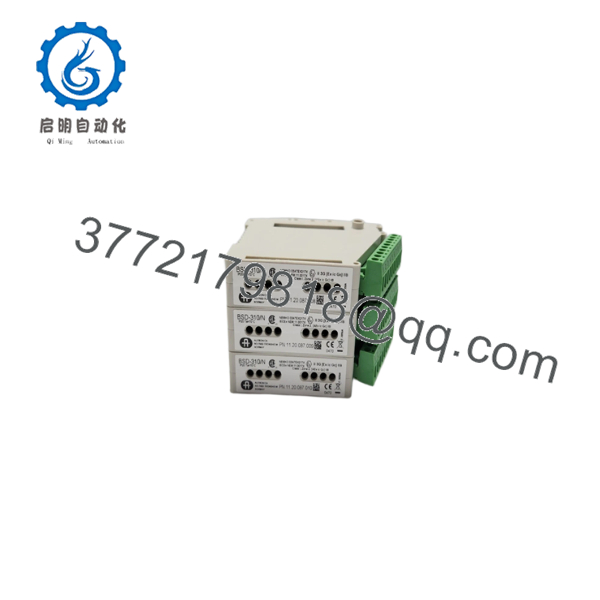
BSD-310/N
Frequently Asked Questions (FAQ)
Q: Is the /N hot-swappable in a live BS-420/BC-420 panel?
A: No. Treat it as non–hot-swap. Power down the panel or at least disable the loop and remove 24 VREG before pulling the module. I’ve seen backplane glitches when these are yanked under load.
Q: How many detectors can I put on one /N?
A: Up to 127 loop units total, but only 99 can be detectors/manual call points due to loading limits. The remaining 28 slots are for I/O units or sounders. If you need more detectors, add another /N (max 6 per panel).
Q: Will this work with my existing Ex n / Ex ic detectors?
A: Only with Ex ic (zone 2) devices approved for this loop. The “/N” suffix means it’s certified for Ex ic detectors in zone 2. Don’t mix in non-approved devices—check the detector datasheet for Ex ic / ATEX marking.
Q: Do I need to set addresses or DIP switches?
A: No. The /N auto-addresses on the internal backplane. Just plug it in, secure the DIN rail clip, and terminate the loop at terminals 1–3 (OUT+, OUT−, Shield).
Q: What’s the difference between and /N?
A: /N is the Ex zone 2 version for Ex ic detectors. Standard is for non-hazardous loops. If your loop has Ex devices, you must use the /N variant to maintain certification and energy limits.
Q: Can I use this with AutroGuard software?
A: Yes, but only with firmware revision 7 or newer on the /N. If you’re integrating with AutroGuard, tell us your panel type and we’ll confirm firmware before shipping.
Q: Why is pricing lower than factory-new?
A: This is a legacy maritime/industrial module; genuine new stock is limited. Our units are surplus or refurbished OEM hardware, tested for loop drive, 24 V output, and indicator function. Condition is stated explicitly per listing—no vague claims.



