
 WhatsApp: +86 16626708626
 Email:
  Phone: +86 16626708626
Description
Key Technical Specifications
| Parameter | Value |
|---|---|
| Manufacturer | AUTRONICA Fire and Security |
| Model | GL-90 |
| Product Type | Fire detection system module |
| Application | Autronica fire detection equipment |
| System compatibility | Model- and revision-dependent |
| Installation | Autronica fire alarm system/panel |
| Interface | Verify against installed system |
| Input voltage | Verify from module nameplate/OEM documentation |
| Output specifications | Verify from OEM documentation |
| Communication | System-dependent |
| Environmental rating | Verify from applicable system documentation |
| Hardware revision | Verify from actual module |
| Replacement status | Verify current/legacy availability |
Technical note: The supplied source framework does not contain GL-90-specific electrical or dimensional data. Therefore, input voltage, current, dimensions, weight, temperature range, and communication characteristics should not be stated without the applicable Autronica documentation or a clear photograph of the module label. The source instructions specifically require technical claims to be supportable rather than guessed.
Product Introduction
The AUTRONICA GL-90 is an Autronica fire detection system component intended for use within the manufacturer’s fire alarm equipment. Its exact functional role and electrical characteristics must be established from the installed system configuration and the identification information on the module.
For replacement procurement, verify the complete GL-90 identification, hardware revision, connector arrangement, and host panel before ordering. A matching model designation does not by itself establish compatibility with every Autronica fire detection system.
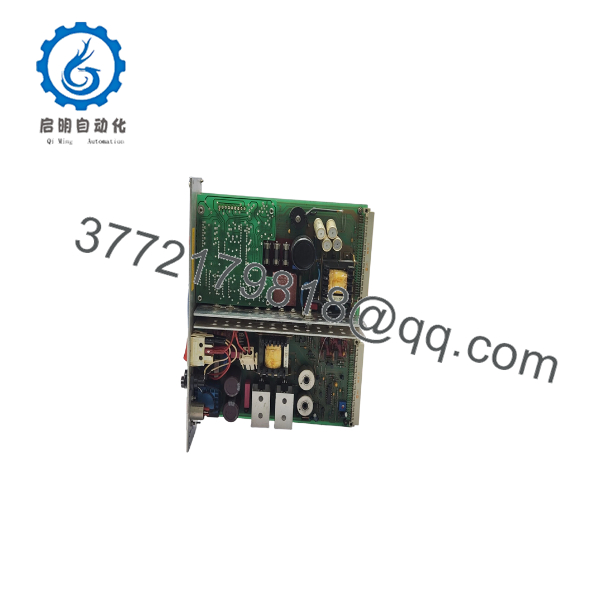
GL-90
Installation & Configuration Guide
Stage 1: Pre-Installation Preparation — 10–15 Minutes
⚠️ Safety First: Place the affected fire detection system in its approved maintenance condition and notify the responsible operations/fire-safety personnel before beginning work.
Tools Required:
- ESD wrist strap
- Appropriate screwdriver
- Digital multimeter
- Wire labels
- Smartphone/camera
- Applicable Autronica service documentation
Preparation Steps:
- Record the complete GL-90 identification from the existing module.
- Photograph the front, rear, connectors, and identification label.
- Record the Autronica panel/system model.
- Document all connected wiring before removal.
- Record applicable configuration settings.
- Confirm the replacement module’s model and revision.
- Follow the site’s lockout/tagout procedure before accessing energized circuitry.
Stage 2: Removing the Old Module — 5–10 Minutes
- Put the fire alarm system into the approved maintenance state.
- Isolate power according to the applicable Autronica procedure.
- Verify that the relevant circuits are de-energized.
- Label wiring before disconnecting it.
- Disconnect connectors carefully.
- Remove the module’s retaining hardware.
- Pull the GL-90 straight out of its mounting position.
- Inspect connectors and the mating assembly for corrosion, contamination, or mechanical damage.
- Keep the removed module available for comparison until commissioning is complete.
Stage 3: Installing the Replacement GL-90 — 5–10 Minutes
- Verify the exact GL-90 model and revision before installation.
- Use ESD protection when handling the replacement.
- Inspect the PCB/module for shipping damage.
- Compare connector positions with the original unit.
- Install the module in the correct orientation.
- Secure the retaining hardware.
- Reconnect wiring according to the photographs and approved wiring documentation.
- Check connector seating.
- Verify that wiring is not pinched or under mechanical stress.
- Perform a final visual inspection.
Self-Checklist:
- Model/revision verified
- Connector arrangement matches
- Wiring correctly identified
- Module secured
- ESD precautions maintained
Stage 4: Power-On & Testing — 10–20 Minutes
- Check wiring and polarity before restoring power.
- Restore power according to the approved Autronica procedure.
- Observe the panel during startup.
- Check for module or system fault indications.
- Verify communication with the affected subsystem.
- Test applicable fire detection functions.
- Test relevant alarm and fault indications.
- Confirm that no unexpected fault remains.
- Record the replacement module identification and test results.
⚠️ Commissioning Warning: Do not return a fire detection system to normal service solely because the panel powers up. Complete the applicable detection, alarm, fault, and interface checks required by the system maintenance procedure.
Frequently Asked Questions (FAQ)
What is the AUTRONICA GL-90?
The GL-90 is an AUTRONICA component used within fire detection equipment. The exact system function should be verified from the installed panel documentation and the module’s identification label before procurement.
Is GL-90 compatible with every Autronica fire alarm panel?
No. Do not assume universal compatibility. Autronica has multiple fire detection system generations and module families. Verify the host panel, hardware revision, connectors, and documented replacement relationship before installation.
Is the GL-90 obsolete?
The supplied source material does not establish a definitive lifecycle status for GL-90. Treat availability as model- and inventory-dependent until current OEM or authorized-distributor information confirms otherwise.
Can I replace GL-90 with another Autronica module?
Not without documented compatibility. Similar-looking Autronica modules can have different electrical functions, connector assignments, or system requirements. Match the complete part identification rather than relying on physical appearance.
Can GL-90 be hot-swapped?
Do not assume it can. Unless the applicable Autronica documentation specifically permits live replacement, isolate the relevant power and follow the approved maintenance procedure.
What should I provide when requesting a GL-90 quotation?
Provide a clear photograph of the actual GL-90 label, including model, revision, serial/part number, and connectors. Also provide the Autronica panel/system model. This allows the supplier to check compatibility and distinguish New Original, New Surplus, Used, and Refurbished stock.
Why should I verify the exact revision before purchasing?
Because replacement compatibility can depend on more than the base model number. The supplied technical-writing requirements specifically call for version numbers, compatibility notes, and real-world constraints to be stated where applicable rather than making unsupported interchangeability claims.



