
 WhatsApp: +86 16626708626
 Email:
  Phone: +86 16626708626
Description
Key Technical Specifications
| Parameter | Specification |
| Manufacturer | Bachmann Electronic GmbH |
| Model / Part Number | IPC1412 (FRE/CM1G1/1G/CF8G/XPE) |
| Display Panel | 12.1-Inch Industrial High-Brightness TFT LCD |
| Touch / Input Interface | Industrial Resistive Touchscreen / Integrated Membrane Keys |
| Processor & Memory | Low-Power Industrial Processor |
| Storage Architecture | 8GB CFast / Solid-State Drive (Shock-Resistant, No Moving Parts) |
| Operating Voltage | 24 V DC Industrial Input Range |
| Communication Ports | Dual Gigabit Ethernet (10/100/1000M), RS485/RS232 Serial, USB 2.0, CANbus |
| Cooling & Enclosure | Fanless Aluminum Heat Sink Structure |
| Operating Temperature | −20°C to +50°C (Harsh / Wind Turbine Cabin Verified) |
| Operating System | Windows XP Embedded / Embedded RTOS |
Product Introduction & Supply Chain Strategy
The Bachmann IPC1412 is a heavy-duty industrial panel PC engineered for continuous visualization and control in extreme environments, including wind turbine nacelles, power generation stations, and offshore platforms. Utilizing a fanless solid-state architecture, it acts as an edge visualization terminal and real-time operator interface for Bachmann M1 control networks.
This product is a Brand New Surplus unit. It is not used, not pulled from a decommissioned plant, and not refurbished. All modules undergo rigorous quality verification to ensure OEM-level reliability.
Refurbished panel PCs regularly exhibit backlight decay, degraded touch sensitivity, and thermal stress on onboard voltage regulators. Installing a refurbished HMI into a critical turbine or process panel risks sudden display blackouts, communication dropouts, and blind operating conditions that force emergency shutdowns. Sourcing genuine New Surplus inventory eliminates component wear, maintains strict Total Cost of Ownership (TCO), and secures an exact drop-in hardware replacement without costly cabinet modifications or software rewrites.
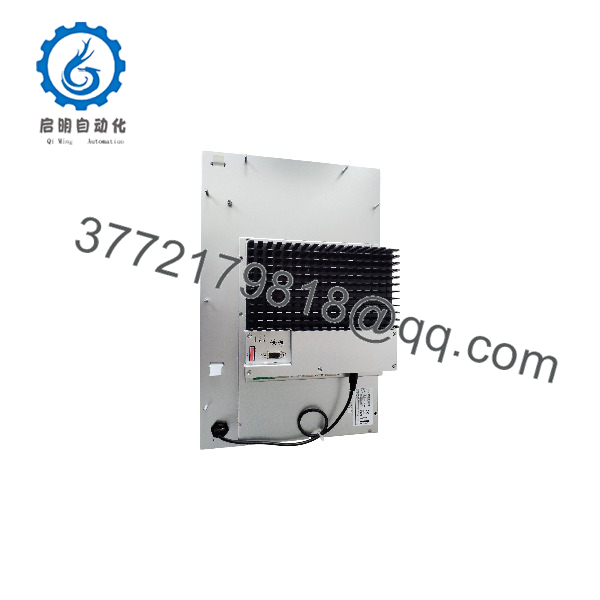
IPC1412
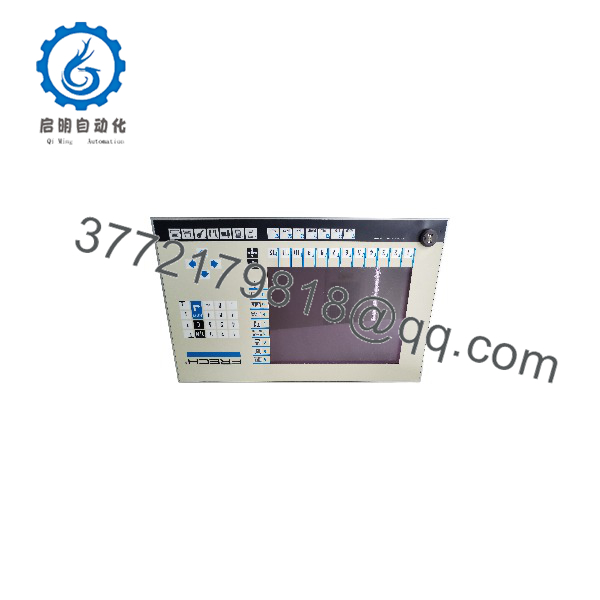
IPC1412
Installation & Configuration Guide
Stage 1: Pre-Installation (Prep & Safety)
- Execute Lock-Out/Tag-Out (LOTO) protocols on the control enclosure 24V DC feeder circuit breaker.
- Put on an anti-static wrist strap connected to a verified panel grounding bus to prevent electrostatic discharge (ESD) damage.
- Backup the existing runtime project configuration, IP address settings, and CFast solid-state storage card contents prior to extraction.
Stage 2: Removal
- Disconnect the 24V DC main power connector, Ethernet network cables, serial interface plugs, and ground bonding strap from the rear panel.
- Loosen the rear panel mounting clamps around the perimeter of the cabinet cutout.
- Carefully lift the IPC1412 forward out of the cabinet door, taking care not to tear the perimeter IP65 sealing gasket.
Stage 3: Installation (Clone & Seat)
- Ensure the mounting opening is clean and verify that the sealing frame gasket on the new IPC1412 is properly seated to preserve IP65 cabinet protection.
- Insert the validated application CFast card into the replacement unit’s storage slot.
- Slide the IPC1412 into the cabinet door cutout and tighten the rear locking clamps evenly in a cross pattern to establish a uniform dust and moisture seal.
- Reconnect the ground strap, communication lines, and 24V DC terminal plug.
Stage 4: Power-On & Testing
- Measure the incoming power rail to verify it supplies steady 24V DC before applying power.
- Energize the unit and observe the boot sequence. Verify the system initializes cleanly, loads the runtime HMI software, and establishes communication link LEDs.
- Verify touchscreen responsiveness across all display zones and perform functional ping tests to connected PLCs over the Ethernet bus.
Firmware/Software Versions & Upgrade Notes
- System Compatibility: Ensure the installed runtime image, display driver revisions, and project runtime match your Bachmann M1 controller firmware baseline.
- Backward Compatibility: Hardware dimensions and mounting provisions of the IPC1412 retain drop-in compatibility across legacy Bachmann cutout footprints, maintaining seamless physical replacement.
- Firmware Risks: Avoid flashing BIOS or embedded operating system images on production hardware without a verified fallback image. An interrupted flash update corrupts the internal bootloader, rendering the panel PC unbootable.
Frequently Asked Questions (FAQ)
Q: Is this Bachmann panel PC authentic New Surplus or a refurbished unit?
A: This unit is 100% genuine New Surplus. It possesses zero operational runtime hours, full factory display brightness, pristine bezel seals, and zero wear on rear interface ports. It is not refurbished, repaired, or harvested from active equipment.
Q: Why choose New Surplus over a refurbished panel PC?
A: Refurbished panel PCs carry hidden risks of thermal fatigue in onboard power supplies and faded CCFL/LED display backlights. A panel failure on an active line causes immediate operational blindness and costly downtime. New Surplus guarantees original factory operating lifespan and instant drop-in reliability.
Q: How is the tested prior to dispatch?
A: Every unit undergoes rigorous Quality Control bench verification. Technicians inspect physical chassis integrity, execute full 24V DC power-on diagnostic boot testing, verify LCD color balance and touch responsiveness, and confirm multi-port communication connectivity.
Q: Is the Bachmann series still in active production?
A: The series is a legacy automation model. Procuring New Surplus stock enables plant maintenance teams to build strategic buffer stock, bypassing expensive panel redesigns, cabinet cutting, or PLC software re-engineering.
Q: Will swapping this require reloading the project application?
A: If you transfer your existing, non-corrupted CFast/CompactFlash storage card into the replacement unit, your application software, communication drivers, and network parameters will load automatically upon boot-up.
Q: What warranty coverage is provided with this module?
A: This New Surplus Bachmann includes a standard 1-Year functional warranty against electronic defects and component failures.



