WhatsApp: +86 16626708626
 Email:
 Phone: +86 16626708626
Description
Key Technical Specifications
| Parameter | Specification / Value |
| Model Number / Item Number | LM201 / 00010950-00 |
| Manufacturer | Bachmann Electronic GmbH |
| System Compatibility | Bachmann M1 Controller System (MH212, MC210, etc.) |
| Network Interface | 1x 10/100 Mbit/s Fast Ethernet (100 Base-T) |
| Connector Type | Standard RJ45 Connector |
| Supported Protocols | TCP/IP, UDP, Modbus TCP, Ethernet-based fieldbus protocols |
| Backplane Power Supply | 5 V DC supplied via M1 internal backplane bus |
| Power Consumption | Approx. 1.5 W |
| Galvanic Isolation | 500 V RMS between network interface and backplane logic |
| Status Display | Diagnostic LEDs (Link, Activity, Speed, Fault) |
| Operating Temperature | −30 °C to +60 °C (−22 °F to +140 °F) |
| Unit Weight | 0.18 kg (0.40 lbs) |
Product Introduction & Supply Chain Strategy
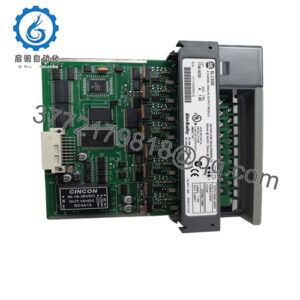
The Bachmann LM201 (Item No. 00010950-00) is a Fast Ethernet communication expansion module designed for the Bachmann M1 industrial PLC architecture. Widely deployed in wind energy turbines, maritime automation, and heavy industrial machinery, it establishes high-speed TCP/IP networking, peer-to-peer inter-controller communication, and SCADA data transmission across distributed control networks.
Because legacy Bachmann M1 installations require exact hardware matches to satisfy validated control system baselines, sourcing factory-original New Surplus LM201 modules is vital for maintaining operational readiness. Replacing a failed communication module with a non-identical or modified network architecture often forces costly PLC runtime software re-compilations, network driver re-configurations, and extensive system re-testing. Utilizing New Surplus units preserves existing network topologies while eliminating the severe risks associated with second-hand modules—such as fatigued RJ45 connector latches, degraded signal transformers, or intermittent PHY transceiver chip failures. Keeping 1–2 New Surplus LM201 units as strategic buffer stock prevents unexpected SCADA network dropouts and long-term wind farm or plant shutdowns.
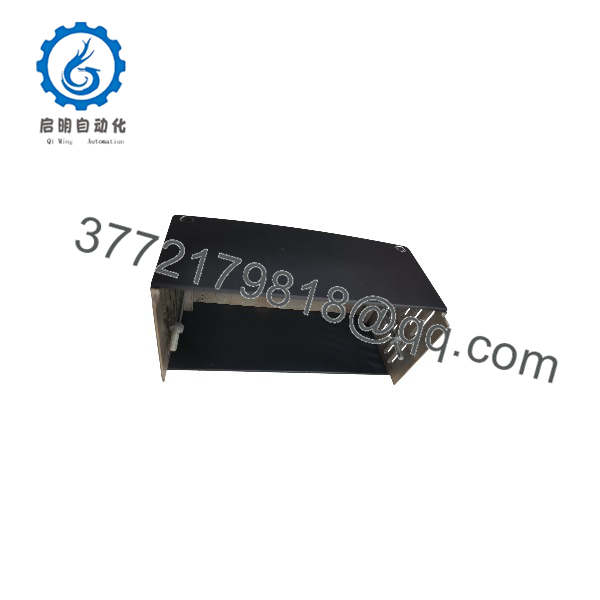
LM201
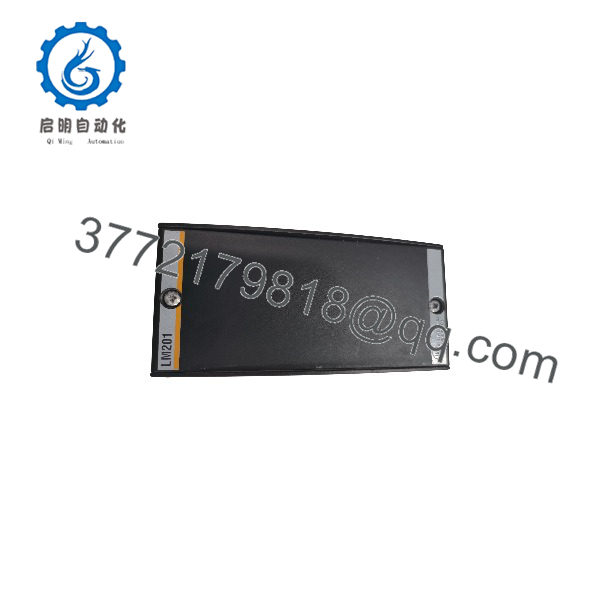
LM201
Installation & Configuration Guide
Electrostatic Discharge & Network Interrupt Hazard
Industrial Ethernet transceivers are highly sensitive to static electricity. Always wear a grounded ESD wrist strap before handling the LM201 card. Ensure main power to the Bachmann M1 rack is disconnected before inserting or removing modules from the backplane.
1.Pre-Installation & Safety Preparation:5 mins.
Execute Lock-Out/Tag-Out (LOTO) on the Bachmann M1 power supply module (e.g., NT255). Put on a grounded ESD wrist strap attached to cabinet earth ground. Record the MAC address printed on the side label of the replacement LM201 card.
2.Demounting Outgoing Module:5 mins.
Unscrew top and bottom front plate retaining screws on the legacy LM201 module. Unplug the RJ45 Ethernet cable by pressing the release clip gently. Pull the module straight forward out of the M1 backplane slot.
3.Module Insertion & Hardware Mounting:5 mins.
Align the new LM201 module with the guide rails of the designated M1 rack slot. Slide the board smoothly into the slot until the rear backplane edge connector seats fully. Tighten top and bottom retaining screws to 0.4 N·m.
4.Network Connection & Communication Verification:10 mins.
Reconnect the RJ45 Ethernet cable. Restore 24 V DC system power to the M1 rack. Verify front panel LEDs: the Link LED should illuminate steady GREEN/AMBER, and the Activity LED should blink during network polling.
Verification: Open the Bachmann SolutionCenter engineering environment, ping the assigned module IP address, and verify that the M1 CPU detects the LM201 card in the system hardware tree without bus or network configuration errors.
Firmware/Software Versions & Upgrade Notes
- System Driver Compatibility: Supported natively by Bachmann M1-OOS / SolutionCenter operating systems.
- Automatic Network Binding: IP address configuration, subnet masks, and network protocol bindings are managed directly by the primary M1 CPU module (e.g., MC205/MC210) during boot setup. Swapping the LM201 hardware requires no local firmware flashing.
- MAC Address Binding Precaution: If your network router or industrial firewall utilizes MAC address filtering, update the firewall white-list with the new MAC address printed on the LM201 module label prior to reconnecting to the plant network.
Frequently Asked Questions (FAQ)
Is this Bachmann LM201 module brand new or refurbished?
This product is Brand New Surplus. It is not a pulled card, second-hand module, or refurbished board. It features factory-original components, pristine backplane connectors, and unworn RJ45 jack contacts.
Why should our plant avoid buying used or pulled industrial communication modules?
Used communication modules extracted from harsh operational environments (such as wind turbine nacelles) have often endured extreme thermal cycling and vibration. Heat and mechanical stress cause micro-cracks in PHY chip solder joints and degrade internal pulse transformers, leading to intermittent network dropouts, packet loss, and unexplainable SCADA connection timeouts.
Can the LM201 be installed while the Bachmann M1 controller is powered (hot-swapped)?
No. Bachmann M1 backplanes require a power shutdown prior to inserting or removing expansion modules. Inserting the board into a live backplane can cause electrical arcing and destroy the internal 5 V logic bus.
Does this module support Gigabit Ethernet speeds?
No. The LM201 is designed specifically for 10/100 Mbit/s Fast Ethernet networks (100 Base-T), which is the standard deterministic rate for Bachmann M1 fieldbus and SCADA communications.
What warranty is provided with this New Surplus module?
Every New Surplus Bachmann LM201 module comes with a standard 12-Month Replacement Warranty. Prior to shipment, each unit undergoes strict quality verification checks, including visual inspection, backplane continuity checks, and power-on port communication testing.