
 WhatsApp: +86 16626708626
 Email:
  Phone: +86 16626708626
Description
Key Technical Specifications
| Parameter | Specification |
| Manufacturer | Basler AG |
| Part Number | A402kc |
| Camera Series | aviator |
| Sensor Technology | CMOS (Progressive Scan, Global Shutter) |
| Sensor Size | 2048 x 1088 pixels (approx. 2 MP) |
| Color Format | Color (Bayer Pattern / Raw Data Output) |
| Maximum Frame Rate | 235 fps |
| Pixel Size | 5.5 µm x 5.5 µm |
| Digital Interface | Camera Link (Medium / Full Configuration) |
| Lens Mount | C-mount |
| Power Supply Input | 12 VDC to 24 VDC (Hirose 12-pin connector) |
| Operating Temperature | 0 to 50 °C |
| Weight | Approx. 210 g (0.46 lbs) |
Product Introduction & Supply Chain Strategy
The Basler A402kc is a high-speed, high-resolution color area scan camera engineered for automated optical inspection (AOI), semiconductor processing, print verification, and high-speed sorting lines. Equipped with a 2-megapixel CMOS global shutter sensor delivering 235 frames per second over a dual Camera Link interface, it captures crisp color images without motion blur or rolling shutter distortion.
From an inventory and supply chain standpoint, stocking an A402kc as New Surplus is a high-return risk mitigation move. Refurbished vision cameras frequently suffer from degraded image sensor pixels, worn Hirose power connectors, and thermal fatigue on interior high-speed FPGA boards that cause dropped frames and transmission errors during continuous high-framerate operation. Purchasing New Surplus ensures factory-grade image sensor quality, pristine sensor glass, and full dielectric insulation, delivering a low Total Cost of Ownership (TCO) by keeping automated vision-guided production lines running smoothly.
Installation & Configuration Guide
1.Stage 1: Pre-Installation (Prep & Safety):Disconnect power and wear grounding straps.
Turn off power to the machine vision frame grabber PC and the external 12–24 VDC camera power supply. Execute Lock-Out/Tag-Out (LOTO) protocols. Wear a grounded ESD wrist strap when handling the camera body or connecting frame grabber cables. Inspect the lens mount and C-mount glass cover for dust or contamination before attaching optics. Take detailed reference photos of cable routing and Hirose connector pinouts.
2.Stage 2: Removal:Detach Camera Link cables and mounting hardware.
Unscrew the thumbscrews on both Camera Link connectors (Base/Medium/Full configuration) and gently detach them from the camera rear panel. Disconnect the Hirose 12-pin GPIO/power cable. Remove the mounting screws securing the A402kc body to its industrial bracket or optical fixture, ensuring the attached C-mount lens is supported and protected from mechanical impact.
3.Stage 3: Installation (Clone & Seat):Mount housing securely and attach cabling.
Mount the new Basler A402kc to the camera bracket, ensuring rigid alignment to prevent vibration-induced blur. Thread the optical C-mount lens onto the camera front housing and set the back focus if required. Connect the high-speed Camera Link cables into the designated primary and secondary ports, tightening the connector thumb locks to maintain reliable signal integrity. Plug in the Hirose 12-pin power/trigger harness.
4.Stage 4: Power-On & Testing:Verify power rails and confirm image capture in Pylon software.
Supply 12–24 VDC power to the camera and verify the status LED on the rear panel illuminates green. Launch the Basler Pylon Camera Software Suite or frame grabber acquisition software on the host PC. Confirm camera detection and load saved configuration files (gain, exposure time, tap configuration, pixel format). Trigger the camera to acquire test frames at 235 fps and verify color fidelity, frame sync, and zero packet loss.
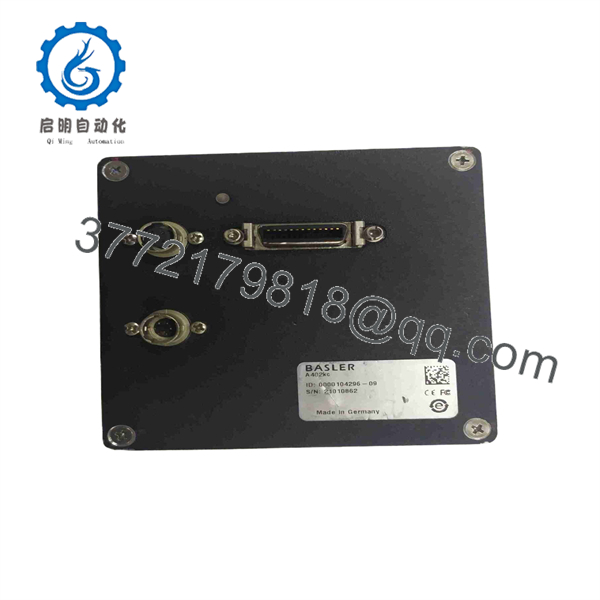
A402KC
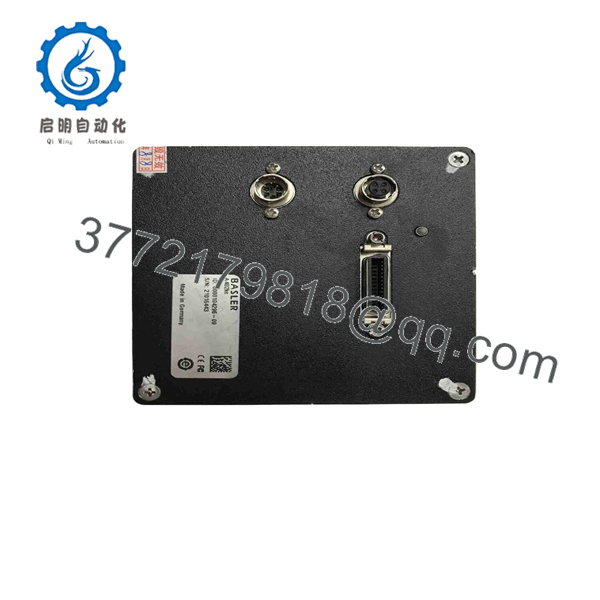
A402KC
Firmware/Software Versions & Upgrade Notes
- Pylon Driver & Frame Grabber Compatibility: The Basler A402kc relies on Basler Pylon SDK version 3.x or 4.x for full parameter access, as well as compatible Camera Link frame grabber drivers (e.g., Matrox, National Instruments, or Silicon Software).
- Tap & Clock Configuration: Ensure the camera’s internal tap geometry (e.g., 2-tap or 4-tap output) matches the tap topology configured in your frame grabber setup file (
.mcfor.icdfile). Mismatches will result in scrambled images or video freeze. - Firmware Risk Warning: Flashing camera FPGA firmware via Camera Link requires a uninterrupted power supply and verified serial communication. Interrupting a firmware update will corrupt the bootloader, requiring factory restoration.
Frequently Asked Questions (FAQ)
Q: Why is this unit priced higher than refurbished options online, but lower than direct OEM list price?
A: This product is a Brand New Surplus unit. It is not used, not pulled from a decommissioned plant, and not refurbished. All modules undergo rigorous quality verification to ensure OEM-level reliability. Refurbished vision cameras often have hidden image sensor defects, hot pixels, and worn connectors. Our pricing reflects genuine, factory-fresh inventory available immediately at a substantial discount compared to original list prices.
Q: Is the Basler A402kc obsolete, and why should we hold spare stock?
A: Yes, Basler has matured the aviator series in favor of newer GigE and CoaXPress models (such as ace 2 or boost series). However, migrating an active machine vision system from Camera Link to a new bus interface requires changing frame grabbers, rewiring, and rewriting inspection software. Keeping 1 unit as critical safety stock prevents weeks of engineering redesign and line downtime during a camera failure.
Q: Can I hot-plug the Camera Link cables or Hirose power connector while the system is live?
A: No. Hot-plugging Camera Link or Hirose power connectors can induce ground loops and voltage transients that damage the camera’s internal driver ICs and the frame grabber interface card. Always power down the 24V supply and host PC before connecting or disconnecting cables.
Q: Does this camera include a built-in frame buffer for high-speed bursts?
A: Yes, the Basler aviator A402kc includes an internal frame memory buffer that manages high-speed burst captures and stabilizes data transfer across the Camera Link bus, preventing image tearing during peak acquisition cycles.
Q: What documentation and warranty coverage come with this camera?
A: Every Basler A402kc camera ships in static-shielding ESD packaging with verifiable OEM serial numbers and a functional QC Test Report covering power-on initialization and image acquisition checks. We back this New Surplus camera with a full 1-year replacement warranty.



