
 WhatsApp: +86 16626708626
 Email:
  Phone: +86 16626708626
Description
Key Technical Specifications
| Parameter | Specification |
| Manufacturer | Basler AG |
| Part Number | A404km-RT |
| Camera Series | Basler A-Series |
| Sensor Type | Progressive Scan CCD / CMOS (Monochrome) |
| Sensor Resolution | 2048 x 1536 pixels (~3.1 Megapixel) |
| Shutter Type | Global Shutter |
| Digital Interface | Camera Link (High-Speed Serial Data Output) |
| Lens Mount | C-mount |
| Power Supply Input | 12 VDC / Hirose Multi-pin Connector |
| Housing Construction | Compact Heavy-Duty Industrial Enclosure |
| Operating Temperature | 0 to 50 °C |
| Weight | Approx. 220 g (0.48 lbs) |
Product Introduction & Supply Chain Strategy
The Basler A404km-RT is a high-speed monochrome area scan camera designed for demanding industrial machine vision, automated optical inspection (AOI), and high-precision measurement applications. Featuring a 2048 x 1536 sensor resolution and global shutter technology, it captures distortion-free images of fast-moving targets across automated production lines. Communicating via a robust Camera Link interface, it delivers high-throughput raw pixel data directly to host PC frame grabber boards for real-time defect analysis, robotic guidance, and code verification.
From a supply chain perspective, stocking an A404km-RT as New Surplus eliminates severe operational risks in automated production facilities. Refurbished machine vision cameras frequently suffer from invisible sensor micro-defects, worn Hirose power jacks, and thermal degradation on interior high-speed FPGA processing circuits that cause dropped video frames and random pixel dropouts under continuous factory operation. Purchasing New Surplus ensures factory-fresh image sensor silicon, pristine optical cover glass, and full dielectric performance, guaranteeing low Total Cost of Ownership (TCO) by protecting automated vision lines against unplanned stoppages.
Installation & Configuration Guide
1.Stage 1: Pre-Installation (Prep & Safety):Disconnect power supplies and attach ESD wrist strap.
Turn off power to the host PC frame grabber and external 12 VDC camera power supply. Execute Lock-Out/Tag-Out (LOTO) safety procedures. Wear a grounded ESD wrist strap before handling the camera housing or touching signal connectors. Inspect the C-mount optical glass for dust or smudges and clean with lint-free optical wipes if necessary. Photograph existing cable routing and Hirose power connector pinouts for reference.
2.Stage 2: Removal:Disconnect Camera Link cables and unbolt mounting bracket.
Loosen the thumb-screws securing the Camera Link data cables to the rear panel and carefully disconnect them. Unplug the 12 VDC Hirose power and trigger connector. Unbolt the camera from its mounting bracket or optical fixture, taking care to support the C-mount lens so it does not strike surrounding machine framework.
3.Stage 3: Installation (Clone & Seat):Mount new camera body and reattach interface cables.
Fasten the new Basler A404km-RT securely onto the optical mounting bracket using rigid fasteners to prevent vibration-induced image blur. Thread the C-mount lens onto the front housing and set aperture/focus rings. Connect the Camera Link cables into their designated ports on the camera rear, tightening thumbscrews securely to ensure stable signal grounding. Re-engage the Hirose power/GPIO connector.
4.Stage 4: Power-On & Testing:Supply 12 VDC power and verify image stream in Pylon SDK.
Supply 12 VDC power and confirm the camera status indicator turns green. Launch the Basler Pylon Camera Software Suite or frame grabber acquisition utility on the host computer. Verify automatic camera detection and load saved configuration files (gain, exposure time, trigger mode, tap configuration). Execute continuous test captures to confirm sharp grayscale contrast, proper frame synchronization, and zero frame drops.
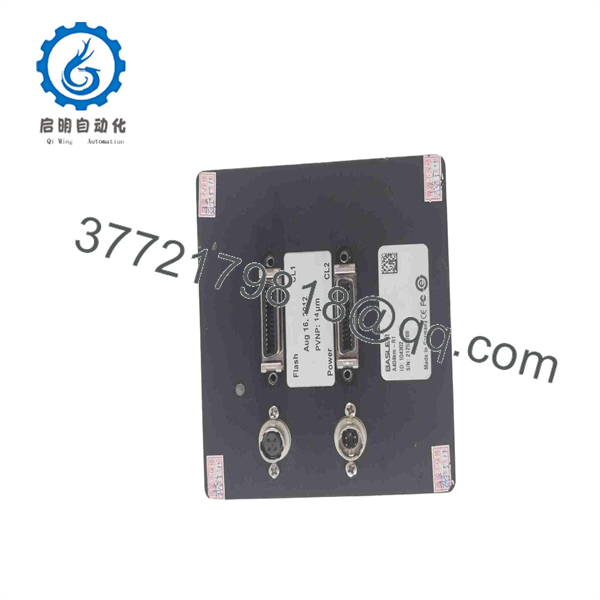
A404km-RT
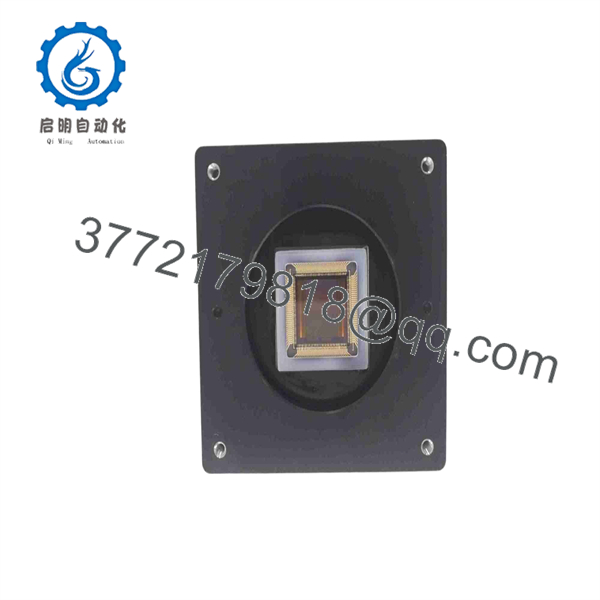
A404km-RT
Firmware/Software Versions & Upgrade Notes
- Pylon SDK & Frame Grabber Compatibility: The Basler A404km-RT requires Basler Pylon SDK drivers along with compatible Camera Link frame grabber drivers (e.g., Matrox, National Instruments, or Silicon Software).
- Tap Architecture Configuration: Ensure the camera’s internal tap geometry matches the frame grabber configuration file (
.mcfor.icd). Selecting incorrect tap numbers in software will cause garbled image output or frame buffer errors. - Firmware Risk Warning: Updating FPGA camera firmware over Camera Link requires stable logic power and uninterrupted serial communications. Power interruption during a flash routine will corrupt the camera bootloader, requiring factory-level board restoration.
Frequently Asked Questions (FAQ)
Q: Why is this unit priced higher than refurbished options online, but lower than direct OEM list price?
A: This product is a Brand New Surplus unit. It is not used, not pulled from a decommissioned plant, and not refurbished. All modules undergo rigorous quality verification to ensure OEM-level reliability. Refurbished vision cameras often carry hidden sensor pixel degradation and worn connector contacts. Our pricing reflects genuine, factory-fresh inventory available immediately at a substantial discount compared to OEM list prices.
Q: Is the Basler A404km-RT camera obsolete, and why should we hold spare stock?
A: Yes, legacy Camera Link A-series models have transitioned to newer GigE Vision and USB3 Vision platforms (such as Basler ace or ace 2). However, converting an existing vision system to a new interface requires replacing frame grabbers, rewiring enclosures, and re-validating inspection software. Keeping 1 unit as critical safety stock prevents weeks of engineering redesign and line downtime during a camera failure.
Q: Can I hot-plug the Camera Link cables or Hirose power connector while live?
A: No. Hot-plugging Camera Link or Hirose power cables creates high-voltage transients that destroy internal interface line drivers and ruin frame grabber receiver ports. Always shut off 12 VDC system power prior to servicing camera connections.
Q: What is the benefit of a Global Shutter on the A404km-RT?
A: Global shutter sensors expose all pixels simultaneously, capturing crisp images of high-speed moving parts without the spatial distortion or “rolling shutter distortion” typical of standard rolling shutter sensors.
Q: What documentation and warranty coverage come with this camera?
A: Every Basler A404km-RT camera is shipped in static-shielding ESD packaging with verifiable OEM serial numbers and an accompanying QC Test Report covering power-on initialization and image acquisition checks. We back this New Surplus camera with a full 1-year replacement warranty.



