
 WhatsApp: +86 16626708626
 Email:
  Phone: +86 16626708626
Description
Key Technical Specifications
| Parameter | Specification |
|---|---|
| Manufacturer | Beckhoff |
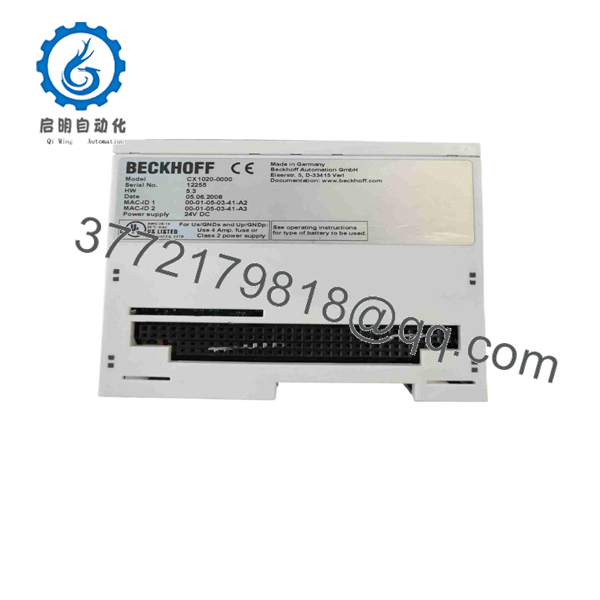
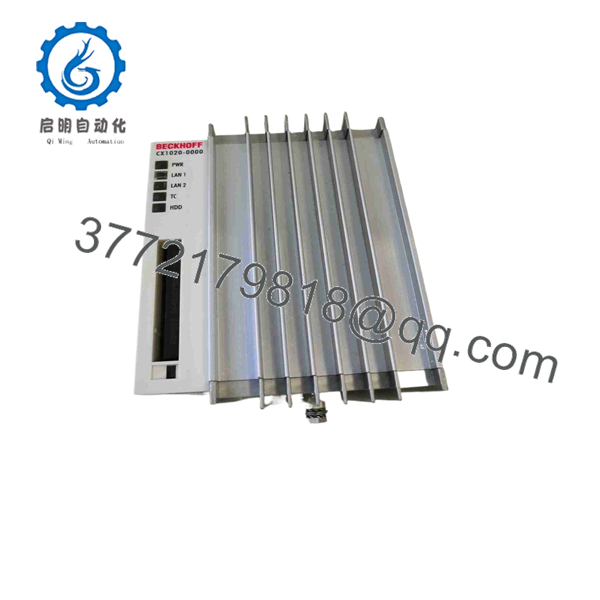
| Model | CX1020-0000 |
| Product Family | CX1020 Embedded PC |
| Processor | Intel Celeron M ULV, 1 GHz |
| CPU Cores | 1 |
| Main Memory | 256 MB DDR RAM, expandable to 1 GB |
| Flash Memory | CompactFlash Type I/II |
| Ethernet | 2 × RJ45, 10/100 Mbit/s, internal switch |
| System Bus | 16-bit ISA / PC/104 |
| Operating System | None |
| TwinCAT Runtime | None |
| Power Supply | Via CX1100-xxxx system power supply |
| Maximum Power Consumption | 11 W |
| Dimensions | 96 × 112 × 99 mm |
| Weight | Approx. 550 g |
| Operating Temperature | 0 to +50 °C |
| Storage Temperature | -25 to +85 °C |
| Relative Humidity | 95%, non-condensing |
| Protection Rating | IP20 |
| Approvals | CE, UL |
Beckhoff identifies CX1020-0000 specifically as the CPU module version supplied without an operating system and without TwinCAT. The CX1020 platform uses a 1 GHz Intel Celeron M ULV processor and provides two 10/100 Mbit/s RJ45 interfaces connected through an internal Ethernet switch.
The CPU module requires a compatible CX1100-xxxx power supply module. Additional CX-series fieldbus and system modules can be connected through the CX system architecture.
Product Introduction
The Beckhoff CX1020-0000 is a compact Embedded PC and CPU module for industrial control applications. Its 1 GHz Intel Celeron M processor, DDR RAM, CompactFlash storage, dual Ethernet ports, and PC/104 system bus support PLC and machine-control architectures built around the CX1020 platform.
The -0000 suffix is important: this version is supplied without an operating system and without TwinCAT. A replacement therefore requires verification of the existing CompactFlash image, application software, connected CX1100 power supply, and installed CX-series modules.
CX1020-0000
CX1020-0000
Installation & Configuration Guide
Stage 1 — Pre-Installation Preparation
Estimated time: 15–30 minutes
- Place the machine in a safe operating state.
- Notify operations and apply the site’s LOTO procedure.
- Isolate the CX1020 system from its power source.
- Wait at least 5 minutes for stored electrical energy to dissipate.
- Verify the absence of hazardous voltage with an appropriately rated meter.
- Use an ESD wrist strap when handling the CPU module.
- Photograph the existing assembly, CompactFlash card, Ethernet connections, and adjacent CX modules.
- Record the complete part number and hardware revision.
- Back up the existing CompactFlash/application image whenever possible.
⚠️ Do not assume that every is equivalent to -0000. Beckhoff supplied multiple software and hardware configurations.
Stage 2 — Removing the Existing Module
Estimated time: 10–20 minutes
- Confirm that the system is electrically isolated.
- Label all Ethernet and system-bus connections.
- Remove the CompactFlash card carefully if it must be transferred.
- Disconnect the from the CX1100 power supply and adjacent modules as required.
- Release the DIN-rail or mechanical retention mechanism.
- Remove the CPU module without forcing the mating connectors.
- Inspect the PC/104 and system-bus interfaces.
- Keep the original CPU and CompactFlash card until the replacement is fully commissioned.
Stage 3 — Installing the Replacement
Estimated time: 15–30 minutes
- Verify the replacement marking: -0000.
- Compare the hardware revision with the removed unit.
- Confirm that the existing CX1100-xxxx power supply is compatible.
- Transfer the original CompactFlash card only after confirming its condition and configuration.
- Install the CPU module on the DIN rail.
- Reconnect adjacent CX-series modules and system-bus connections.
- Reconnect the two Ethernet ports according to the original network topology.
- Check that every connector is fully seated.
- Verify that no module has been shifted from its original position.
Stage 4 — Power-On & Testing
Estimated time: 30–60 minutes
- Check power wiring and system-bus connections before energizing.
- Power the CX system through the appropriate CX1100 module.
- Observe the Power, LAN, TwinCAT/status, and CompactFlash indicators.
- Verify that the controller boots from the intended CompactFlash configuration.
- Confirm Ethernet link/activity on both RJ45 ports.
- Verify the installed control application and operating environment.
- Confirm communication with connected CX-series I/O and fieldbus modules.
- Check PLC task execution and machine diagnostics.
- Perform a controlled I/O test.
- Run the machine through a controlled manual cycle before returning it to production.
⚠️ The -0000 itself does not include an operating system or TwinCAT runtime. If a replacement boots but does not execute the machine application, check the CompactFlash image and software configuration before treating the CPU hardware as defective.
FAQ
1. What is thhoff ?
It is the basic Embedded PC CPU module configured without an operating system and without TwinCAT. Beckhoff lists it as ordering code .
2. What procdoes use?
The uses an Intel Celeron M ULV processor running at 1 GHz. The documented configuration has one CPU core and 256 MB DDR RAM, with memory expandable to 1 GB depending on factory configuration.
Does include TwinCAT?
No. The -0000 configuration is specified as having no operating system and no TwinCAT. Other ordering codes were available with Windows Embedded and different TwinCAT 2 runtimes.
4 the include Ethernet?
Yes. The basic provides two RJ45 10/100 Mbit/s Ethernet interfaces connected through an internal switch.
Can operate by itself?
Not as a complete control installation. The CPU module requires a compatible -series power supply module, and additional CX-series system or fieldbus modules may be required by the machine configuration.
6. Is the still a current Beckhoff product?
Beckhoff currently identifies the as being in the service phase and lists CX2033 and CX2043 as recommended alternatives. For an existing machine, however, replacing a failed with the matching original configuration can avoid unnecessary changes to the control architecture.
7. What should I verify before ng a replacement?
Verify the complete part number, hardware revision, CompactFlash configuration, power supply, adjacent CX modules, and application software. In particular, do not substitute a variant with a different operating-system or TwinCAT configuration without checking the machine’s software architecture.



