
 WhatsApp: +86 16626708626
 Email:
  Phone: +86 16626708626
Description
Key Technical Specifications
| Parameter | Value |
| Manufacturer | Beckhoff Automation |
| Model / Part Number | CX9001-1001 |
| Processor | ARM926EJ-S (266 MHz) |
| System Memory | 64 MB RAM |
| Storage Medium | microSD slot / Flash internal storage |
| Operating System | Microsoft Windows CE 5.0 |
| PLC Control Software | TwinCAT 2 PLC Runtime (TC1200) |
| I/O Interface Type | Direct K-Bus (Beckhoff Bus Terminals KL/KS Series) |
| Network Communication | 2 x RJ-45 Ethernet ports (10/100 Mbit/s, internal switch) |
| Supply Voltage | 24 V DC (-15% / +20%) |
| Operating Temperature | 0 °C to +55 °C (32 °F to 131 °F) |
| Mounting / Protection | 35 mm DIN Rail / IP20 |
Product Introduction & Application Context
The Beckhoff CX9001-1001 is a compact, fanless embedded controller engineered for small-to-medium industrial PLC applications, distributed machine control, and building automation. Powered by an efficient ARM9 processor running Windows CE, it provides a cost-effective platform for running TwinCAT 2 automation runtime logic without requiring a full industrial PC chassis.
The -1001 suffix designates that this CPU module features a direct hardware bus interface for Beckhoff K-Bus I/O terminals (KL/KS Series). Integrated dual Ethernet RJ-45 connectors with an internal switch design allow daisy-chained network topologies without needing external switches.
Replacement & Commissioning Guide
1.Stage 1: Pre-Swap Preparation:Safety & Backup.
Execute LOTO to isolate 24 V DC power from the cabinet enclosure. Using TwinCAT System Manager, extract a project backup (.pro) and non-volatile parameter files from the existing CPU, or move the original microSD boot card to the replacement unit if intact.
Verification: Check input power terminals with a multimeter to verify 0.0 V DC.
2.Stage 2: Hardware Swap:5 min.
Unplug the Ethernet cables, power terminal block, and system ground. Release the locking tabs on adjacent KL/KS I/O slices and slide the CX9001-1001 horizontally off the K-Bus bus system, then snap the replacement CX9001-1001 onto the DIN rail.
Verification: Ensure the side bus connector pins click firmly into the adjacent I/O slice.
3.Stage 3: Power-Up & Firmware Verification:Commissioning.
Reinsert the microSD flash card into the card slot, reattach power and network leads, and apply 24 V DC.
Verification: Verify that the PWR LED glows steady green, LAN1/LAN2 LEDs blink with network traffic, and K-Bus status indicates successful bus scanning without error trips.
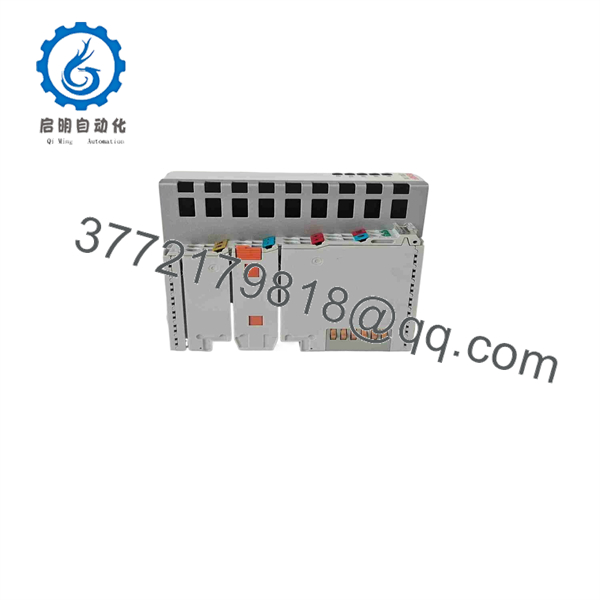
CX9001-1001
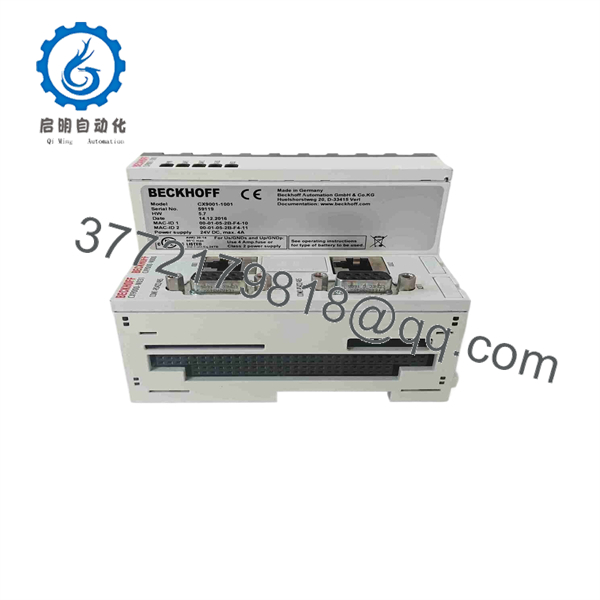
CX9001-1001
System Compatibility & Deployment Notes
- I/O Bus Matching: The CX9001-1001 is designed strictly for K-Bus (KLxxxx/KSxxxx) terminal blocks. If your panel uses E-bus (EtherCAT / ELxxxx terminals), the CX9001-0001 or CX9010 variant is required instead.
- TwinCAT Versioning: Designed primarily for TwinCAT 2 runtime targets (
ARMarchitecture). Ensure compiled boot projects (C:\TwinCAT\Boot) match the target processor architecture before downloading. - IP Configuration: Default network settings can be altered using the Beckhoff System Control Panel in Windows CE via Remote Display (Cerhost) or through TwinCAT System Manager route selection.
Frequently Asked Questions (FAQ)
What is the difference between CX9001-1001 and CX9001-0001?
The features an integrated K-Bus interface for standard Beckhoff KL/KS series I/O terminals. The CX9001-0001 features an E-bus (EtherCAT) interface for EL/ES series terminal slices.
How do I restore the PLC program onto a new ?
You can either insert the original microSD card containing the boot folder into the new module, or connect via Ethernet using TwinCAT 2 System Manager, set an ADS route using the controller’s serial number/NetID, and download the project boot file.
Can I run TwinCAT 3 on the ?
No. Due to ARM9 hardware resource limits and Windows CE 5.0 OS dependencies, the CX9001 series is limited to TwinCAT 2 execution environments.
Does this unit require active cooling or fans?
No. The is completely fanless with zero moving parts, making it low-maintenance and resistant to mechanical shock and cabinet dust accumulation.



