
 WhatsApp: +86 16626708626
 Email:
  Phone: +86 16626708626
Description
Key Technical Specifications
| Parameter | Value |
|---|---|
| Model | E1043 |
| Manufacturer | Beijer Electronics |
| Part Number | 603221119 |
| Product Type | Graphic touchscreen HMI |
| Series | E1000 |
| Display | 3.5″ TFT-LCD |
| Resolution | 320 × 240 pixels |
| Display Type | Monochrome / grayscale TFT, CCFL backlight |
| Touch Technology | Resistive |
| Input Voltage | 20–30 VDC |
| Maximum Power Consumption | 3.6 W |
| Serial Port 1 | 9-pin D-sub, RS-232 with RTS/CTS |
| Serial Port 2 | 25-pin D-sub, RS-422 / RS-485 |
| Ethernet | 1 × 10/100 Base-T, shielded RJ45 |
| Project Storage | 12 MB |
| Operating Temperature | 0 to +50 °C |
| Backlight | CCFL, dimmable |
| Backlight Life | 58,000 hours |
| Brightness | 350 cd/m² |
| Dimensions | 155.8 × 119 × 62.8 mm |
| Panel Cutout | 139 × 105 mm |
| Weight | 0.6 kg |
| Enclosure | Powder-coated aluminum |
| Protection | IP66-class enclosure |
| Programming Software | E-Designer |
| Lifecycle | Discontinued |
These specifications come primarily from Beijer’s archived E1043 documentation. The manufacturer specifies 20–30 VDC input, 3.6 W maximum consumption, 320 × 240 resolution, 12 MB project storage, and the listed serial/Ethernet interfaces.
Product Introduction
The Beijer Electronics E1043, part number 603221119, is a 3.5-inch E1000-series graphic touchscreen HMI for machine operator control and PLC visualization. It provides a 320 × 240 TFT display, resistive touch input, 20–30 VDC power, Ethernet, RS-232, and RS-422/RS-485 communications.
The important point for replacement work is compatibility with the existing E-Designer project and PLC driver. Beijer identifies E1043 as a discontinued model, so existing installations generally require either remaining inventory or a documented migration path.
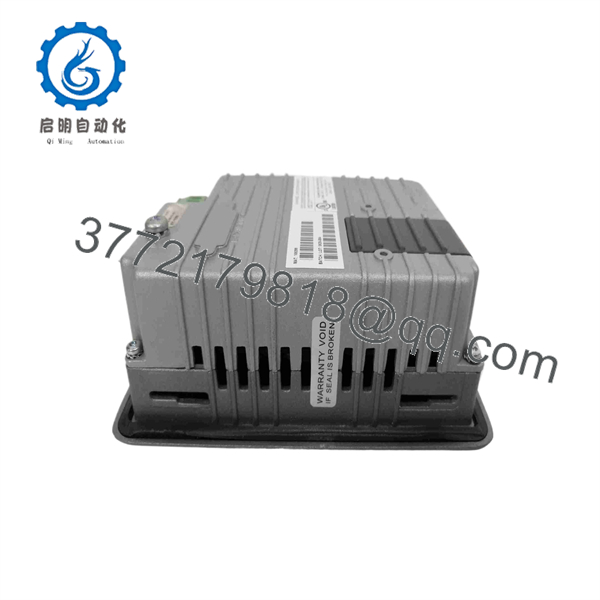
E1043
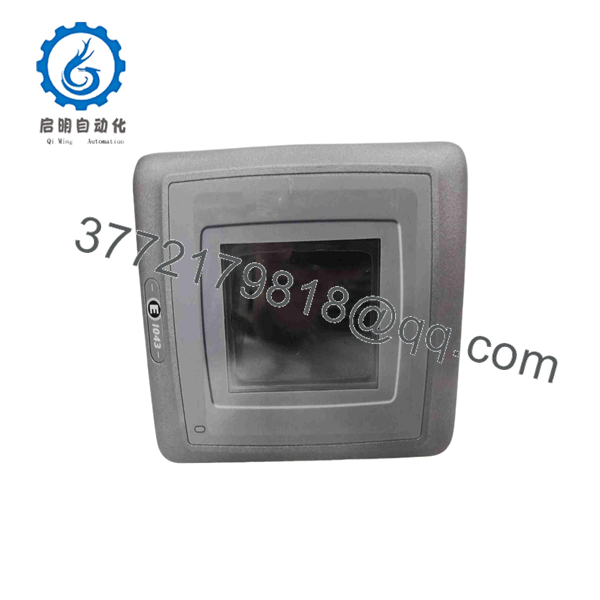
E1043
Installation & Configuration Guide
Stage 1: Pre-Installation Preparation — About 5–10 Minutes
⚠️ Safety First
- Notify operations and establish the required maintenance window.
- Put the machine or process into a verified safe state.
- Apply lockout/tagout (LOTO) to the applicable power source.
- Wait at least 5 minutes before working on the panel.
- Verify the 24 VDC supply with a multimeter before disconnecting wiring.
Tools Required
- ESD wrist strap
- PH1 screwdriver
- Digital multimeter
- Wire labels
- Smartphone or camera
- Appropriate terminal screwdriver
Data Backup
- Back up the existing E1043 application using the available E-Designer setup.
- Record the connected PLC model and communication driver.
- Photograph the rear connectors and terminal wiring.
- Record Ethernet IP settings if Ethernet communication is used.
- Photograph any switches, jumpers, labels, and configuration information.
Beijer states that E1000 panels are configured with E-Designer.
Stage 2: Removing the Old Module — About 5 Minutes
- Remove the panel access cover if required.
- Label the 24 VDC and communication wiring before disconnecting anything.
- Disconnect the power and communication cables without pulling on individual conductors.
- Release the panel mounting hardware.
- Remove the E1043 straight from the panel opening.
- Inspect the wiring for loose terminals, damaged insulation, corrosion, or heat damage.
- Inspect the connector area for bent or contaminated contacts.
⚠️ Keep the old until the replacement has completed commissioning. The old unit is your physical reference for wiring and configuration.
Stage 3: Installing the New Module — About 5–10 Minutes
- Put on the grounded ESD wrist strap.
- Verify that the replacement is specifically marked / 603221119 where applicable.
- Compare the replacement’s connector arrangement with the removed unit.
- Replicate the original wiring from your photographs and labels.
- Verify 24 VDC polarity.
- Insert the HMI into the existing 139 × 105 mm panel cutout.
- Secure the mounting hardware evenly.
- Reconnect the serial and/or Ethernet communication cables.
- Reconnect the 24 VDC supply.
Self-Checklist
- model verified
- 603221119 part number checked
- 24 VDC polarity verified
- RS-232 / RS-422 / RS-485 wiring checked
- Ethernet connection checked
- Mounting hardware secured
- ESD precautions followed
Stage 4: Power-On & Testing — About 10 Minutes
- Measure the 24 VDC supply before connecting the HMI.
- Energize the HMI with field equipment remaining in a controlled state.
- Confirm the display initializes normally.
- Verify touchscreen response across representative screen areas.
- Confirm the E-Designer application loads correctly.
- Verify the PLC communication status.
- Check representative process values against the PLC.
- Test several operator commands.
- Test alarm indication and acknowledgment.
- Confirm that communication remains stable for several minutes.
The provides one Ethernet port and two serial interfaces: RS-232 and RS-422/RS-485. Therefore, communication troubleshooting should begin with the physical interface and configured driver rather than assuming the HMI itself has failed.
Technical Pitfalls & Survival Guide
1. ⚠️ Project or Driver Mismatch
The replacement can boot normally while the application fails to communicate with the PLC. Back up the existing E-Designer project before removing the old HMI.
Beijer documentation confirms that E1000 panels use E-Designer. Do not substitute another engineering environment simply because the replacement looks similar.
2. ⚠️ Serial Interface Confusion
has both RS-232 and RS-422/RS-485 interfaces. These use different electrical signaling and connector arrangements.
Do not wire the replacement from memory. Photograph the original connector and verify the PLC communication manual.
3. ⚠️ Mitsubishi PLC Cable Compatibility
This deserves special attention on older machines. Secondary technical documentation reports installations using Mitsubishi PLCs where the expected cable/interface differs from older E-series equipment. Verify the exact PLC model, communication driver, cable, and physical interface before commissioning.
4. ⚠️ Ethernet Configuration
If the existing machine communicates through Ethernet, record the original IP configuration before removal. Verify IP address, subnet configuration, PLC station settings, and protocol parameters before reconnecting the production network.
5. ⚠️ ESD Damage
Use a grounded wrist strap and an ESD-safe work surface. Avoid touching PCB contacts and connector pins unnecessarily.
Frequently Asked Questions (FAQ)
Is the Beijer obsolete?
Yes. Beijer lists the as a discontinued E1000-series model. The manufacturer’s published lifecycle dates show EOL on January 1, 2018, last-time buy on December 31, 2018, and last-time delivery on March 31, 2019.
Is the same as Mitsubishi ?
The designation is associated with both Beijer and Mitsubishi-branded E1000 hardware. A Beijer/Rockwell distribution document states that Mitsubishi-branded and Beijer-branded equivalent models have no mechanical difference and that the same E-Designer project can operate on the equivalent Beijer-branded model. Verify the exact nameplate and hardware before treating two units as interchangeable.
Can I use the existing E-Designer project on a replacement ?
Yes, provided you have a compatible project and the replacement hardware supports the same application configuration. Beijer identifies E-Designer as the configuration software for operator panels. Back up and verify the original project before starting the replacement.
Does support Ethernet?
Yes. The manufacturer’s specifications list one shielded 10/100 Base-T Ethernet port. The panel also has RS-232 and RS-422/RS-485 serial interfaces.
What is the power requirement for ?
Beijer specifies an input range of 20–30 VDC and maximum power consumption of 3.6 W. The unit also contains an internal 2.0 AT DC fuse.
Is a color touchscreen?
No. Beijer describes as a 3.5-inch grayscale graphic HMI. It uses a 320 × 240 TFT display with a CCFL backlight and resistive touch technology. Do not confuse it with the visually similar E1041, which Beijer lists as the color 3.5-inch model.
What condition should I expect when buying a replacement?
Because is discontinued, inventory may consist of New Original / New Surplus, unused repackaged stock, or refurbished units. These conditions are not equivalent. For a production replacement, request the actual nameplate photograph, packaging condition, functional-test evidence, and written warranty terms before purchase. Beijer’s archived specification lists a 1-year warranty for the original product.



