
 WhatsApp: +86 16626708626
 Email:
  Phone: +86 16626708626
Description
Key Technical Specifications
| Parameter | Value |
|---|---|
| Model Number | F1DC108V |
| Brand | Belkin |
| Product Family | OmniView PRO3 Rack Console |
| Product Type | 1U rackmount LCD console with integrated 8-port KVM switch |
| Display Type | 18.5 in. TFT active-matrix widescreen LCD |
| Native Resolution | 1,366 × 768 at 65 Hz |
| Color Support | 16.7 million colors |
| Contrast Ratio | 1,000:1 |
| Typical Response Time | 5 ms |
| Video Interface | VGA, HD-15 |
| KVM Port Count | 8 computer ports |
| Keyboard and Mouse Interface | USB and PS/2 |
| Local Console Controls | Keyboard, touchpad, keypad |
| Computer Connection Type | 50-pin Centronics KVM ports; dual-port VGA/USB or VGA/PS/2 cables required |
| Cascading / Daisy Chaining | DB-25 stacking interface |
| Rack Height | 1U |
| Rack Mounting Kit | Included |
| Dimensions, W × D × H | 19.0 × 27.5 × 1.7 in. / 48.3 × 69.9 × 4.32 cm |
| Unit Weight | Approximately 24.9 lb / 11.3 kg |
| Input Power | 120/230 V AC, 50/60 Hz |
| Operating Temperature | 0 to 40 °C / 32 to 104 °F |
| Operating Humidity | 0–80%, non-condensing |
| Supported Operating Systems | Windows, Linux, macOS, Solaris, and Novell NetWare environments |
| Original Warranty | 3-year limited manufacturer warranty when sold through authorized channels |
The F1DC108V requires the correct Belkin OmniView dual-port server-interface cables. A standard VGA cable plus a standard USB cable will not connect directly to the KVM’s 50-pin Centronics computer ports. For USB-equipped servers, use the F1D9401-series VGA/USB dual-port cables; for legacy PS/2 servers, use the F1D9400-series VGA/PS/2 dual-port cables.
Product Introduction
The Belkin F1DC108V is a 1U slide-out rackmount console combining an 18.5-inch widescreen LCD, keyboard, touchpad, and built-in eight-port PRO3 KVM switch. It gives technicians local access to up to eight VGA-equipped servers, industrial PCs, edge computers, or network appliances from a single rack position.
The F1DC108V suits legacy control-room, data-center, telecom, and industrial-server racks where local VGA and USB or PS/2 service access is still required. Its 1,366 × 768 display, 1U form factor, VGA video path, and eight integrated KVM ports reduce the need for separate crash carts and standalone console drawers.
Troubleshooting Quick Reference
| Symptom | Possible Cause | Relevance to This Part | Quick Check Method | Recommendation |
|---|---|---|---|---|
| No LCD backlight or no power indication | Missing AC input, loose power cord, failed rack PDU outlet, internal power-supply fault | ❌ Low until site power is checked | Measure supply voltage at the rack PDU outlet; test the F1DC108V on a known-good 120/230 V AC outlet; inspect the power cord and inlet | Verify the rack PDU, breaker, outlet, and cord before replacing the console |
| Console powers up but LCD stays black | LCD brightness set too low, display lid not fully opened, internal LCD/backlight fault | ✅ Medium to high | Open the drawer fully, adjust LCD brightness controls, and inspect for a faint image under a flashlight | If an image is present but unlit, the backlight or inverter may have failed; use tested replacement stock or repair service |
| “No Signal” on one server only | Wrong KVM port selected, loose VGA plug, failed dual-port KVM cable, server video output disabled | ❌ Usually external | Select the affected port with front-panel controls or hotkeys; reseat both ends of the Belkin dual-port cable; connect a known-good VGA monitor directly to the server | Replace or reseat the cable first; confirm the server produces VGA output before replacing the KVM console |
| Several or all server ports show no video | Wrong console input state, failed shared KVM cable group, upstream power issue, KVM hardware fault | ✅ Medium | Test the local LCD console with multiple known-good ports; inspect all KVM cable connections and power-cycle the unit according to the manual | If known-good servers fail on multiple ports after a controlled reboot, the integrated KVM may require replacement |
| Keyboard works but mouse does not | USB/PS/2 interface mismatch, incorrect cable type, server USB driver issue, mouse emulation conflict | ❌ Usually cabling or host configuration | Confirm whether the server uses USB or PS/2; verify F1D9401 USB or F1D9400 PS/2 cable type; test a direct keyboard/mouse connection at the server | Use the correct Belkin cable family and reboot the server if it does not re-enumerate the USB HID device |
| Mouse pointer jumps or tracks poorly | Incorrect mouse mode, host acceleration settings, damaged touchpad, legacy PS/2 timing issue | ✅ Low to medium | Test the touchpad on two different server ports; compare behavior with a known-good external mouse at the server | If the fault follows one server, correct host settings; if it follows the F1DC108V across ports, inspect or replace the console |
| Cannot switch to a selected server | Locked console, incorrect hotkey sequence, front-panel button fault, KVM port failure | ✅ Medium | Try front-panel port selection and keyboard hotkeys; test the suspected server on another KVM port | If the server works on another port but the original port remains inaccessible, the KVM port may be defective |
| Video is blurry, shifted, or has color distortion | Bent VGA pins, poor cable shielding, excessive cable length, unsupported video timing | ❌ Usually external | Inspect all VGA HD-15 pins; substitute a short known-good Belkin cable; reduce resolution to 1,366 × 768 or lower | Correct cable damage and video settings first; do not replace the rack console until direct VGA output is clean |
| Rack drawer will not slide or latch correctly | Rail misalignment, bent chassis, damaged slide rails, shallow rack depth | ❌ Mechanical installation issue | Remove load from the rails and inspect left/right rail alignment; verify rack depth against the drawer’s approximately 27.5-inch depth | Realign rails and confirm enclosure depth before forcing the drawer; forcing it can damage the LCD assembly |
| Random resets or intermittent video loss | Loose AC cord, overheated rack, poor PDU output, aging internal power supply | ✅ Medium | Check rack temperature, inspect inlet retention, monitor AC source, and run the console on a stable bench outlet if practical | Correct cooling and input-power issues first; replace the unit only if faults continue on stable power with known-good cables |
❗ Cable warning: The most common installation mistake is assuming that the eight KVM ports accept ordinary VGA, USB, or PS/2 leads. They do not. Each server requires a matching Belkin dual-port cable that combines VGA with USB or PS/2 into the unit’s 50-pin Centronics connection.
❗ Video warning: Do not troubleshoot a “bad” KVM using a server that is outputting a resolution or refresh rate outside the console’s supported range. Start at the native 1,366 × 768 resolution, then test with a known-good VGA source and a short cable. I have seen hours wasted on an alleged KVM fault that was really one bent pin in a VGA connector.
If you are stuck, provide technical support with photos of the rear ports and cables, a record of the selected port number, a direct-monitor test result, and details of whether each server uses USB or PS/2. Keep these checks in mind and you will save yourself most of the usual rework time. Belkin specifies VGA, USB, PS/2, 50-pin Centronics KVM connections, DB-25 stacking, and AC 120/230 V input for the .
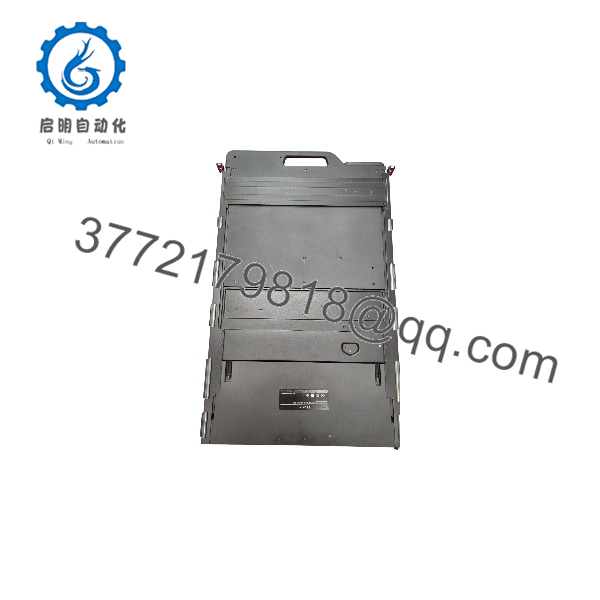
F1DC108V
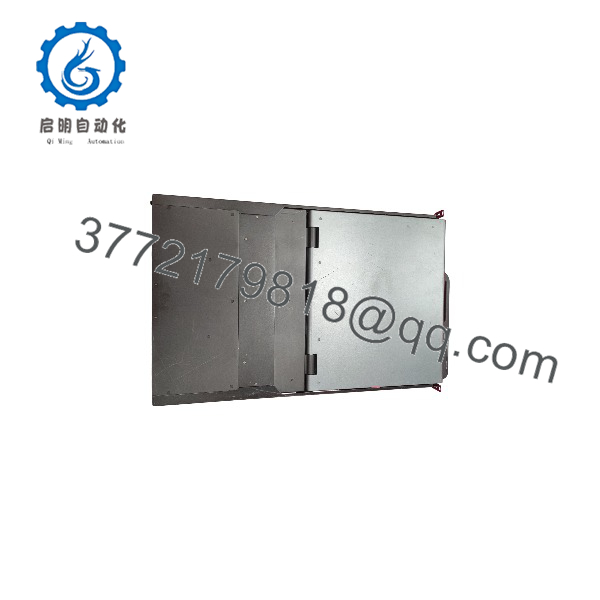
F1DC108V
Frequently Asked Questions
What is the Belkin ?
The is a 1U rackmount LCD console with an integrated eight-port KVM switch. It combines an 18.5-inch widescreen VGA LCD, full keyboard, touchpad, and local KVM control in a slide-out drawer. It lets a technician operate up to eight connected servers from one rack position without bringing in a separate monitor, keyboard, and mouse.
Can I connect eight servers with standard VGA and USB cables?
No. This console uses 50-pin Centronics computer ports, not conventional VGA-plus-USB ports. Each target computer needs a Belkin OmniView dual-port cable. Use the F1D9401 family for VGA plus USB targets and the F1D9400 family for VGA plus PS/2 targets. Confirm cable length and interface type before ordering because the wrong cable will physically prevent a correct installation.
Does the work with USB-only servers?
Yes, provided the server has VGA video output and you use the correct Belkin VGA/USB dual-port KVM cable. The console’s local keyboard and touchpad emulate USB HID devices through the appropriate interface cable. Some older BIOS or operating systems may require USB legacy support enabled for keyboard access before the operating system loads.
Does the support HDMI, DisplayPort, or USB-C servers?
Not directly. The unit uses analog VGA video and Belkin proprietary dual-port KVM cabling for USB or PS/2 control. An HDMI, DisplayPort, or USB-C source may require an active video converter, but compatibility is not guaranteed and EDID behavior can be a headache. For a production environment, test the converter with the exact server hardware before standardizing it.
Can I use this console with industrial computers and PLC cabinet PCs?
Yes, if the target industrial PC provides compatible VGA video and USB or PS/2 keyboard/mouse interfaces. It is commonly suitable for local service access to rack-mounted industrial computers, SCADA servers, historians, networking equipment, and engineering workstations. It is not an HMI or PLC programming terminal by itself; it only presents local keyboard, mouse, and video access to connected computers.
Is the obsolete, and should I keep a spare?
It is a legacy Belkin rack-console model, so New Surplus and tested refurbished inventory are the realistic purchasing paths. Keep a spare if a single rack console supports critical production servers, especially if the existing system relies on PS/2 hardware or proprietary Belkin cable sets. Also keep at least one tested spare F1D9400 or F1D9401 cable because cable failures are more common than KVM logic-board failures.
Is this unit New Surplus or Refurbished?
Condition must be stated unit by unit. New Surplus means unused inventory from excess stock, warehouse inventory, or a decommissioned project; it may be factory sealed or opened for inspection. Refurbished means a previously used console that has been inspected, cleaned, function-tested, and, where needed, repaired. Request actual photographs, LCD power-up images, confirmation that all eight KVM ports were tested, rail-kit details, cable inclusion details, and written warranty terms before purchase.
What should be tested before a surplus ships?
A credible test should verify the exact label, rack rails, AC power-up, LCD brightness and pixel condition, keyboard, touchpad, front-panel port controls, and all eight KVM ports. Test each port using known-good VGA/USB and VGA/PS/2 Belkin cables, confirm video sync at 1,366 × 768, and operate the drawer and rails repeatedly. Run it under power long enough to identify backlight flicker, intermittent video, port switching faults, or thermal resets. Request photos or a test video of these checks before shipment.



