
 WhatsApp: +86 16626708626
 Email:
  Phone: +86 16626708626
Description
3. Key Technical Specifications
- Model Number: 3500/32M
- Order Number: 149986-02
- Manufacturer: Bently Nevada
- Product Series: 3500 Machinery Protection System
- Module Type: 4-Channel Relay Control Module
- Relay Outputs: 4 independent programmable relay channels
- Relay Type: Single Pole Double Throw (SPDT / Form C)
- Contact Rating: Up to 5 A @ 24 VDC or 240 VAC (resistive load)
- Power Consumption: Approximately 5.8 W typical
- Power Supply: 24 VDC through 3500 rack system
- Logic Functions: AND / OR logic, voting logic, alarm status logic
- Configuration Software: Bently Nevada 3500 Rack Configuration Software
- Mounting: Full-height 3500 rack module slot
- Dimensions: 241 mm × 24.4 mm × 242 mm
- Weight: Approximately 0.7 kg
- Operating Temperature: −30 °C to +65 °C
- Storage Temperature: −40 °C to +85 °C
- Communication: 3500 rack internal backplane communication
4. Product Introduction
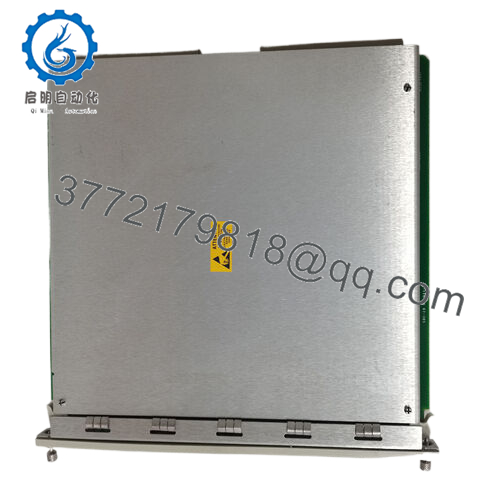
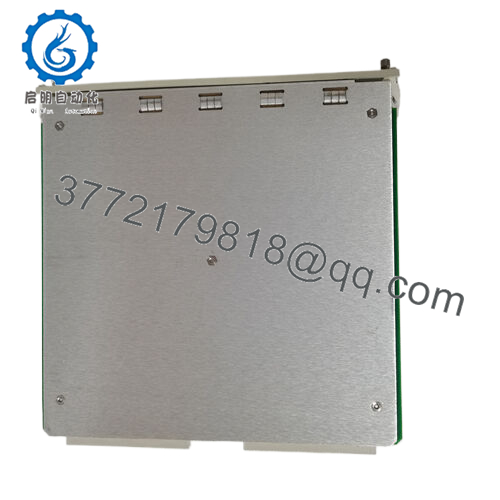
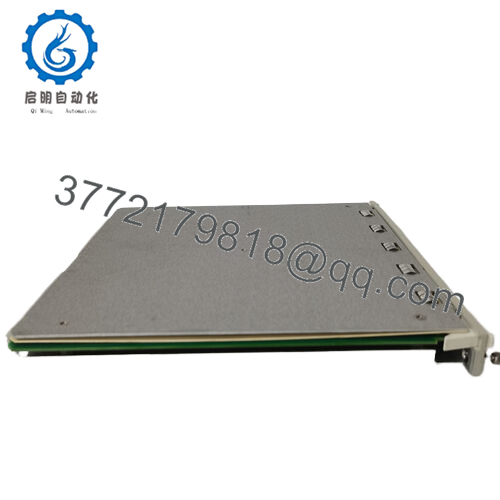
The Bently Nevada 3500/32M 149986-02 is a four-channel relay control module for the 3500 Machinery Protection System. It provides programmable relay outputs used for machinery alarms, shutdown interfaces, annunciation systems, and external control circuits. Each relay channel can be configured independently through 3500 Rack Configuration Software.
The module is installed in a 3500 rack and receives alarm, danger, and status information from monitoring modules. Before replacement, verify rack configuration, relay logic settings, and external wiring because incorrect relay states can affect plant protection sequences.

- 149986-02
5. Installation & Configuration Guide
Stage 1: Pre-Installation Preparation (Approx. 10 minutes)
⚠️ Safety First
- Notify operations before starting maintenance.
- Confirm the protected machine is in a safe operating condition.
- Apply lockout/tagout procedures if removing rack power.
- Wait at least 5 minutes after power isolation before handling the module.
Tools Required
- ESD wrist strap
- PH1 screwdriver
- Digital multimeter
- Wire labels
- Smartphone/camera for documentation
Data Backup
- Open 3500 Rack Configuration Software.
- Export the existing rack configuration.
- Record:
- Relay channel assignments
- Alarm logic
- Normally Energized / Normally Deenergized settings
- External relay wiring
- Photograph terminal wiring before removal.
Stage 2: Removing the Old Module (Approx. 5 minutes)
- Remove the 3500 rack front cover if installed.
- Label all relay output wiring.
- Disconnect terminal wiring carefully.
- Release module locking tabs.
- Pull the module straight out to protect backplane contacts.
⚠️ Note: Keep the original 149986-02 module until the replacement passes functional testing.
Stage 3: Installing the New Module (Approx. 10 minutes)
- Wear an ESD wrist strap before touching the module.
- Verify the replacement part number:
Bently Nevada 3500/32M 149986-02
- Confirm the module position matches the previous installation.
Configuration Clone (Critical)
Restore:
- Relay channel assignments
- Alarm source mapping
- Voting logic
- Relay action mode
- Delay settings
- Insert the module into the 3500 rack slot.
- Push until fully seated.
- Lock retaining clips.
Self-Checklist
- Correct model verified
- Relay wiring matched
- Configuration restored
- Module fully seated
Stage 4: Power-On & Testing (Approx. 15 minutes)
Pre-Power Check
- Verify relay output wiring.
- Check for wiring shorts.
- Confirm external loads are within relay ratings.
Power-On Steps
- Power the 3500 rack.
- Check module LEDs:
- OK LED: Normal operation
- TX/RX LED: Rack communication activity
- CH ALARM LED: Relay channel alarm indication
- Connect 3500 configuration software.
- Verify module identification.
- Test relay operation using approved simulation methods.
- Confirm DCS/PLC alarm interface operation.
⚠️ Troubleshooting Note
- No communication: Check rack slot position and backplane seating.
- Incorrect relay action: Verify restored logic configuration.
- False alarm output: Check source monitor channel status and relay mode.
6. Frequently Asked Questions (FAQ)
Q1: Can the Bently 3500/32M 149986-02 be hot-swapped?
The 3500 system supports modular maintenance practices, but the correct procedure depends on the installed rack configuration and plant maintenance rules. For critical machinery protection systems, verify your site procedure before removing modules under power.
Q2: What does the 3500/32M 149986-02 control?
It controls four independent relay outputs. These outputs are typically connected to external alarm panels, PLC/DCS inputs, shutdown logic, or annunciation systems.
Q3: Is the 149986-02 the same as a standard 3500/32 module?
The 149986-02 is the order number associated with the 3500/32M relay module configuration. Always confirm the complete part number because 3500 modules can look similar while having different functions.
Q4: Will I lose my relay configuration when replacing the module?
The rack configuration must be backed up before replacement. The relay module itself is not a substitute for keeping a current rack configuration file. Restore and verify the logic after installation.
Q5: Why is surplus 3500/32M 149986-02 cheaper than OEM list pricing?
Industrial automation spare parts often enter secondary markets through unused project stock, plant spare inventory, or tested refurbishment channels. The important checks are serial traceability, inspection records, and functional testing.
Q6: What inspection should be performed before installing this relay module?
Recommended inspection steps:
- Serial number verification
- Housing and connector inspection
- Rack communication test
- Relay output simulation
- Configuration verification
- Functional test report generation
A relay module used in a trip or shutdown chain should not be installed without verification.
Q7: What is the most common replacement mistake?
The most common mistake is assuming the relay wiring alone defines operation. The 3500/32M behavior depends heavily on software logic configuration. I have seen correct hardware replacements fail because the relay voting and alarm mapping were never restored.



