
 WhatsApp: +86 16626708626
 Email:
  Phone: +86 16626708626
Description
Key Technical Specifications
| Parameter | Value |
|---|---|
| Model Number | 136180-01 |
| Manufacturer | Bently Nevada, a Baker Hughes business |
| Product Series | 3500 Machinery Protection System |
| Associated Module | 3500/92 Communication Gateway |
| Product Type | Communication Gateway front module |
| Core Function | Provides external access to monitored rack values and statuses |
| Intended Host System | Bently Nevada 3500 rack |
| Primary Protocol | Modicon Modbus protocol |
| Ethernet Capability | Available through the compatible Ethernet/RS232 Modbus I/O module, 136188-01 |
| Serial Capability | Available through compatible RS232/RS422 I/O module, 125736-01, or RS485 I/O module, 133323-01 |
| Supported Serial Standards | RS-232, RS-422, or RS-485, depending on the installed rear I/O module |
| Data Available Externally | Rack measurements, monitor status, alarms, and system status information |
| Configuration Method | 3500 Rack Configuration Software |
| Rack Requirement | Requires a compatible 3500 rack and associated 3500/92 rear I/O module |
| Firmware Spare Reference | 04425545, Even Bank firmware IC, listed for the 3500/92 module |
| Installation Position | Full-height 3500 rack monitor slot |
| Service Role | Data-integration interface; it does not replace machinery-protection monitor cards or field-signal I/O modules |
The Bently Nevada 3500/92 datasheet identifies 136180-01 as the 3500/92 Communication Gateway Module. It exposes rack-monitored values and statuses to external process-control and automation systems using Modbus communications, with Ethernet TCP/IP and serial communications enabled through the appropriate matched I/O module.
Product Introduction
The Bently Nevada 136180-01 is the front Communication Gateway Module for the Bently Nevada 3500/92 platform. It bridges machinery-protection data from a 3500 rack to a DCS, PLC, SCADA system, historian, or condition-monitoring application. It allows external systems to read monitored values, monitor status, and alarm-related information using the configured Modbus communications path.
The key purchase decision is the complete gateway assembly, not only the 136180-01 front card. Select the correct rear I/O module for Ethernet/RS-232, RS-232/RS-422, or RS-485 connectivity, then confirm firmware, Modbus register mapping, rack configuration, and plant network requirements before scheduling the change.
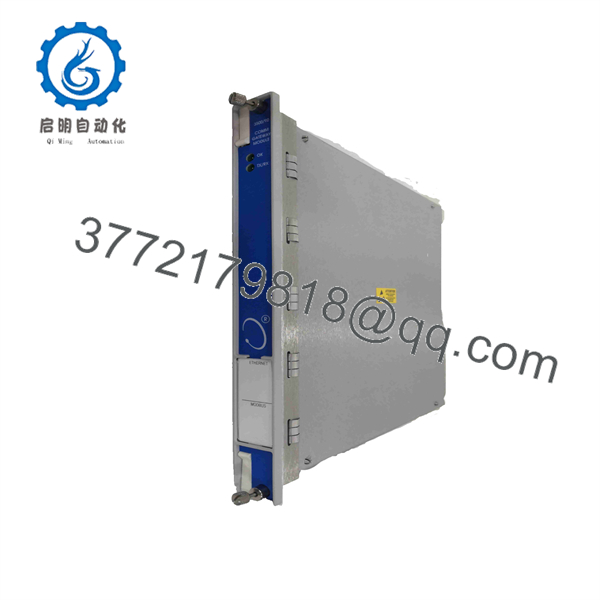
136180-01
Troubleshooting Quick Reference
| Symptom | Possible Cause | Relevance to This Part | Quick Check Method | Recommendation |
|---|---|---|---|---|
| DCS cannot communicate with the 3500 rack | Wrong IP address, subnet, gateway, Modbus port, Ethernet I/O module, cable fault, network switch configuration | ✅ High | Confirm the rear I/O module part number. Check physical link status, cable continuity, configured IP details, and DCS Modbus TCP settings. Ping the gateway from an approved engineering workstation if site policy permits. | Verify network configuration and the correct 136188-01 Ethernet/RS-232 I/O module before replacing the 136180-01. |
| Serial Modbus link is offline | Wrong RS-232/422/485 I/O module, baud-rate mismatch, parity mismatch, bad termination, swapped RS-485 A/B pair | ✅ High | Identify the installed I/O module: 125736-01 for RS-232/RS-422 or 133323-01 for RS-485. Check baud rate, parity, data bits, stop bits, slave address, cable shield, and termination. | Correct the serial physical layer and settings before replacing the gateway. Serial configuration mistakes are far more common than a failed front card. |
| Ethernet link LED is off | Bad cable, disabled switch port, wrong I/O module, damaged RJ45 port, no power to rack | ✅ Medium | Test with a known-good patch cable and switch port. Confirm rack power and examine the 136188-01 Ethernet/RS-232 I/O module. | Replace cable or restore network service first. Replace hardware only if the module fails in a known-good rack and network port. |
| DCS has a connection but values are wrong | Incorrect Modbus register map, byte or word-order issue, wrong data type, stale tag database, engineering scaling error | ❌ Low | Poll a known register from an approved Modbus test client and compare it with the 3500 display or Rack Configuration Software. Verify 16-bit/32-bit ordering and signed versus unsigned handling. | Correct the DCS mapping. Do not replace the gateway for a tag-scaling or register-address problem. |
| DCS values are frozen but gateway remains online | Communications scan issue, Modbus master timeout, network congestion, firmware issue, stale data configuration | ✅ Medium | Check DCS communication diagnostics, Modbus poll counters, switch-port statistics, and 3500/92 diagnostic status. Compare values at the rack with values received by the DCS. | Restart or correct the polling service under change control. If only this gateway remains frozen after verified network checks, test a known-good module. |
| Gateway shows a module fault at power-up | Front card not seated, rear I/O module mismatch, corrupted configuration, rack/backplane issue, failed module | ✅ High | De-energize per the approved procedure. Inspect the front and rear connector contacts, verify card seating, confirm rack slot, and compare installed I/O module part number with the intended interface. | Reseat once and restore the validated configuration. Replace the 136180-01 if it continues to fail in a verified rack with a compatible rear I/O module. |
| Communication failed after module replacement | Lost IP address, changed Modbus settings, incompatible firmware, configuration not restored, wiring moved | ✅ High | Save the current 3500 configuration before removal. Record IP details, serial settings, Modbus slave ID, register map, and installed I/O-module number. Compare those records after installation. | Reapply the validated configuration and perform a controlled DCS communication test before returning machinery to normal service. |
| Entire 3500 rack is offline | Rack power supply, TDI module, rack backplane, network infrastructure, DCS server fault | ❌ Low | Check rack PSU LEDs, TDI status, other monitors, switch status, and whether any gateway path remains available. | Do not replace a single 136180-01 for a rack-wide outage until power, TDI, and infrastructure faults are eliminated. |
| Intermittent communication under plant load | EMI, poor shield grounding, duplicate IP address, switch errors, loose rear I/O termination, marginal power supply | ✅ Medium | Review switch logs, monitor link events, inspect shield and cable routing, check for duplicate IPs, and measure rack supply stability. | Correct physical network and power issues. A gateway replacement will not cure an unstable network or noisy cabinet environment. |
❗ The 136180-01 is the front gateway module, not the complete communication assembly. Ethernet and serial connectivity depend on the rear I/O card: 136188-01 for Ethernet/RS-232, 125736-01 for RS-232/RS-422, or 133323-01 for RS-485. Take a photo of the rear module before ordering.
❗ Back up configuration before pulling the card. Record IP address, subnet mask, gateway, Modbus slave address, serial format, DCS register map, byte order, and the exact I/O module part number. I have seen a correct replacement installed with a default network configuration, while a turbine DCS screen stayed blank for hours because nobody wrote down the original IP address.
❗ Do not troubleshoot communication by bypassing machinery protection. The gateway makes 3500 data available externally, but the 3500 rack remains a machinery-protection system. Follow the site’s formal change-control, cybersecurity, alarm-management, and machine-operating procedures.
❗ Never assume a Modbus register issue is a hardware failure. If the DCS reaches the gateway but data is scaled incorrectly, frozen in a specific tag, or mapped to the wrong process value, check addressing, data type, signedness, and word order first.
If you are stuck, provide technical support with photos of the 136180-01 label, rear I/O label, rack slot, Ethernet or serial wiring, gateway diagnostic indicators, Rack Configuration Software screenshots, DCS error messages, network settings, and Modbus poll logs. Keep these checks in mind and you will save yourself 90% of typical rework time.
Frequently Asked Questions (FAQ)
What is the Bently Nevada 136180-01 used for?
The 136180-01 is the front 3500/92 Communication Gateway Module for a Bently Nevada 3500 rack. It makes monitored values and status information available to external process-control, automation, and monitoring systems through the configured Modbus communications interface.
Does the 136180-01 provide Ethernet and serial ports by itself?
No. The 136180-01 requires a matched rear I/O module to provide the physical connection. The OEM 3500/92 documentation lists 136188-01 for Ethernet/RS-232, 125736-01 for RS-232/RS-422, and 133323-01 for RS-485. Confirm the rear I/O module before buying the front gateway card.
Which protocols does the 3500/92 gateway support?
The OEM datasheet identifies Modicon Modbus as the external communications protocol. Depending on the installed rear I/O module, the gateway can communicate through Ethernet TCP/IP or serial RS-232, RS-422, or RS-485 connections. Confirm the exact protocol implementation, port configuration, and Modbus register map in the 3500 documentation used for your system.
Can I use the 136180-01 as a replacement for a failed vibration monitor?
No. The 136180-01 is a communications gateway. It does not accept proximity-probe, accelerometer, temperature, or Keyphasor inputs and does not replace a 3500/42M, 3500/45, 3500/50, or other machinery-monitor front card. It only exports data already monitored by the 3500 rack.
Can I hot-swap the 136180-01?
Do not assume hot swapping is permitted. Removing a communication gateway may interrupt DCS display values, historian collection, alarm annunciation paths, and condition-monitoring interfaces. Review the approved 3500 servicing procedure, assess operational impact, notify operations, and use the site’s change-control process before removal.
Will replacing the module erase the 3500 rack configuration?
The rack configuration is not normally stored only in the gateway module, but communication can still fail after replacement if IP settings, serial parameters, Modbus addressing, firmware, or the DCS register map are not restored. Save the validated 3500 configuration and document gateway communications settings before replacement.
Why can the DCS connect but show the wrong values?
That almost always points to integration settings, not a failed gateway. Verify the Modbus address offset, holding versus input register selection, 16-bit versus 32-bit data type, signed versus unsigned value, floating-point word order, engineering scale, and polling interval. Compare one known value directly against the 3500 rack before changing hardware.
Is the 136180-01 obsolete, and should I stock a spare?
Treat it as a legacy 3500 communication spare. Availability can vary by supplier and condition, while a failed gateway can leave a DCS blind to critical machinery-monitoring data even though the protection rack remains operational. Keep a verified spare with the correct rear I/O module, documented firmware, configuration backup, current IP and serial settings, and the approved Modbus register map.



