
 WhatsApp: +86 16626708626
 Email:
  Phone: +86 16626708626
Description
Key Technical Specifications
| Parameter | Value |
|---|---|
| Manufacturer | Bently Nevada |
| Model | 3500/04 |
| Product Type | Internal Barrier Earthing Module |
| System Compatibility | Bently Nevada 3500 Machinery Protection System |
| Installation Location | 3500 Rack containing internal barrier I/O modules |
| Primary Function | Provides intrinsic safety earth reference for internal barriers |
| Mounting | Standard 3500 rack slot |
| Compatible I/O Modules | Internal barrier versions of 3500/25, 3500/40, 3500/42M, 3500/50, 3500/60, 3500/61, 3500/62, 3500/64, 3500/70 and related modules |
| Typical Dimensions | 241 × 24.4 × 103.1 mm |
| Weight | Approximately 0.20 kg |
| Agency Approvals | None, North America HazLoc, or Multi (CSA/ATEX/IECEx) depending on ordering code |
| Typical Spare Part | 3500/04-01-00 Earthing Module |
The 3500/04 is required whenever a 3500 rack uses internal barrier I/O modules for intrinsically safe transducer installations. It provides the dedicated earth reference necessary for hazardous-area protection while maintaining full compatibility with the 3500 monitoring system.
Product Introduction
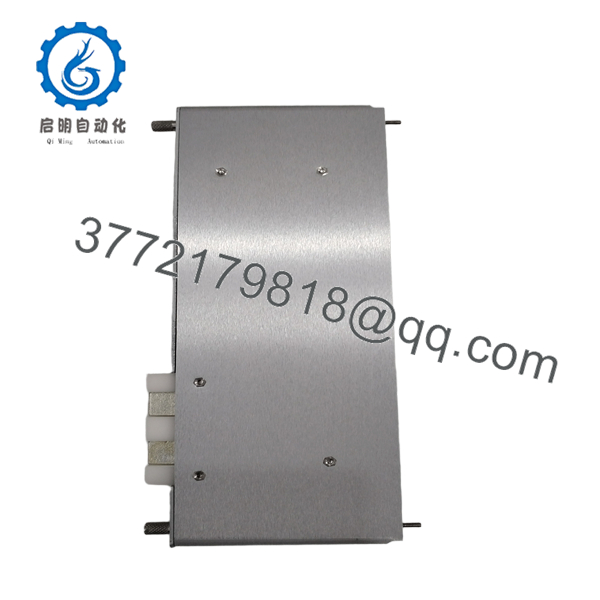
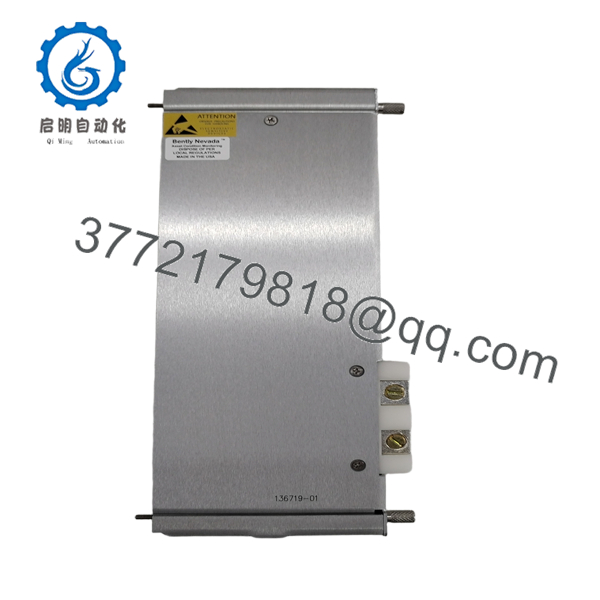
The Bently Nevada 3500/04 Internal Barrier Earthing Module is a dedicated rack module used with the 3500 Machinery Protection System to support intrinsically safe (IS) installations. Unlike a monitoring module, it does not acquire vibration or process signals. Instead, it establishes the protective grounding reference required by the internal barrier I/O modules installed within the same rack.
This design allows proximity probes, accelerometers, Velomitor® sensors, temperature sensors, and other field transducers located in hazardous areas to connect directly to the 3500 system without external safety barriers. Compared with traditional external IS barriers, the integrated approach reduces cabinet wiring, simplifies installation, and preserves the electrical performance of the monitoring channels.

- 3500/04
- 3500/04
Installation & Configuration Guide
Stage 1 – Pre-Installation Preparation (10 Minutes)
⚠️ Safety First
- Notify operations before taking the machinery protection system offline.
- Perform Lockout/Tagout (LOTO).
- Verify that the rack contains internal barrier I/O modules.
- Confirm the required hazardous-area approvals match the project documentation.
Required Tools
- ESD wrist strap
- Phillips screwdriver
- Digital multimeter
- Ground continuity tester
- Wiring drawings
- Smartphone for recording module locations
Before installation:
- Record the rack configuration.
- Photograph module locations.
- Verify the earth bonding conductor is available.
Stage 2 – Remove Existing Module (5 Minutes)
- Isolate rack power.
- Remove the front panel.
- Release the retaining screws.
- Slide the module straight out.
- Inspect the backplane connector for contamination or bent contacts.
⚠️ Keep the original module until commissioning has been completed.
Stage 3 – Install the New Module (10 Minutes)
- Verify the replacement is the correct 3500/04 ordering code.
- Insert the module fully into the designated rack slot.
- Tighten retaining screws evenly.
- Verify the protective earth connection meets plant grounding requirements.
- Confirm all internal barrier I/O modules remain correctly installed.
Installation Checklist
- ✔ Correct module installed
- ✔ Rack fully powered down
- ✔ Earth connection verified
- ✔ Module fully seated
- ✔ All adjacent I/O modules secured
Stage 4 – Power-On & Functional Test (15 Minutes)
- Restore rack power.
- Verify normal operation of all monitor modules.
- Confirm no internal barrier faults are reported.
- Check communication with the System 1® software or the rack interface.
- Verify proper operation of all connected transducers.
⚠️ Troubleshooting Tip
If multiple intrinsically safe channels simultaneously report faults after replacement, inspect the earthing module installation and protective ground continuity before replacing monitor modules. A poor earth connection can affect every internal barrier channel.
Frequently Asked Questions (FAQ)
Q1. What does the 3500/04 module actually do?
The 3500/04 is an Internal Barrier Earthing Module. Its purpose is to provide the intrinsic safety earth reference required by internal barrier I/O modules installed in a 3500 rack. It is not a vibration monitor or communication module.
Q2. Is the 3500/04 required in every 3500 rack?
No. It is required only when the rack contains internal barrier I/O modules. Standard 3500 installations without intrinsic safety barriers do not require this module.
Q3. Which monitoring modules work with the 3500/04?
The earthing module supports internal barrier versions of several 3500 monitor families, including the 3500/25 Keyphasor®, 3500/40 Proximitor®, 3500/42M Proximity/Seismic, 3500/50 Tachometer, 3500/60 and 3500/61 Temperature, 3500/62 Process Variable, 3500/64 Dynamic Pressure, and 3500/70 Recip Impulse Velocity Monitor.
Q4. Can I install internal barrier I/O modules without a 3500/04?
No. The internal barrier architecture requires an IS Earthing Module in every rack containing internal barrier I/O modules. Omitting it means the installation does not meet the intended intrinsic safety design.
Q5. Is the 3500/04 hot-swappable?
Although the 3500 platform supports modular maintenance, replacing the earthing module while the rack is energized is not recommended. Schedule a maintenance outage, isolate power, and verify protective grounding before installation.
Q6. What installation mistake causes the most downtime?
The most common issue is assuming the 3500/04 functions like an ordinary rack accessory. In reality, it is a critical part of the intrinsic safety system. I’ve seen installations where technicians replaced monitor modules repeatedly while the actual problem was an improperly bonded earthing module. Before troubleshooting individual channels, always verify the rack’s protective earth continuity and confirm the correct 3500/04 module is installed.



