
 WhatsApp: +86 16626708626
 Email:
  Phone: +86 16626708626
Description
Key Technical Specifications
| Parameter | Specification |
| Manufacturer | Bently Nevada / Baker Hughes |
| Model Series | 3500/20 Rack Interface Module |
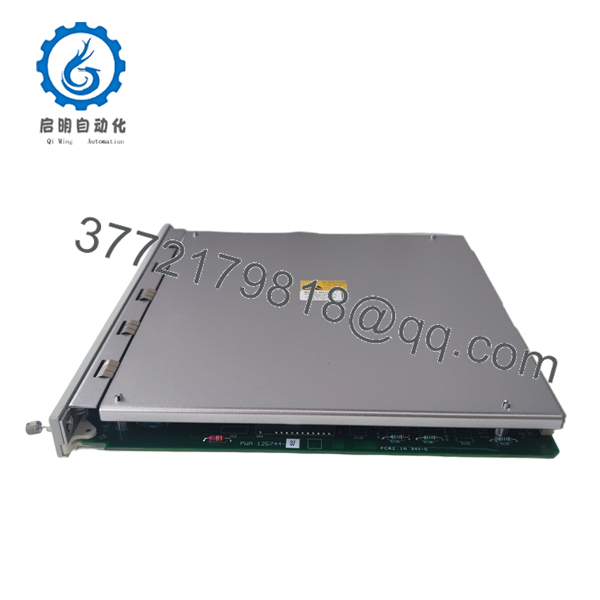
| Main Board Part Number | 125744-02 |
| Framework Type | Standard Framework (Non-TDI variant) |
| Power Consumption | 7.0 W maximum |
| Rack Slot Location | Slot 1 (directly adjacent to power supplies) |
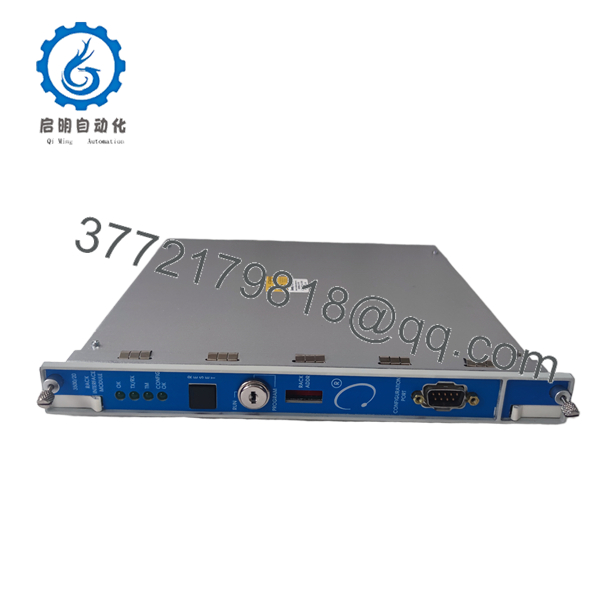
| Front Panel Interfaces | RS232 Serial Port (Buffered configuration port) |
| Rear Panel Interfaces | RS232 / RS422 Modbus / Configuration I/O Module |
| LED Status Diagnostics | OK, TX/RX Data, System Alarm, Bypass LEDs |
| Operating Temperature | −30 to +65 °C (−22 to +149 °F) |
| Storage Temperature | −40 to +85 °C (−40 to +185 °F) |
| Humidity Rating | 95% non-condensing |
Product Introduction & Supply Chain Strategy
The Bently Nevada 3500/20 125744-02 is the Rack Interface Module (RIM) that serves as the main communications hub and control module for the Bently Nevada 3500 machinery protection rack. It aggregates channel data, executes rack configuration parameters, and interfaces directly with host PLCs, DCS networks, and operator workstations.
Sourcing this module as New Surplus safeguards critical plant monitoring against catastrophic communication blackouts without incurring extended OEM lead times. Buying verified New Surplus avoids the severe hazards of second-hand RIM cards, where degraded memory chips or micro-fractured solder joints can corrupt system event logs or lock up host DCS communications during emergency machine events.
Installation & Configuration Guide
Stage 1: Pre-Installation (Prep & Safety)
- Verify system authorization and establish local machine safety protocols before servicing the main communication module.
- Put on a grounded electrostatic discharge (ESD) wrist strap connected directly to the cabinet ground point.
- Connect your engineering laptop to the existing 3500/20 front port and perform a complete upload/backup of the current rack configuration file (
.w35format).
Stage 2: Removal
- Unplug the serial configuration cable attached to the front panel port.
- Unbolt the rear I/O card serial cables if servicing or replacing the associated rear interface module.
- Loosen the upper and lower captive thumbscrews on the 3500/20 module front panel.
- Carefully pull the module straight out along its chassis card guides using the front ejection handles to protect the main backplane connectors.
Stage 3: Installation (Clone & Seat)
- Inspect the backplane pins and connector edge on the new 125744-02 module for cleanliness and alignment.
- Check the hardware DIP switch settings on the 125744-02 PCB to match the node address, baud rate, and protocol settings of the original module.
- Slide the module into Slot 1 of the 3500 chassis until the rear connector firmly engages with the backplane.
- Tighten the top and bottom thumbscrews evenly by hand to secure the module into the frame.
Stage 4: Power-On & Testing
- Observe the front panel LEDs upon power application: the green OK LED must flash during boot-up and turn solid green within 10 seconds.
- Connect the laptop running Bently Nevada 3500 Rack Configuration Software to the front RS232 port.
- Download the backed-up configuration file to the new 125744-02 card and execute a configuration verification check.
- Confirm that communication handshakes resume with downstream monitor cards and external Modbus DCS interfaces.

- 3500/20 125744-02
- 3500/20 125744-02
Firmware/Software Versions & Upgrade Notes
- Firmware Storage: The 3500/20 RIM holds the main rack operating system firmware and coordinates configuration distribution across all individual monitoring modules (e.g., 3500/40M, 3500/42M).
- Software Version Compatibility: Requires Bently Nevada 3500 System Configuration Software (Version 2.0 or higher depending on overall rack revision level).
- Firmware Mismatch Risks: When replacing an older 125744-02 card, check that the firmware stored on the new card matches or exceeds the revision required by adjacent monitoring cards. A major firmware mismatch between the RIM and monitor modules can cause channel configuration faults or force individual monitoring cards into “NOT OK” status.
Frequently Asked Questions (FAQ)
Is this unit genuinely new, or is it a pulled/refurbished part?
This product is a Brand New Surplus unit. It is not used, not pulled from a decommissioned plant, and not refurbished. All modules undergo rigorous quality verification to ensure OEM-level reliability. Original anti-static packaging is maintained and opened only for physical inspection and static testing prior to dispatch.
What is the primary difference between a 3500/20 RIM and a 3500/22 TDI?
The 3500/20 (125744-02) is the standard Rack Interface Module focused on basic configuration, alarm logging, and serial communications (RS232/RS422). The 3500/22 Transient Data Interface (TDI) adds advanced high-speed Ethernet connectivity and transient waveform data collection capabilities for System 1 condition monitoring software.
Does replacing the 3500/20 module affect the machinery protection logic on other cards?
The individual monitoring cards (such as 3500/42M or 3500/50) execute their relay trips independently once configured. However, replacing the 3500/20 card requires reloading the rack configuration file so that alarm levels, scale factors, and communication options remain properly mapped across the rack.
Can I hot-swap the 3500/20 125744-02 card while the rack is live?
Yes, the 3500/20 module supports hot-swapping under power. However, while the RIM card is removed, external serial communication with your DCS/PLC will freeze, and configuration changes cannot be made until the replacement unit is installed and fully loaded.
Does the 125744-02 card store the rack configuration in non-volatile memory?
Yes, the configuration data downloaded from the 3500 software is written to onboard non-volatile EEPROM memory. This ensures the configuration remains intact even during extended total power down conditions.
What warranty is provided with this New Surplus RIM card?
We provide a full 1-year replacement warranty on all New Surplus Bently Nevada modules. If any hardware defect or communication port failure occurs within 12 months under standard operating conditions, we replace the unit immediately from stock.



