
 WhatsApp: +86 16626708626
 Email:
  Phone: +86 16626708626
Description
3. Key Technical Specifications
- Power Consumption: 10.5 Watts
- Ethernet Interface: 10Base-T/100Base-TX (RJ-45) or optional 100Base-FX fiber
- Front Panel Data Port: USB-B
- Keyphasor Inputs: Supports up to 4, speed range 1 to 100,000 rpm (depending on channel count)
- Operating Temperature: -30°C to +65°C
- Storage Temperature: -40°C to +85°C
- Humidity: 95% non-condensing
- Dimensions (TDI Module): 241.3 mm x 24.4 mm x 241.8 mm
- Weight (TDI Module): 0.91 kg (2.0 lbs)
- Rack Slot: Slot 1 (adjacent to power supplies)
- I/O Module OK Relay: 5A @ 24 Vdc/120 Vac
- Protocols: BN Host Protocol, BN TDI Protocol over Ethernet
4. Product Introduction
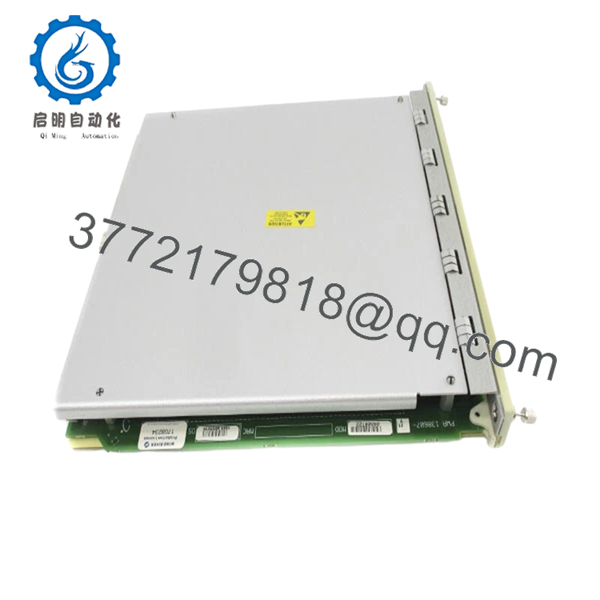
The Bently Nevada 3500-22M 138607-01 is the standard Transient Data Interface (TDI) module for the 3500 machinery monitoring system. It combines rack interface functions with high-speed data collection, passing steady-state and transient waveform data via Ethernet to System 1 condition monitoring software.
It installs in Slot 1 of the 3500 rack and works with M-series monitors such as the 3500/40M and 3500/42M. In field use on turbine and compressor trains, this TDI delivers reliable data transfer without impacting the critical protection path. Choose it for direct replacement or new builds needing robust transient capture.

- 3500-22M 138607-01
5. Troubleshooting Quick Reference
| Symptom | Possible Cause | Relevance to this Part | Quick Check Method | Recommendation |
|---|---|---|---|---|
| No OK LED, module not powering | Power supply or backplane issue | ❌ Low | Measure 24V at TDI power pins with multimeter | Verify rack power supplies first |
| TX/RX LED not flashing, no comms | Ethernet cable or network config | ✅ High | Ping rack IP from host PC; check cable | Confirm IP settings and cable integrity |
| CONFIG OK LED off | Invalid or corrupted configuration | ✅ High | Use 3500 Configuration software to read rack | Download fresh configuration file |
| Transient data missing or incomplete | Channel enabling or software version mismatch | ✅ High | Check System 1 version and enabling disk | Verify software compatibility and enable dynamic channels |
| Intermittent dropouts | Firmware mismatch or network packet loss | ✅ Medium | Review event logs in System 1 | Update firmware if needed; check network switches |
| I/O Module OK Relay not operating | Relay contact wiring or module fault | ❌ Low | Test relay with multimeter in test mode | Confirm external wiring before module swap |
If diagnostics point to the TDI but you’re stuck, send rack event logs, photos of LEDs, and software version details for support.
6. Frequently Asked Questions (FAQ)
Is the 3500-22M 138607-01 hot-swappable? No. Power down the rack before installing or removing. Hot-swapping risks backplane damage or data corruption in the 3500 system.
What condition is this unit? New Original / New Surplus. Units come from OEM stock with full traceability. We perform inbound inspection, power-on testing on a 3500 rack, and functional comms checks before shipping.
Will this work as a direct replacement for the older 3500/20 RIM? Yes in most cases, but check compatibility with your M-series monitors and software versions first. Some older monitors may need updates. Verify exact part numbers and firmware on bntechsupport.com.
What Ethernet options does 138607-01 support? This standard version includes 10Base-T/100Base-TX Ethernet. Fiber optic (100Base-FX) versions use different I/O module suffixes.
How do I handle firmware during replacement? Document your current firmware before removal. Match the replacement to avoid comms timeouts. Take photos of any DIP switches or settings. Firmware mismatches are a top cause of “Communication Timeout” errors after swaps.
What is the lead time and warranty? Typically in stock with same-day or next-day shipping for most locations. We provide a 1-year warranty on functional performance. Test reports and photos available on request.
Can I keep my existing configuration when swapping? Yes, but always back up the rack configuration first. After installation, download the configuration to the new TDI and verify in RUN mode. Test data collection thoroughly before putting the machine back online.



