
 WhatsApp: +86 16626708626
 Email:
  Phone: +86 16626708626
Description
Key Technical Specifications
| Parameter | Value / Specification |
| Number of Channels | 4 independent channels per module |
| Signal Input Types | Proximitor sensors, Seismic accelerometers, Moving-coil velocity transducers |
| I/O Module Option | -01: Proximitor/Seismic I/O Module with Internal Terminations |
| Agency Approval Option | -01: CSA/NRTL/C (Class 1, Division 2, Groups A, B, C, D) |
| Power Consumption | 7.7 W typical, 10.5 W maximum |
| Signal Processing Accuracy | Within ±0.33% of full-scale range |
| Frequency Response | 0.5 Hz to 22 kHz (probe dependent) |
| Internal Resolution | 12-bit A/D conversion |
| Operating Temperature | −30 to +65 °C (−22 to +149 °F) |
Product Introduction & Supply Chain Strategy
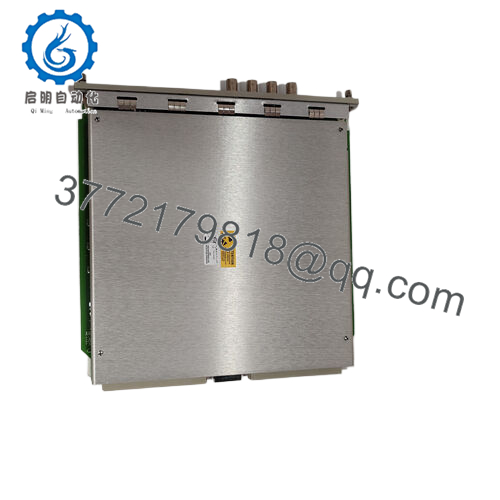
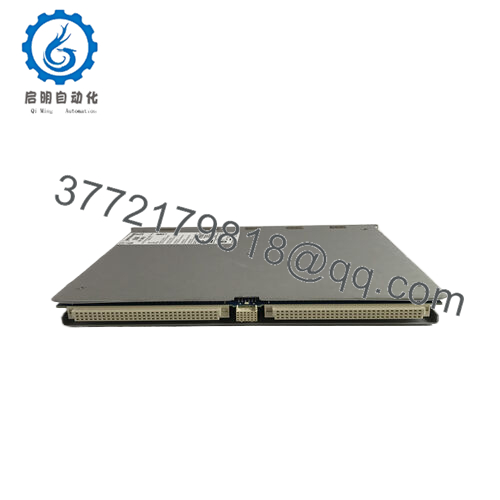
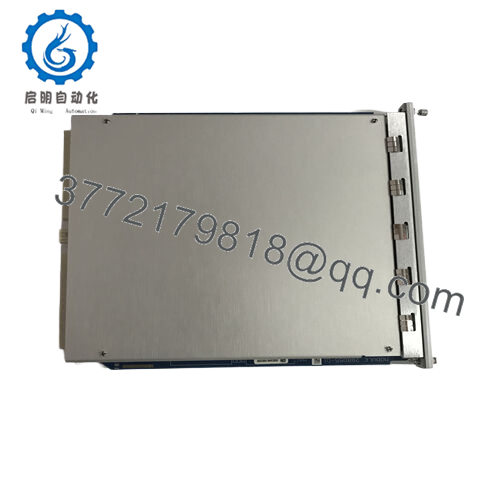
The Bently Nevada 3500/40M-01-01 is a four-channel Proximitor monitor designed for continuous machinery protection by processing inputs from proximity probes and seismic sensors. It monitors radial vibration, shaft position, and casing acceleration on critical rotating assets such as steam turbines, compressors, and large pumps. The module compares input signals against programmable alarm setpoints to drive protective relays, preventing catastrophic machine failure.
Procuring this module as New Surplus represents a calculated supply chain strategy to stabilize Total Cost of Ownership (TCO). Since the 3500 series has high asset criticality, relying on refurbished components introduces a failure risk that can result in massive unplanned downtime costs. Securing factory-sealed, unused surplus hardware mitigates lead time variability from the OEM and bypasses the wear-out phase of second-hand units, establishing an immediate, high-reliability insurance policy for your plant rack.

- 3500/40M-01-01
Installation & Configuration Guide
Stage 1: Pre-Installation (Prep & Safety)
- Isolate the target slot and execute local lock-out/tag-out procedures if managing the fieldside I/O connections.
- Put on a grounded, static-dissipative wrist strap connected to the rack chassis to prevent ESD damage.
- Access the 3500 Rack Configuration Software. Upload and save the current rack configuration (.w1) file to preserve existing channel parameters and alarm thresholds.
Stage 2: Removal
- Loosen the two captive thumb screws located at the top and bottom of the existing 3500/40M faceplate.
- Unplug the field wiring terminal blocks from the rear I/O module; do not disconnect individual wires.
- Using the chassis ejector tabs, pull the monitor module straight out of the slot along the card guides to prevent bending the backplane connector pins.
Stage 3: Installation (Clone & Seat)
- Verify that the jumper configurations on the new 3500/40M-01-01 main card match the removed card exactly (e.g., Keyphasor lines, sensor selections).
- Align the new module with the chassis guide rails for slot matching.
- Slide the card smoothly into the rack until it engages with the backplane connectors, then push firmly until the faceplate is flush. Tighten the captive screws.
Stage 4: Power-On & Testing
- Reattach the pre-wired terminal blocks to the rear I/O card.
- Power up the rack or restore slot power. Observe the front panel LEDs: the OK LED must illuminate solid green, and the Bypass LED will light until a valid configuration is pushed.
- Connect your laptop to the Rack Interface Module (RIM) and download the stored configuration file to the new module. Confirm the Error LED is unlit.
Firmware/Software Versions & Upgrade Notes
The 3500/40M-01-01 requires specific firmware versions depending on the revision level of your 3500 Rack Configuration Software and the corresponding Rack Interface Module (RIM). Firmware version 4.07 or higher is recommended for modern system deployments to address legacy communication handshaking bugs.
Upgrading or downgrading firmware during a live hardware swap presents significant risk. If the replacement module contains a newer firmware version than the rack’s existing baseline, the configuration software may refuse to download parameters, throwing a protocol timeout error. Always verify the firmware compatibility matrix via your software interface before putting the channel into service. Never perform a firmware flash on a running machinery protection system; always bypass active trip relays first.
Frequently Asked Questions (FAQ)
What exactly is the condition of this 3500/40M-01-01 module?
This item is guaranteed Brand New Surplus. It is an original OEM module that has never been installed, energized, or put into active industrial service. It is not refurbished, repaired, or pulled from decommissioned machinery. It remains in its original anti-static packaging, opened only under strict ESD control for quality verification testing.
Why is the price lower than OEM list but higher than third-party refurbished units?
Our pricing structure reflects the value of zero-hour, genuine hardware. Refurbished parts are typically used cards cleaned cosmetically, leaving old capacitors and components vulnerable to sudden stress failures. Our parts cost more than refurbished units because they carry no operational hours, yet they sit well below OEM factory list prices because they are sourced from unutilized warehouse overstock globally.
Can I hot-swap this monitor while the rest of the 3500 rack is live?
Yes, the 3500/40M-01-01 main module is designed to be hot-swappable without powering down the entire chassis. However, removing the module will immediately drop the associated channels into an invalid state. You must bypass all corresponding protective relay outputs before removal to prevent an accidental, spurious trip of your machinery.
Does this module retain its configuration logic when power is removed?
No, the 3500/40M card stores its operational parameters in volatile memory while running, backed up by the rack’s non-volatile system. When you insert a new module, it requires a fresh configuration download from the 3500 Rack Configuration Software via the Rack Interface Module before it can resume monitoring.
What kind of warranty covers this New Surplus hardware?
We back this module with a comprehensive 1-year warranty from the date of supply. This matches or exceeds typical OEM warranty terms and offers significantly better security than the standard 30-day warranty windows associated with refurbished parts brokers.



