
 WhatsApp: +86 16626708626
 Email:
  Phone: +86 16626708626
Description
Key Technical Specifications
| Parameter | Value |
|---|---|
| Manufacturer | Bently Nevada (Baker Hughes) |
| Model | 3500/72M |
| Ordering Number | 176449-08 |
| Product Type | Recip Rod Position Monitor |
| Series | 3500 Machinery Protection System |
| Monitoring Channels | 4 |
| Sensor Input | Bently Nevada Proximity Transducers |
| Primary Measurements | Rod Position, Rod Drop, Hyper-Compressor Position |
| Configuration | Channels configured in pairs |
| Alarm Functions | User-programmable Alert and Danger setpoints |
| Configuration Software | 3500 Rack Configuration Software |
| Industry Standard | API 618 Reciprocating Compressor Monitoring |
| System Integration | Compatible with 3500 Machinery Protection System |
| Rack Installation | Standard 3500 Rack Slot |
| Application | Reciprocating compressors in oil & gas, petrochemical, and process industries |
Product Introduction
The Bently Nevada 3500/72M 176449-08 is a four-channel machinery protection module designed specifically for reciprocating compressor monitoring. It accepts inputs from proximity transducers, processes dynamic and static rod position signals, and continuously compares measured values against configurable alarm limits to protect critical compressor assets.
Unlike general vibration monitors, the 3500/72M is optimized for reciprocating machinery and supports rod position, rod drop, and hyper-compressor measurements required by API 618. It integrates directly into the Bently Nevada 3500 Machinery Protection System and provides continuous protection while supplying valuable diagnostic information for maintenance personnel.
Installation & Configuration Guide
Stage 1 – Pre-Installation Preparation (10 minutes)
⚠️ Safety First
- Notify operations before shutting down the compressor.
- Apply Lock-Out/Tag-Out procedures.
- Remove rack power and allow capacitors to discharge.
- Wear a grounded ESD wrist strap.
- Back up the complete 3500 rack configuration.
- Record:
- Rack slot location
- Channel assignments
- Alarm setpoints
- Firmware revision
- Transducer wiring
- Photograph all rear I/O connections.
Stage 2 – Remove the Existing Module (5–10 minutes)
- Verify rack power is OFF.
- Label every transducer cable.
- Remove the front retaining screws.
- Pull the monitor straight from the rack without twisting.
- Inspect the rack connector and rear I/O module for bent contacts or contamination.
⚠️ Keep the removed module until the replacement has completed functional testing.
Stage 3 – Install the New Module (10 minutes)
- Confirm the replacement is 3500/72M 176449-08.
- Verify compatibility with the installed I/O module.
- Insert the monitor fully into the rack until properly seated.
- Tighten the retaining screws.
- Restore all field wiring.
- Download the saved rack configuration.
Installation Checklist
- ✓ Correct part number
- ✓ Correct rack slot
- ✓ Rear I/O verified
- ✓ Alarm settings restored
- ✓ Transducer wiring confirmed
Stage 4 – Power-Up & Functional Testing (15 minutes)
- Energize the 3500 rack.
- Verify module self-test completes successfully.
- Confirm all four channels are recognized.
- Check transducer gap voltages.
- Verify rod position values.
- Test Alert and Danger alarm functions.
- Confirm communication with the host monitoring system.
⚠️ Troubleshooting Tip
The most common commissioning issues are not defective hardware. They are usually caused by:
- Installing the wrong rear I/O module
- Incorrect transducer calibration
- Firmware revision differences
- Improper rack configuration download
- Channel pairing configured incorrectly
I’ve seen maintenance teams replace the monitor only to discover the original rack configuration was never backed up. Always save the configuration before removing the existing module.
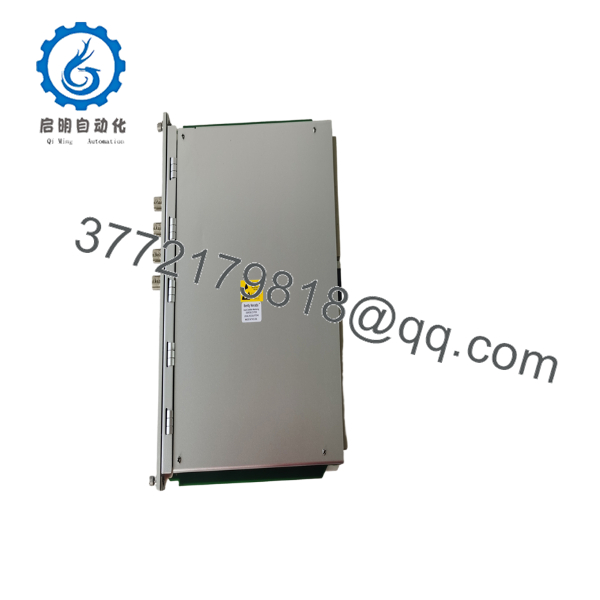
- 3500/72M 176449-08
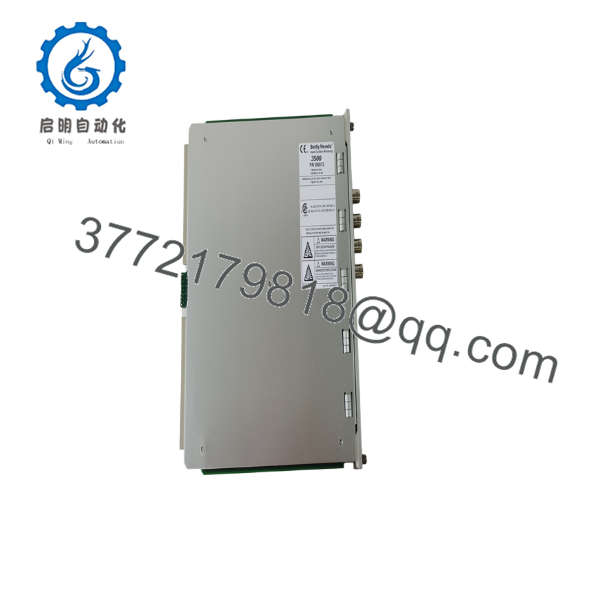
- 3500/72M 176449-08
Frequently Asked Questions (FAQ)
Q1. What machinery is the 3500/72M designed to protect?
It is designed specifically for reciprocating compressors. The monitor continuously measures rod position–related parameters and compares them against configured alarm limits to provide machinery protection.
Q2. Can this module monitor standard rotating equipment?
Not effectively. The 3500/72M is intended for reciprocating compressor applications. Bently Nevada offers other 3500 Series monitors for shaft vibration, thrust position, and other rotating machinery measurements.
Q3. Which measurements does the module support?
Depending on configuration, it supports:
- Rod Position
- Rod Drop
- Hyper-Compressor Position
The monitor channels are configured in pairs, allowing two measurement functions simultaneously.
Q4. Is the module compliant with API 618?
Yes. The 3500/72M is designed to meet API 618 monitoring requirements for reciprocating compressors.
Q5. Can I replace the module without downloading the rack configuration?
It is not recommended. While the replacement is straightforward, restoring the original configuration ensures alarm limits, channel assignments, and measurement functions remain identical to the previous installation.
Q6. What should I verify before ordering part number 176449-08?
Verify:
- Complete part number (176449-08)
- Installed rear I/O module type
- Rack slot assignment
- Firmware compatibility
- Transducer model
- Existing 3500 Rack Configuration file
Checking these items before installation helps avoid the majority of commissioning delays and prevents unnecessary troubleshooting.



