
 WhatsApp: +86 16626708626
 Email:
  Phone: +86 16626708626
Description
Key Technical Specifications
| Parameter | Value |
|---|---|
| Product Model | 350042M-01-00 |
| Manufacturer | Bently Nevada |
| Product Series | 3500 Machinery Protection System |
| Monitor Channels | 4 |
| Sensor Compatibility | Proximitor®, Velomitor®, Acceleration Sensors, Seismoprobe Sensors |
| Measurement Functions | Radial Vibration, Thrust Position, Eccentricity, Differential Expansion, Velocity, Acceleration |
| Alarm Processing | User-programmable Alert & Danger Setpoints |
| Configuration | 3500 Rack Configuration Software |
| Installation | Standard 3500 Rack Slot |
| Application | Rotating Machinery Protection |
| Typical Industries | Power Generation, Oil & Gas, Petrochemical, Mining, Process Industries |
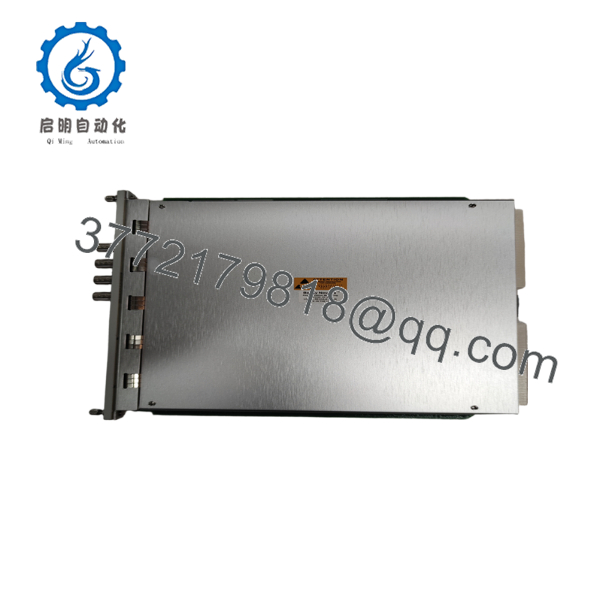
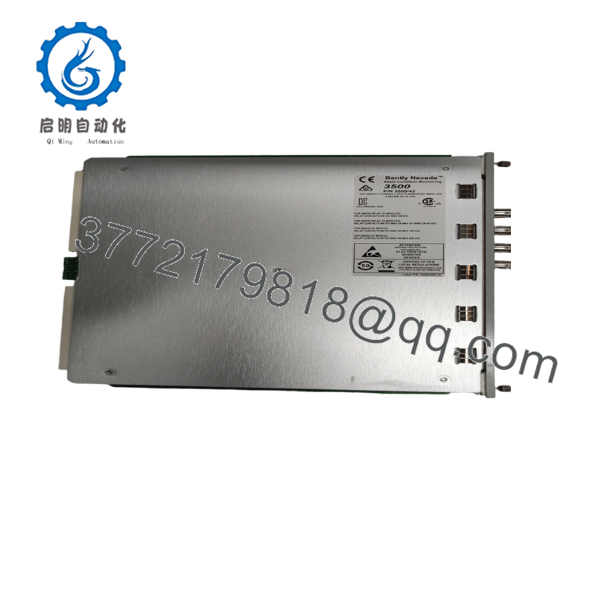
The 3500/42M is a four-channel monitor designed to accept proximity and seismic transducer inputs. Each channel pair can be configured independently, allowing simultaneous monitoring of multiple machine protection parameters.
Product Introduction
The Bently Nevada 350042M-01-00 is a member of the 3500 Machinery Protection System designed for continuous online monitoring of critical rotating equipment. It receives signals from proximity probes and seismic sensors, conditions those signals, and compares them against configurable alarm thresholds.
Engineers commonly select the 3500/42M for turbines, compressors, pumps, and large motors because it supports multiple vibration and shaft position measurements within a single module while integrating directly with the 3500 protection platform. It supports programmable monitoring functions and configurable alarm logic for machine protection.
Installation & Configuration Guide
Stage 1 – Pre-Installation Preparation (10 Minutes)
⚠️ Safety First
- Notify operations personnel.
- Perform Lock-Out/Tag-Out procedures.
- Remove rack power.
- Wait at least five minutes before servicing.
Required Tools
- ESD wrist strap
- Phillips screwdriver
- Digital multimeter
- Wire labels
- Smartphone for documentation
Before Removal
- Export current rack configuration.
- Record firmware revision.
- Photograph all wiring and terminal positions.
Stage 2 – Remove Existing Module (5 Minutes)
- Remove the front bezel.
- Label every field connection.
- Disconnect wiring carefully.
- Release the module locking mechanism.
- Pull the monitor straight from the rack.
⚠️ Inspect the backplane connectors for bent pins or contamination before installing the replacement.
Stage 3 – Install the New Module (10 Minutes)
- Wear an ESD wrist strap.
- Verify the part number exactly matches 350042M-01-00.
- Confirm terminal wiring matches the original installation.
- Insert the module completely until fully seated.
- Secure all retaining hardware.
- Reconnect all field wiring.
Checklist:
- ✔ Correct module installed
- ✔ Wiring verified
- ✔ Connectors fully seated
- ✔ Rack slot secured
Stage 4 – Startup & Verification (10 Minutes)
- Restore rack power.
- Verify normal LED indications.
- Connect using 3500 Rack Configuration Software.
- Confirm module recognition.
- Verify configured monitoring channels.
- Simulate sensor inputs if available.
- Confirm Alert and Danger alarms operate correctly.
⚠️ If communication fails immediately after installation, first verify firmware compatibility and rack configuration before replacing hardware. A firmware or configuration mismatch is a more common cause than module failure.

- 350042M-01-00
- 350042M-01-00
Frequently Asked Questions
Q1. Can the 350042M-01-00 be hot-swapped?
No. Although the 3500 rack supports modular maintenance, powering down the rack before replacing monitoring modules is the recommended practice to avoid communication faults or backplane damage.
Q2. What sensors are supported?
The monitor accepts inputs from Bently Nevada proximity probes, Velomitor sensors, acceleration transducers, and other supported seismic sensors for vibration and shaft position monitoring.
Q3. Will replacing the module erase my machine configuration?
No. Configuration information is maintained within the rack configuration system. Even so, always back up the existing configuration before replacing any module.
Q4. Is 350042M-01-00 still available?
The 3500 platform remains widely deployed, but availability depends on production status and distributor inventory. New Original, New Surplus, and professionally tested surplus units are commonly available through industrial automation suppliers.
Q5. What machines typically use this monitor?
Typical applications include:
- Steam turbines
- Gas turbines
- Centrifugal compressors
- Large pumps
- Industrial fans
- Electric generators
- Critical rotating equipment in continuous-process plants
Q6. Why should firmware compatibility be checked before installation?
A mismatch between rack firmware, configuration software, and monitor revision can prevent successful communication or generate false diagnostic alarms. Document the existing firmware revision before removing the original module and verify compatibility with the replacement.
Q7. What does the “-01-00” suffix indicate?
For the 3500/42M ordering structure:
- 01 – Internal termination I/O module
- 00 – No hazardous-area approval option
These suffixes identify the hardware configuration supplied with the monitor.



