
 WhatsApp: +86 16626708626
 Email:
  Phone: +86 16626708626
Description
Key Technical Specifications
- Card Type: Single-port control/interface board
- Host System: Bosch Rexroth Indramat DIAX02 drive controller rack
- Connector: Card-side (backplane) connector — no external field wiring on the card itself
- Function: Positioning and inter-module communication support within the DIAX02 architecture
- Weight: approx. 0.13 kg (0.29 lb)
- Manufacturer Status: Discontinued
- Voltage/Power Draw: Not independently confirmed — the card draws power from the DIAX02 rack backplane; do not assume a standalone rating
- Compatible Systems: Related DIAX02 cards include the DLC1.1 (single-axis positioning card) — confirm slot compatibility with your specific rack configuration
Note: This card has no published standalone datasheet in general circulation. Confirm firmware/software revision compatibility and exact slot position against your DIAX02 rack’s original configuration record before ordering.
Product Introduction
The Indramat DLF1.1 is a control and interface card built for the Bosch Rexroth DIAX02 drive system, handling positioning and communication functions between modules in the rack rather than driving a motor directly. It’s a backplane-connected card — no external terminal wiring — that slots into the chassis alongside the power and axis modules it supports.
Because Rexroth discontinued the platform some years back, the DLF1.1 is now sourced exclusively through the surplus and repair market. It remains a straightforward swap for plants still running racks: the card handles a defined interface function, so replacement is largely a matter of matching part number and firmware, not reconfiguring the whole axis.
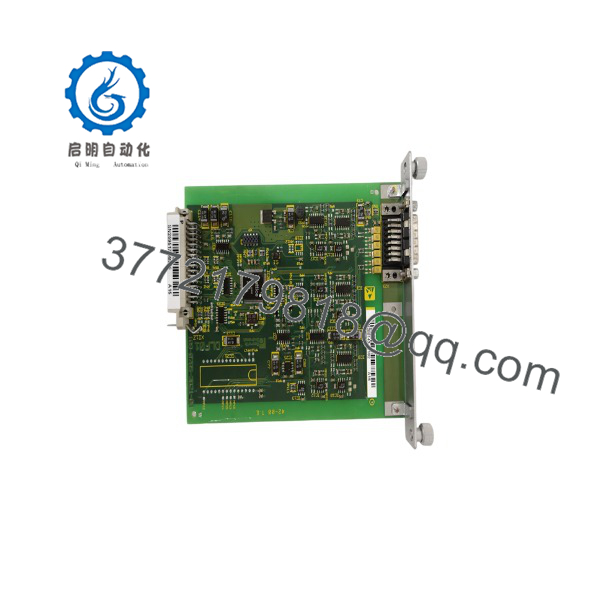
DLF1.1
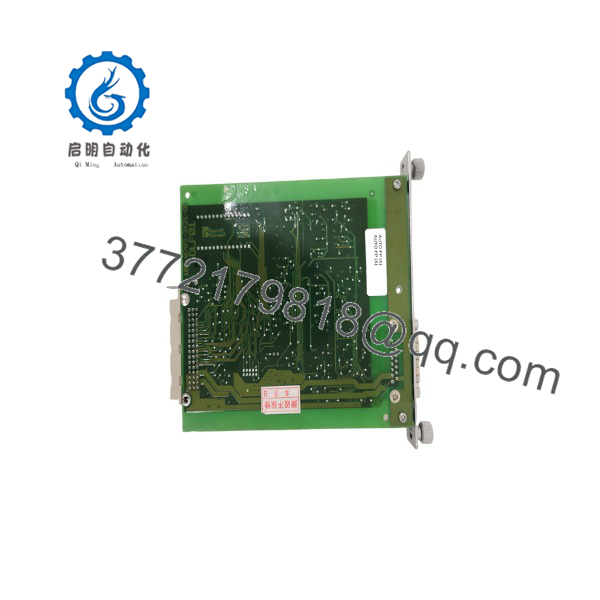
DLF1.1
Installation & Configuration Guide
Stage 1: Pre-Installation Preparation (Est. 10 min)
⚠️ Safety First: Notify operations before working in the rack. Verify the axis is in a safe state and lock out/tag out the rack’s main power. Wait for internal capacitor discharge before opening the chassis — treat any drive rack as retaining stored energy until confirmed otherwise with a meter.
Tools Required: ESD wrist strap, PH1 screwdriver, digital multimeter, smartphone for reference photos.
Data Backup: Photograph the card’s exact slot position in the rack before removal — systems are sensitive to slot order. Record the firmware/software version if the card carries any, and note the surrounding module part numbers for reference.
Stage 2: Removing the Old Card (Est. 5 min)
- Remove the rack’s front cover if present.
- Release the card’s retaining mechanism (typically a card-edge latch or screw lock, depending on rack generation).
- Withdraw the card straight out to avoid stressing the backplane connector pins.
- Inspect the backplane slot for bent pins or debris before inserting the replacement.
⚠️ Note: Keep the old card until the replacement is confirmed functional — it’s your reference if the new unit doesn’t behave identically.
Stage 3: Installing the New Card (Est. 5–10 min)
- ESD prep before handling the card.
- Confirm the part number and revision match the original exactly — modules can have subtle hardware/firmware revision dependencies.
- Insert into the same slot position as the original — slot order affects module addressing.
- Seat firmly until the retaining latch engages.
Self-Checklist: [ ] Correct slot position confirmed [ ] Card fully seated and latched [ ] No visible pin damage on backplane
Stage 4: Power-On & Testing (Est. 5–10 min)
Pre-Power Check: Visual check of the rack for any loose cards or connectors before restoring power.
- Power up the rack and observe the host drive’s status LEDs and any card-specific indicators.
- Connect commissioning software (e.g., DriveTop, depending on your firmware) and confirm the system recognizes the module without fault codes.
- Verify positioning/communication functions tied to this card are operating — test a known motion sequence if possible before returning to production.
⚠️ Troubleshooting Note: If the drive rack faults immediately on power-up after the swap, suspect a slot-position mismatch or a firmware revision gap between the card and the host drive — these are the two most common causes on systems.
Frequently Asked Questions (FAQ)
Is the DLF1.1 still in production, and is “new” stock genuinely new?
No — it’s confirmed discontinued by the manufacturer. Anything sold today is surplus, pulled from decommissioned equipment, or refurbished. Ask your supplier directly whether a given unit is unused old stock or a tested pull, and get serial number verification if it matters for your maintenance records.
Can this card be hot-swapped while the rack is powered?
Don’t do it. Even though the DLF1.1 itself isn’t a power module, pulling any card from a live backplane risks damaging the connector pins or triggering a fault across the whole rack. Power down, lock out, and confirm de-energized before removing it.
Will I lose my drive’s positioning configuration when I swap this card?
Not necessarily, since positioning parameters are typically held at the drive/axis module level rather than solely on the interface card — but back up your configuration through your commissioning software before the swap regardless. Don’t assume; verify what your specific setup stores where.
What’s the direct replacement if the DLF1.1 is out of stock?
There isn’t a documented one-to-one modern replacement — is a legacy platform, and Rexroth’s current ctrlX or IndraDrive lines aren’t drop-in compatible. If you can’t source another DLF1.1, plan on a broader axis or rack retrofit rather than a like-for-like card swap.
Why does published information on this card feel thin compared to your DKC01 listings?
Because it is thin. The .1 never had wide datasheet circulation the way full drive controllers did — it’s a rack-specific option card, and most of what’s documented publicly comes from resellers rather than an OEM spec sheet. Cross-check anything critical against your own rack’s original configuration documentation before relying on it.
What’s your testing process before shipping a used?
At minimum this should include a visual inspection for physical damage or corrosion and a functional test in a genuine rack to confirm the drive recognizes the card without fault. Ask your supplier specifically what test method they used — for a card this narrowly documented, a stated test procedure matters more than it would for a mainstream part.



