WhatsApp: +86 16626708626
 Email:
 Phone: +86 16626708626
Description
Key Technical Specifications
The following parameters require confirmation against the manufacturer’s documentation for BOSENSE MWS10A.
- Manufacturer: BOSENSE
- Model Number: MWS10A
- Product Category: Not independently verified
- Primary Function: Requires confirmation
- Rated Supply Voltage: Not verified
- Power Consumption: Not verified
- Input/Output Type: Not verified
- Communication Interface: Not verified
- Measurement Range: Not verified
- Operating Temperature: Not verified
- Dimensions: Not verified
- Weight: Not verified
Technical verification note: Do not use specifications from similarly named products as substitutes. Confirm the exact model designation, nameplate data, wiring diagram, and applicable revision before ordering or installation.
Product Introduction
BOSENSE MWS10A is a manufacturer-designated model whose exact product category and technical function require confirmation from the OEM. BOSENSE manufactures industrial sensing and automatic control equipment, including products used in tension control and web-guiding applications.
Before selecting MWS10A for a new installation or replacement, verify its electrical ratings, interface requirements, mechanical configuration, and compatibility with the existing machine. Confirm stock condition, lead time, warranty terms, and applicable technical documentation with the supplier before placing an order.
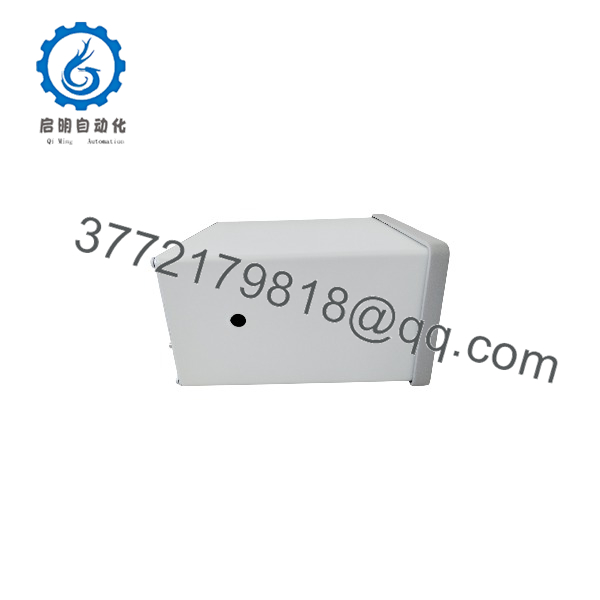
MWS10A
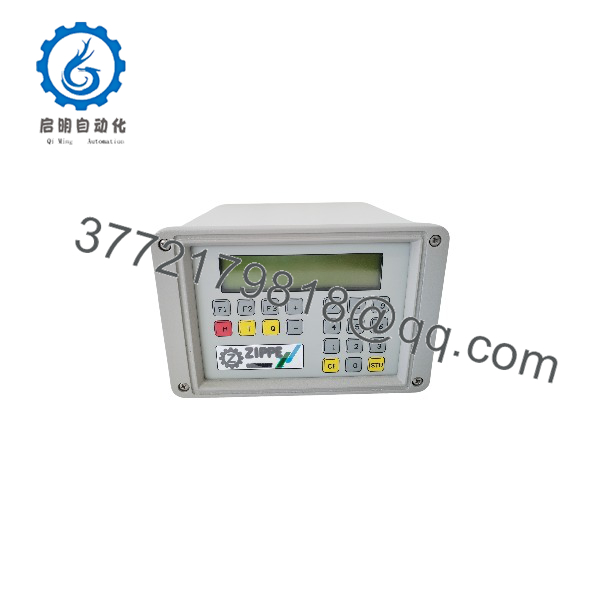
MWS10A
Installation & Configuration Guide
Important: The precise installation procedure for MWS10A cannot be established without identifying its function and hardware configuration. The following is a preliminary safety and verification workflow, not a model-specific commissioning procedure.
Stage 1: Pre-Installation Preparation
Estimated time: 10–15 minutes, excluding shutdown and safety authorization.
- Notify operations and obtain approval for the planned equipment shutdown.
- Identify the equipment controlled or monitored by MWS10A.
- Apply lockout/tagout (LOTO) and verify the absence of hazardous voltage before disconnecting electrical connections.
- Record the complete model number, serial number, hardware revision, and nameplate ratings.
- Photograph the existing wiring, connector positions, mounting arrangement, and configuration settings.
- Obtain the applicable OEM manual, terminal diagram, and commissioning instructions.
Tools: Appropriate insulated tools, a suitably rated multimeter, wire labels, an ESD wrist strap where required, and a camera for recording the installation.
Stage 2: Removing the Existing Unit
Estimated time: 10–20 minutes, depending on mounting and wiring.
- Confirm that all relevant energy sources have been isolated and verified safe.
- Label each conductor and connector before disconnection.
- Release the specified mounting hardware or connector locks using the manufacturer’s procedure.
- Remove the unit without forcing connectors or applying excessive mechanical load.
- Inspect the mounting surface, terminals, cable insulation, and mating connectors for damage.
- Retain the removed unit for comparison until the replacement has passed commissioning.
⚠️ Do not assume that MWS10A supports hot swapping. No verified hot-swap capability or removal procedure is available.
Stage 3: Installing the Replacement
Estimated time: 10–20 minutes, subject to OEM instructions.
- Verify that the replacement has the exact required model designation and compatible hardware revision.
- Compare the electrical ratings, connector pinout, mounting dimensions, and signal interfaces with the existing installation.
- Confirm whether configuration parameters must be transferred from the original unit.
- Install the replacement using the specified mounting hardware and tightening requirements.
- Reconnect wiring according to the verified terminal diagram rather than wire color or physical position alone.
- Check connector retention, protective grounding where applicable, cable shielding, and strain relief.
Pre-commissioning checklist
Stage 4: Power-On and Functional Testing
Estimated time: 15–30 minutes after the approved installation is complete.
- Inspect the installation and verify that no wiring shorts or exposed conductors remain.
- Restore power according to the OEM procedure and site safety requirements.
- Observe status indicators and compare their behavior with the manufacturer’s documentation.
- Verify the expected signal or measurement response using an approved test method.
- Confirm communication and control behavior if the unit uses an external controller or communication interface.
- Test the relevant machine functions under controlled conditions before returning the equipment to production.
- Record the installed model, serial number, configuration, test results, and any remaining alarms.
⚠️ Stop commissioning if the unit displays an unexplained fault, produces an out-of-range signal, or behaves differently from the original equipment. Do not change undocumented parameters or bypass machine interlocks to force operation.
Frequently Asked Questions (FAQ)
Q1: What is the BOSENSE MWS10A used for?
The exact function of MWS10A has not been verified from an OEM datasheet. BOSENSE manufactures industrial sensing and control equipment, but that general product range does not establish the function of this specific model. Confirm the nameplate or obtain the applicable manufacturer catalog before selecting it for an application.
Q2: What are the electrical specifications of MWS10A?
The rated voltage, current consumption, signal type, and connector pinout remain unverified. Request the official technical datasheet and wiring diagram. Do not apply power based on specifications from a similarly named product.
Q3: Is BOSENSE MWS10A obsolete?
Its current lifecycle status has not been established. Ask the manufacturer or supplier to confirm whether the model remains in production, has been discontinued, or has an officially designated successor.
Q4: Is MWS10A a direct replacement for my existing unit?
That depends on the original hardware revision, electrical interface, mechanical fit, and machine-control requirements. A matching model number is useful but does not establish compatibility across revisions or modified assemblies. Obtain written confirmation of replacement compatibility before installation.
Q5: Can MWS10A be replaced while the machine is running?
No verified hot-swap specification is available. Treat the unit as requiring a controlled shutdown and electrical isolation until the OEM explicitly confirms otherwise. Follow the machine’s LOTO procedure and the manufacturer’s replacement instructions.
Q6: Is the BOSENSE MWS10A supplied as new original equipment?
The actual condition depends on the specific unit offered by the supplier. Request confirmation of whether it is factory-new, new surplus, factory-sealed, or refurbished. For traceability, request clear nameplate photographs, serial-number details, available test records, and written warranty terms.
Q7: What should I verify before purchasing BOSENSE MWS10A?
Confirm the exact product function, full model designation, hardware revision, electrical ratings, connection details, and compatibility with the installed equipment. Also obtain the current stock status, dispatch lead time, product condition, warranty coverage, and return terms.